
Apple AirPods Max Review in 2026: Ecosystem, Sound & Value is for buyers deciding whether an older premium device still delivers enough performance, support and everyday value to justify its 2026 price.
Quick Verdict
- Best for: buyers who find this model at a meaningful discount and understand its age.
- What matters most: software support, battery condition, real-world performance and current street price.
- Skip or compare newer: when the price gap to a current model is small or long-term support is a priority.
Table of contents
Introduction: Stepping into the Seamless Apple Soundscape
Imagine an audio experience so fluid, so intuitive, it feels like an extension of one’s thoughts. For Apple users, this is not a distant dream but a daily reality with the Apple AirPods Max. Introduced in 2020 and updated with a USB-C charging port in September 2024, these over-ear headphones represent Apple’s premium entry into high-fidelity personal audio. They combine sophisticated audio technology with the convenience of a deeply integrated ecosystem. Apple AirPods Max.

While their high-fidelity sound quality and industry-leading noise cancellation are frequently lauded, the true magic of AirPods Max lies in their unparalleled integration within the Apple ecosystem. This integration offers a level of convenience and synergy that competing headphones struggle to match, making them the ultimate audio companion for dedicated Apple users. This article will explore how AirPods Max leverages Apple’s interconnected universe to deliver an unmatched user experience, examining both its celebrated strengths and common user considerations.
The “magic” of Apple’s ecosystem, particularly as it pertains to the AirPods Max, presents a nuanced user experience. Apple positions these headphones as offering “effortless magic”, and numerous accounts consistently highlight the seamless and automatic nature of device switching and integration. This forms the core of Apple’s marketing and user expectations. However, a closer examination of user feedback reveals certain friction points. The Smart Case, designed to preserve battery in an “ultra-low-power state”, is often criticized for its lack of a true “off” button, leading to a perceived “incredibly bad user experience”. Some independent tests and user reports even indicate minimal battery preservation or “massive battery-drain overnight”. Furthermore, while automatic switching is praised, it can lead to “Interruptions from Automatic Switching” when unwanted device activity occurs. Comfort, despite some positive reviews, remains a significant concern for others due to the headphones’ weight and clamping force. Additionally, condensation and “flexgate” issues have been reported, raising questions about durability despite the premium build. This juxtaposition illustrates that while the digital interactions within Apple’s ecosystem are indeed fluid, certain hardware design decisions, presumably made in pursuit of “seamlessness,” can paradoxically lead to frustration in daily physical use and longevity. The high price tag further amplifies these criticisms, as consumers expect near-perfection for a premium product. Thus, the “unparalleled integration” is largely true for digital interactions, but less so for the physical product’s daily usability and long-term durability, creating a complex user experience. Connect and use your AirPods Max – Apple Support.
The Core of Connectivity: Seamless Device Switching
Effortless Transitions Across Your Apple Devices
One of the most compelling features of AirPods Max is their intelligent automatic device switching. These headphones are designed to seamlessly transition between an iPhone, iPad, Mac, Apple Watch, and even Apple Vision Pro. This capability is enabled when all devices are signed into the same Apple Account with two-factor authentication and are running the latest operating system versions. The Apple H1 headphone chip in each ear cup facilitates this rapid and intelligent handoff. Pair AirPods with an Apple device.
Consider a common scenario: an individual is engrossed in music on their Mac, and their iPhone rings. The AirPods Max will instantly switch the audio to the iPhone, allowing the user to answer the call without missing a beat. Once the call ends, the audio seamlessly transitions back to the Mac, resuming music or video exactly where it left off, all without any manual intervention. A user on YouTube enthusiastically described this as “the best Apple ecosystem auto switching [they’ve] ever seen from any device ever,” highlighting how it “happens like clockwork, nothing goes missing”. This level of seamless integration “eliminates the friction that makes competing headphones feel like technical exercises,” significantly enhancing a user’s daily workflow. AirPods Max 2 SEAMLESS Switching.
While this automatic switching is incredibly convenient, there can be instances where a user might prefer to prevent an unexpected switch. For example, when watching a video on a Mac, a notification on an iPhone could cause an unwanted disruption. Users can manage this behavior to optimize their listening experience. On an iPhone or iPad, one can navigate to Settings > Bluetooth, tap the “More Info” button (i) next to AirPods Max, then tap “Connect to This iPhone [or iPad]” and select “When Last Connected to This” instead of “Automatically”. Similarly, on a Mac, one can choose[Switch your AirPods to another device – Apple Support] Apple menu > System Settings, then click Bluetooth. Clicking the Options button next to AirPods Max allows selection of “When Last Connected to This Mac” from the “Connect to This Mac” menu. It is important to note that sound should generally not switch automatically if a user is already in a conversation, such as a phone call, FaceTime call, or video conference.
The core benefit of automatic switching is undoubtedly its “effortless” and “seamless” nature. This design philosophy is a hallmark of Apple’s integrated ecosystem, aiming to minimize user friction. However, this pursuit of ultimate seamlessness can, in specific scenarios, lead to a perceived loss of granular user control. The absence of “Multipoint Bluetooth Support,” which would allow simultaneous connection to two devices, means that background activity or notifications on other devices can sometimes trigger an unwanted switch, disrupting the primary audio experience. Apple’s design prioritizes a singular, active connection that automatically follows user intent across devices. While this is highly convenient for most transitions, such as answering phone calls, it means that the system’s intelligence, while usually beneficial, can occasionally override a user’s immediate preference. The provision of manual override options acknowledges this inherent tension, indicating that even Apple’s sophisticated automation requires user awareness and occasional intervention to fully optimize the experience.Pair AirPods with an Apple device.
Instant Pairing and Setup
Getting started with AirPods Max is remarkably straightforward. With an iPhone or iPad updated to the latest iOS or iPadOS, one simply takes the AirPods Max out of their Smart Case and holds them near the device. A setup animation will appear on the device’s screen, guiding the user to connect. This process is designed to be intuitive, typically completed within 60 seconds.
Once AirPods Max are paired with one Apple device, and the user is signed into iCloud, they are automatically set up with all other supported Apple devices linked to the same Apple Account. This eliminates the need for repetitive pairing across an iPhone, iPad, Mac, and Apple Watch, embodying true ecosystem convenience. For situations where the setup animation doesn’t appear, or if a user wishes to connect to a non-Apple device, manual pairing is simple. One can go to the Bluetooth settings on their device and press and hold the noise control button on the AirPods Max for about 5 seconds, or until the status light flashes white. For the newer USB-C model, AirPods Max can also be paired by simply connecting them to a device using a USB-C to USB-C cable.Pair AirPods with an Apple device
Immersive Audio Tailored for Apple: Spatial Audio & Adaptive EQ
Personalized Spatial Audio with Dynamic Head Tracking
The AirPods Max offer an incredibly immersive audio experience, thanks to Personalized Spatial Audio with Dynamic Head Tracking. This technology creates a “theater-like environment” by making it sound like audio is coming from all around you, not just left and right.
How It Works:
- 3D Soundstage: Audio is processed to create a multi-directional sound field, placing sounds at specific points in space.
- Dynamic Head Tracking: The sound remains “anchored” to your device (iPhone, iPad, Mac) even as you move your head. If you turn your head to the left, the sound adjusts to maintain the illusion that it’s still coming from the screen.
- Personalized Profile: For an even more tailored experience, you can create a personalized Spatial Audio profile using an iPhone X or later. This maps your unique ear and head shape, then syncs across all your compatible Apple devices.
This feature transforms how you watch movies, listen to music, and even take FaceTime calls, making the experience more engaging and realistic. Users have praised Spatial Audio for movies as “truly unmatched.”
Controlling the Experience:
You have full control over your Spatial Audio settings. On an iPhone with your AirPods Max connected, you can go to Settings > AirPods Max > Personalized Spatial Audio > Personalize Spatial Audio to set it up.
You can also quickly manage the settings from the Control Center on your iPhone or iPad, or the menu bar on your Mac. You have three options:
- Off: Disables both Spatial Audio and head tracking.
- Fixed: Enables Spatial Audio, but the sound won’t follow your head movements.
- Head Tracked: The full experience, with Spatial Audio and head tracking, anchoring the sound to your device.
These settings are saved per application for convenience. It’s worth noting that the newer USB-C AirPods Max also support Spatial Audio and head tracking via a USB-C cable for select devices.
While the technology is incredibly advanced, it has its limits. In rare cases, if you move your head too quickly, the processing may not keep up, and the illusion can momentarily break. This is a testament to the complex, real-time computational audio at the heart of the AirPods Max, which is near-perfect in most scenarios.
Unrivaled Audio Control: Active Noise Cancellation & Transparency Mode
The AirPods Max offer two powerful listening modes for a tailored audio experience: Active Noise Cancellation (ANC) and Transparency Mode. These features put you in complete control of your sound environment, whether you’re seeking total immersion or situational awareness.
Active Noise Cancellation (ANC): Your Personal Sound Sanctuary
AirPods Max feature “pro-level Active Noise Cancellation” that uses advanced computational audio to neutralize external noise. This makes them highly effective for creating a focused listening environment in common noisy settings like a bustling office or a lively coffee shop.
- How it works: The ANC system employs a sophisticated algorithm to cancel out a wide spectrum of ambient sounds.
- User Experience: Reviewers have praised its effectiveness, with one noting how it “really does a great job of sealing the outside world” and can even make nearby conversations inaudible.
Note on Performance: While many consider the AirPods Max ANC to be “best-in-class” for everyday use, particularly against dynamic, mid-to-high frequency sounds, its performance for consistent, low-frequency noise (like airplane cabin rumble) is sometimes considered to be slightly surpassed by competitors like the Bose QuietComfort Ultra Headphones or Sony WH-1000XM5. This is a nuance of its design, which is optimized for a broad range of daily scenarios rather than a single, specific type of noise. For a comparison with other leading models, see our guide to the Best Noise-Cancelling Headphones of 2025.
Transparency Mode: Seamlessly Blend Your Audio and Surroundings
Transparency mode is the perfect counterpart to ANC. It intelligently lets you hear your surroundings naturally, without having to remove your headphones. This promotes situational awareness and makes it easy to engage with the world around you.
- How it works: The headphones’ microphones capture external sounds and pass them through to your ears, creating a natural, “crystal clear” auditory experience without distortion.
- User Experience: This feature is widely lauded as “amazing,” making it ideal for quick conversations, listening for announcements at an airport, or simply staying aware of your environment while walking.
Effortless Switching Between Modes
Toggling between ANC and Transparency mode is seamless. You can switch with a single press of the dedicated noise control button on the right ear cup. You can even customize which modes this button cycles through in your device’s settings, allowing for a personalized and efficient user experience. For more information on customization, you can refer to Apple’s official support page.
Unrivaled High-Fidelity Sound and Lossless Audio
AirPods Max are widely recognized for their excellent sound quality, delivering a rich and detailed listening experience. The custom-designed Apple-designed dynamic drivers and Adaptive EQ technology work in harmony to produce a balanced and versatile audio profile. Reviews consistently praise the headphones’ ability to make vocals and vocal-forward music “shine” in the midrange, while providing “pleasing, detailed highs without any of the harshness.” The bass is described as “solid punchy” with “accurate sub-bass,” making the AirPods Max suitable for any music genre. Many reviewers note that the AirPods Max “just edge out” competitors like the Sony WH-1000XM6 in terms of clarity and soundstage.
Experience True Lossless Audio with USB-C
A major advancement with the updated USB-C AirPods Max, released in September 2024, is the introduction of lossless audio and ultra-low latency audio support. By connecting the headphones with a USB-C cable to a compatible Apple device (iPhone, iPad, or Mac) running the latest software (iOS 18.4+, iPadOS 18.4+, macOS 15.4+), users can finally experience lossless audio from their Apple Music subscription. This feature directly addresses the long-standing limitation of Bluetooth’s bandwidth for true high-resolution audio, a point of contention for many audiophiles. The wired connection provides a dedicated solution to bridge the fidelity gap, allowing users to enjoy their music exactly as the artists intended in the studio.
Smart Features and Seamless Convenience
Siri: Your Hands-Free Assistant
Siri is seamlessly integrated into the AirPods Max experience, offering an intuitive, hands-free way to control your audio and stay connected. You can activate Siri by simply saying “Hey Siri” or by pressing and holding the Digital Crown. Siri can handle a variety of commands, from controlling music playback to making phone calls and answering questions. A standout feature is Siri’s ability to announce incoming calls and read messages directly through your headphones, allowing you to stay informed without ever needing to look at your iPhone. This deep integration streamlines your workflow and reinforces the interconnected nature of the Apple ecosystem. For more on Siri’s capabilities, visit Apple’s official Siri support page.
Find My Integration for Total Peace of Mind
The Find My network offers robust tracking capabilities, providing a crucial layer of security for your valuable AirPods Max. If you misplace your headphones, you can use the Find My app on an iPhone, iPad, Mac, or even on iCloud.com to see their last known location on a map. For a nearby but hidden device, you can play a loud sound to help locate it. The “Notify When Left Behind” feature proactively alerts you if you accidentally leave your AirPods Max at an unfamiliar location, giving you added assurance. By leveraging the vast network of other Apple devices, the Find My network anonymously and securely helps you keep track of your headphones, protecting your investment.[Learn more about Apple’s ecosystem products at freditech.com/apple-products]
A Comprehensive Guide to AirPods Max: Battery, Design, and User Experience
This in-depth guide covers the essential aspects of the AirPods Max, from their impressive battery life to their unique design, helping you make an informed decision.
Powering Your Experience: Battery Life and Charging
The AirPods Max battery life is a key feature, providing up to 20 hours of high-fidelity audio with Active Noise Cancellation (ANC) or Transparency mode enabled. For movie enthusiasts, the headphones offer the same 20 hours of playback with Spatial Audio. These numbers are generally supported by independent tests, with some users even reporting slightly longer use under specific conditions.
Quick Charging for On-the-Go Use When you’re in a hurry, a quick 5-minute charge can provide approximately 1.5 hours of additional listening time, ensuring your music doesn’t stop for long.
Charging Port Options AirPods Max models come with different charging ports. Newer versions feature a versatile USB-C port, while the original models utilize a Lightning port. Both are located on the bottom of the right earcup.
The Smart Case and Battery Drain A notable point of contention among users is the headphone’s “ultra-low power mode,” which is activated when placed inside the included Smart Case. While designed to conserve power, many users have observed significant battery drain overnight, even with the case. This is largely due to the absence of a traditional “off” button. The headphones remain in a low-power, but still active, state to facilitate seamless, instant connectivity, which can lead to unexpected battery depletion.
Checking Your Battery Status
Staying on top of your charge is easy with multiple ways to check the battery level:
- On-Screen Notifications: Your connected iPhone or iPad will display alerts at 20%, 10%, and 5% battery remaining.
- Audio Tones: The headphones emit a distinctive tone at 10% battery and just before they power off.
- Status Light: The status light on the right earcup gives a quick visual cue. It glows green for a high charge ( when plugged in or when not) and amber for a low charge.
- iOS/macOS Integration: For a detailed view, simply hold the AirPods Max close to your Apple device and check the Bluetooth settings or the Control Center.
A Premium Design: Comfort and Build Quality
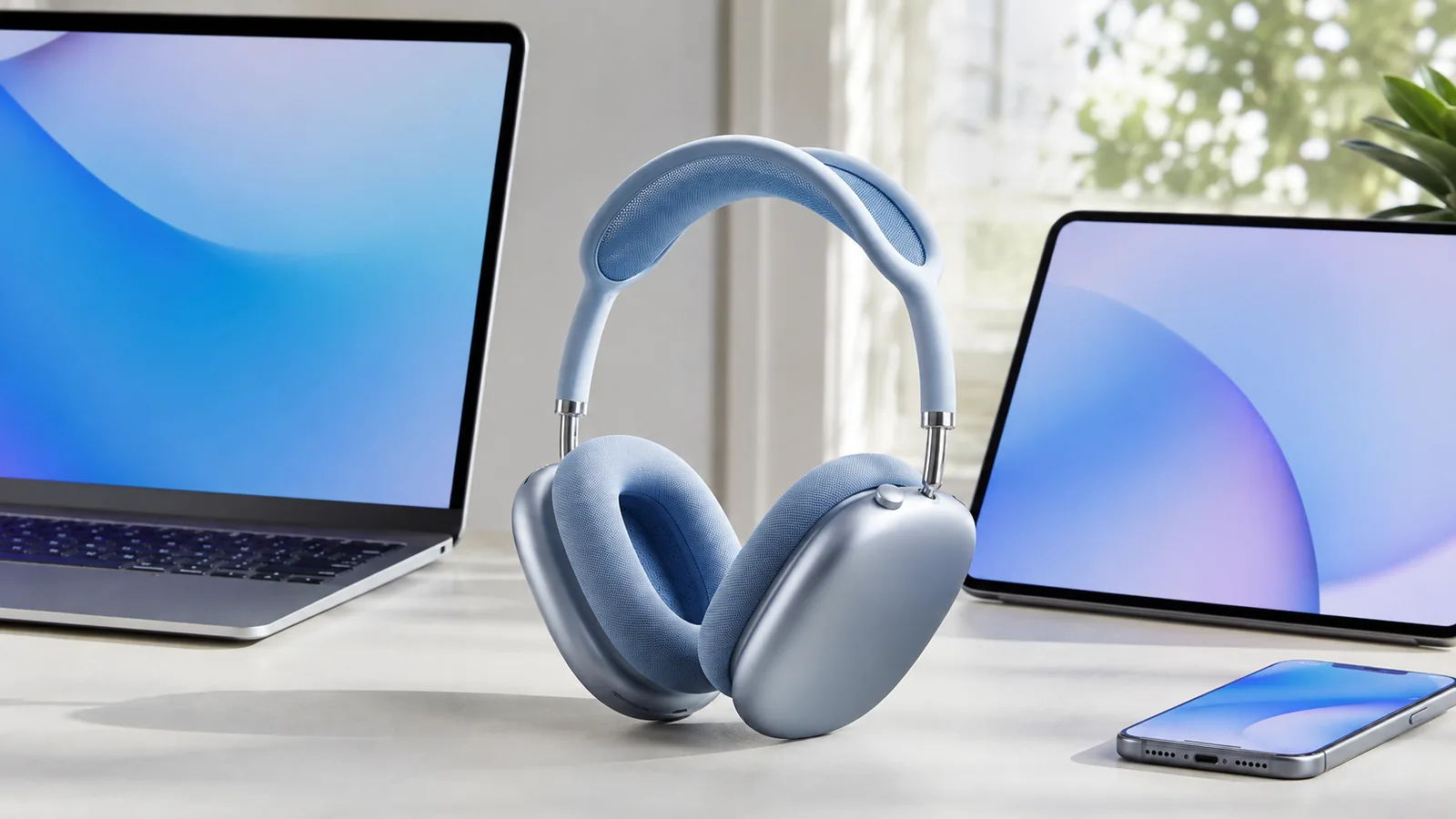
The AirPods Max design is a testament to Apple’s premium aesthetic. They feature a unique build with a stainless steel frame, a woven mesh canopy, and aluminum earcups. This construction offers a distinct look and a high-quality feel that sets them apart from competitors like Bose and Sony, which often use more plastic.
Weight and Comfort
Weighing in at 384.8 grams (approximately 13.6 ounces), the AirPods Max are heavier than most of their rivals. This has led to a mixed reception regarding comfort. Some users praise the mesh headband for effectively distributing the weight, calling them the “most comfortable over-ear headphones” they’ve ever worn. However, others find the weight and clamping force uncomfortable, especially during long listening sessions.
Replaceable Ear Cushions and Digital Crown
A practical design choice is the inclusion of easily replaceable ear cushions, which can be purchased directly from Apple. Control is managed via the versatile Digital Crown, a feature inspired by the Apple Watch. This allows for precise volume adjustments and multi-functional button presses:
- Turn: Adjusts volume.
- Press once: Play/pause, answer/end call.
- Press twice: Skip forward.
- Press three times: Skip back.
- Press and hold: Activates Siri.
Common User Concerns: Durability and Market Reception
Despite their premium build, the AirPods Max have faced some durability concerns. Users have reported issues with condensation building up inside the earcups, a problem potentially exacerbated by the aluminum construction. Another reported issue, dubbed “flexgate” by some, involves the headphones’ hinge mechanism. These issues are important to consider for long-term ownership.
Consumer sentiment, as reflected in various studies and reviews, is a mixed bag. While praised for their build quality, sound, and ANC, the initial high price point of $549 and the aforementioned comfort and durability issues have been a point of friction for many consumers.
Troubleshooting Tips
For users encountering issues with their AirPods Max, several troubleshooting steps can often resolve common problems:
- Connection Issues: Ensure Bluetooth is enabled on the device. Try reconnecting via Bluetooth settings, or if problems persist, “forget” the AirPods Max and then re-pair them.
- Audio Quality Problems: Verify the audio source is high-quality. Ensure AirPods Max firmware is updated. Clean ear cups, as dust or debris can affect sound.
- Noise Cancellation Issues: Confirm AirPods Max are running the latest software, as updates often include improvements. Reset noise cancellation settings in Bluetooth settings if needed.
- Battery Drain Issues: Fully charge AirPods Max before use. Always store them in the Smart Case when not in use to conserve battery. Monitor battery health and consider replacement if aging.
- Auto-Pause Issues: Adjust ear detection sensitivity in device settings. Clean the optical sensors on the ear cups to ensure they are free of debris.
- Microphone Problems: Ensure microphones are clean and unobstructed. Check microphone permissions in device privacy settings.
- Case Charging Issues: Clean charging contacts on both AirPods Max and the Smart Case. Use genuine Apple charging cables and adapters.
- Lost AirPods Max: Utilize the Find My app to locate them on a map, play a sound, or use the “Find Nearby” feature for close proximity.
- Restart or Reset: For persistent issues, a restart (press and hold noise control button and Digital Crown until LED flashes amber) or a factory reset (hold both buttons for 15 seconds until LED flashes amber, then white) can often resolve problems. A factory reset will unpair them from all devices and remove custom settings.[Explore more smart devices and troubleshooting at smart-devices]
Conclusion: The Ecosystem Advantage Redefined
The Apple AirPods Max, while a premium offering with a significant price point, stands out primarily for its unparalleled integration within the Apple ecosystem. Its core value proposition for Apple users lies in the seamless device switching, the deeply immersive Personalized Spatial Audio with dynamic head tracking, and the intelligent integration of Siri and Find My capabilities. These features collectively create an audio experience that feels less like using a peripheral and more like an extension of one’s interconnected Apple devices.
Despite its celebrated strengths, the user experience is not without its nuances. The design choice to forgo a traditional power button in favor of the Smart Case’s ultra-low power mode, while aiming for seamlessness, has led to concerns about battery drain for some users. Similarly, while Active Noise Cancellation is highly effective for many everyday scenarios, its performance against continuous, low-frequency noise may be marginally surpassed by some dedicated competitors. Comfort, too, remains a subjective aspect, with the headphones’ weight and clamping force affecting different users differently. The introduction of USB-C connectivity for lossless audio, however, addresses a key fidelity limitation, demonstrating Apple’s commitment to evolving its hardware to meet the demands of its high-resolution audio services.
Ultimately, for individuals deeply invested in the Apple universe, the AirPods Max remains a compelling choice. Its ability to effortlessly flow between devices, deliver tailored immersive audio, and offer smart, integrated features significantly enhances the overall Apple experience. While considerations around battery management, specific ANC performance, and comfort are valid, the cohesive and intuitive interaction within the Apple ecosystem often outweighs these points for its target audience, solidifying its position as the ultimate audio companion for dedicated Apple users.
Frequently Asked Questions (FAQ)
Do AirPods Max work with Android or Windows PCs?
Yes, they function as standard high-end Bluetooth headphones. However, you will lose all the Apple-exclusive ecosystem features like automatic device switching, Spatial Audio with head tracking, one-tap setup, and Find My integration.
How does Automatic Switching work exactly?
It relies on your devices being signed into the same Apple ID via iCloud. The system intelligently detects which device you are actively using (e.g., answering a call on your iPhone, starting a video on your iPad) and routes the audio to the AirPods Max accordingly.
Can I turn off Automatic Switching?
Yes. On your iPhone or iPad, go to Settings > Bluetooth, tap the “i” icon next to your AirPods Max, select “Connect to This iPhone/iPad,” and change the setting from “Automatically” to “When Last Connected to This iPhone/iPad.”
Is the Spatial Audio with Dynamic Head Tracking really noticeable?
Absolutely. When watching movies or TV shows with a supported audio track (like Dolby Atmos) on apps like Apple TV+ or Netflix, the effect is immediately noticeable and highly immersive. It makes the audio feel much larger and more cinematic.
Are the AirPods Max comfortable for long listening sessions?
While comfort is subjective, the AirPods Max are designed for it. They feature a breathable knit mesh canopy on the headband to distribute weight and reduce pressure, and the memory foam earcups create an effective seal for both comfort and sound isolation.
Author:
Fred Wiredu, Senior Tech Editor at FrediTech. Fred has over a decade of experience as a tech journalist, specializing in the Apple ecosystem. He has tested and reviewed every generation of AirPods and provides expert analysis on how Apple’s hardware and software create a cohesive user experience.
Final Verdict
This product can still be a sensible 2026 buy when the discount is substantial and its remaining support, battery condition and features match your needs. If the price sits too close to a newer model, the newer option usually offers the stronger long-term value.