
Quick answer
Live Translate works through supported call tools; Photo Assist is a set of Gallery editing features. Neither replaces careful review, and availability varies by software, language and region.
Table of contents
The Samsung Galaxy S24 Ultra isn’t just another high-end smartphone—it’s a revolutionary device powered by advanced artificial intelligence (AI) that transforms everyday tasks. Whether you’re a tech enthusiast, a globe-trotting professional, or simply someone who appreciates cutting-edge technology, the S24 Ultra is designed to streamline your life. This article explores how AI features such as Live Translate and Photo Assist redefine mobile experiences, making communication smoother and photography smarter.

1. Introduction
Smartphones have evolved from mere communication tools into essential daily companions. With the Galaxy S24 Ultra, Samsung has taken a giant leap forward by integrating sophisticated AI that goes far beyond basic functionality. These AI features are engineered to help you work more efficiently, communicate effortlessly across languages, and capture life’s best moments with professional-level precision.
In today’s fast-paced world, every second counts. Whether you’re negotiating a business deal, exploring new cultures, or simply capturing a sunset, having a device that adapts to your needs is a game changer. The AI in the S24 Ultra isn’t just about automation; it’s about enhancing every facet of your digital life, making it easier, faster, and more intuitive.
2. Overview of the Samsung Galaxy S24 Ultra
The Affiliate disclosure: FrediTech may earn a commission from qualifying purchases at no extra cost to you. is Samsung’s flagship device that combines stunning hardware with intelligent software. It has been designed to cater to users who demand performance, innovation, and versatility. Key features of this smartphone include a vibrant Dynamic AMOLED 2X display, a robust next-generation chipset, an advanced quad-camera system, and a long-lasting battery—all fine-tuned by AI.
Key Specifications
- Display: Dynamic AMOLED 2X with QHD+ resolution for vibrant, clear visuals.
- Processor: A state-of-the-art chipset with integrated AI processing units.
- Camera System: A versatile quad-camera array enhanced by AI-driven image optimization.
- Battery: Intelligent power management for extended battery life.
- Operating System: One UI with integrated AI functionalities for a seamless user experience.
Samsung has designed the S24 Ultra to work as an intelligent assistant. Its hardware and software integration is so tight that everyday tasks become both efficient and enjoyable. For a detailed review of the device, see our internal article, Samsung Galaxy S24 Ultra Review.
3. Core Galaxy AI Features
3.1 Live Translate
Live Translate can translate supported phone calls in real time, providing audio and on-screen text for each participant. Language support and availability vary, and downloaded language packs can enable some processing on the device.
To set it up, open Settings → Galaxy AI → Call assist → Live Translate, select the languages, and enable the feature. During a supported call, open Call assist and choose Live Translate. Menu names can change with One UI updates, so use Settings search if the path differs.
Translation is not perfect: accents, background noise, specialized terms and rapid speech can reduce accuracy. Confirm critical medical, legal or financial information with a qualified human interpreter.
3.2 Photo Assist and Generative Edit
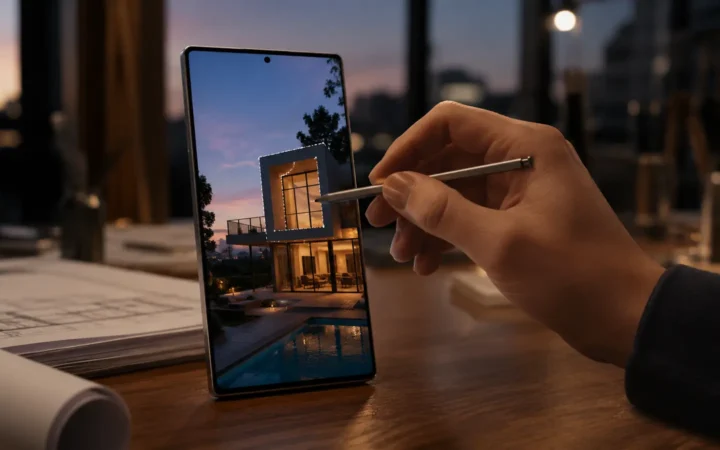
Photo Assist is a collection of Gallery editing tools rather than a separate camera mode. Generative Edit can move, resize or remove selected objects and fill the resulting background; Edit Suggestions can recommend adjustments for supported photos.
Open a photo in Gallery, tap Edit, then choose the Galaxy AI or Generative Edit control when available. Select the object, apply the change and save a copy. Some generative edits require a network connection and Samsung account, and generated results may be marked in the image or metadata.
4. Other Useful Galaxy AI Tools
- Circle to Search: circle or tap something on screen to search without switching apps.
- Interpreter: provides a split-screen conversation view for supported languages.
- Chat Assist: can suggest writing styles, spelling and translation in supported Samsung Keyboard workflows.
- Note Assist: can format, summarize and help organize supported Samsung Notes content.
- Transcript Assist: can transcribe and summarize supported Voice Recorder files, subject to language and audio-quality limits.
These are feature tools, not autonomous promises that the phone will optimize every battery, notification or security decision. Availability can change with One UI versions, language, region, account and connectivity.
For device-security fundamentals, see our mobile security guide.
5. How Galaxy AI Processing Works
The Snapdragon 8 Gen 3 for Galaxy includes CPU, GPU and NPU resources used by supported AI workloads. Samsung combines on-device processing with cloud processing depending on the feature. A “Galaxy AI” label therefore does not mean every request stays entirely offline.
Samsung provides an option to process supported AI features only on the device, but enabling it can limit which tools work. Review each feature’s notice before sending private or confidential material, and keep One UI, Samsung apps and language packs updated.
Samsung’s original Galaxy S24 announcement documents the launch features and notes that availability can vary by device, region and language.
6. Comparisons and Market Impact
The integration of advanced AI features into smartphones is becoming more common, but the sets a new benchmark. Let’s explore how its AI functionalities compare with other flagship devices and their impact on the market.
AI Features in Competing Devices
- Apple iPhone 15 Pro: While Apple incorporates AI into its ecosystem, the approach is generally more restricted. The S24 Ultra offers greater flexibility and customization in its AI applications.
- Google Pixel 8 Pro: Known for its computational photography, the Pixel 8 Pro uses AI to enhance photo quality. However, Samsung’s Photo Assist blends advanced hardware with AI, providing an all-around superior experience.
- OnePlus 12: While competitive in many areas, OnePlus lacks the deep AI integration and dedicated hardware found in the Galaxy S24 Ultra.
Consumer Reception and Market Trends
- Enhanced User Experience: Customers report that real-time translation and intelligent photography features have significantly simplified both professional and personal tasks.
- Innovation Edge: Industry experts praise the Galaxy S24 Ultra for pushing the boundaries of what AI can achieve in a smartphone, making it a leader in mobile technology.
- Broad Appeal: By breaking language barriers and streamlining photography, Samsung appeals to a wide range of users—from frequent travelers to creative professionals.
For further details on smartphone comparisons, read reviews on Android Authority.
7. Future Prospects of AI in Mobile Technology
As AI technology continues to evolve, its impact on mobile devices will only increase. The Galaxy S24 Ultra provides a glimpse into the future, where AI is seamlessly integrated into every aspect of our lives.
Emerging Trends
- Predictive Personalization: Future iterations may feature AI that anticipates your needs before you even express them.
- Augmented Reality (AR) Integration: Combining AR with AI can further blend digital content with real-world experiences, providing richer, interactive experiences.
- Edge Computing: By processing AI tasks directly on the device (rather than relying entirely on the cloud), response times will improve and data privacy will be enhanced.
- Unified Ecosystems: AI will play a crucial role in connecting smartphones, wearables, and smart home devices, ensuring a seamless experience across all platforms.
Impact on Daily Life
- Communication: Real-time translation is set to transform international business, travel, and social interactions.
- Content Creation: AI-driven photography and video editing tools empower users to create professional-quality media effortlessly.
- Productivity: Features like context-aware notifications and intelligent battery management allow you to focus on what matters most, with your device handling routine tasks.
For more insight into the future of technology, read our article on The Future of AI in Consumer Electronics.
8. Frequently Asked Questions
Does Live Translate work without internet?
Downloaded language packs allow supported on-device translation tasks, but capability varies by language, region, app and software version. Check the current feature notice on the phone.
Is Photo Assist a camera mode?
No. Photo Assist refers to editing tools in Samsung Gallery, including Edit Suggestions and Generative Edit. It does not automatically choose every camera setting while you shoot.
Are Galaxy AI results always accurate?
No. Translations, summaries, transcriptions and generated edits can contain errors. Review the result, especially when the information is important.
Does every Galaxy AI feature run on the phone?
No. Samsung uses both on-device and cloud processing. Account, internet, language and region requirements vary by feature.
Can Galaxy AI edit private photos safely?
Review the on-screen processing notice and privacy settings before using cloud-assisted tools with sensitive media. Save edits as copies so the original remains available.
9. Conclusion
The S24 Ultra’s most useful AI features are practical, focused tools: translating supported calls, searching what is on screen, summarizing supported notes or recordings, and helping with selected photo edits. Their value depends on your languages, apps and willingness to use account or cloud processing where required.
Use these tools as assistants rather than unquestioned authorities, review important output, and compare the S24 Ultra’s current price with newer models before buying.
Prices, seller, warranty and device condition can change. Compare the listing details before buying.
Affiliate disclosure: FrediTech may earn a commission from qualifying purchases at no extra cost to you.