ThinkPad X1 Carbon Gen 14 Aura Edition Review 2026 should be judged by more than a processor name or launch-day benchmark. This review focuses on the things that shape daily ownership: sustained performance, display quality, keyboard and ports, battery life, thermals, repairability or upgrade limits, software support and the price of the configuration you can actually buy.
Quick Verdict
- Best for: buyers comparing this laptop on real workflow fit rather than headline specifications.
- Focus on: display, sustained performance, keyboard, ports, battery, thermals, memory/storage configuration and warranty.
- Watch for: similarly named generations can have very different processors, displays and upgrade options, so verify the exact model number before buying.

Table of contents
Introduction
In early 2026 Lenovo refreshed its flagship ThinkPad X1 Carbon line with the Gen 14 Aura Edition. Unveiled at CES 2026 alongside the ThinkPad X1 2‑in‑1, the new model introduces a radical Space Frame chassis that restructures the internal layout. Components like the battery, ports and keyboard are mounted on a dedicated aluminum frame instead of the removable palm‑rest. Lenovo says this design increases cooling capacity and allows tool‑free swaps of partshothardware.com.
For buyers in the post‑Windows 10 era, this laptop represents more than a spec bump. Microsoft’s Copilot+ PC requirements demand an NPU capable of 40 TOPS, at least 16 GB of RAM and 256 GB storage. Lenovo answers with Intel’s new Panther Lake Core Ultra Series 3 processors, integrated Arc graphics with up to 12 Xe cores and NPUs rated at 50 TOPSengadget.com. Thanks to the Space Frame and larger cooling solution, the X1 Carbon Gen 14 runs these powerful chips without throttlingnotebookcheck.net.
This review delivers a comprehensive look at the ThinkPad X1 Carbon Gen 14 Aura Edition. We’ll explore its design, display, performance, battery life and connectivity. Real‑world examples, step‑by‑step guides and frequently asked questions provide practical context. Links to relevant FrediTech articles—such as Best Lenovo Laptops 2026freditech.com—offer deeper reading. After reading you’ll know whether this flagship business laptop deserves a place in your bag.
Overview of key specifications
Before diving into hands‑on impressions, here’s a quick summary of the X1 Carbon Gen 14 Aura Edition’s core specifications from Lenovo’s official datasheet:
Category | Details |
Processor | Up to Intel® Core™ Ultra X7 Series 3 Panther Lake CPU for Copilot+ PCs |
Graphics | Up to Intel Arc™ Graphics 12Xe |
Memory | LPDDR5x up to 64 GB at 9,600 MT/s |
Storage | M.2 PCIe 4.0/5.0 SSD up to 2 TB |
Display options | 14‑inch WUXGA IPS 500‑nit panels (with or without ePrivacy) or 2.8K OLED 500‑nit VRR panels, all Eyesafe‑certified and covering 100 % sRGB or 100 % DCI‑P3 gamuts |
Camera | Up to 10 MP MIPI IR webcam |
Battery | 58 Wh battery |
Ports | Three Thunderbolt 4, one USB‑A 5 Gbps, HDMI 2.1, 3.5 mm audio jack |
Wireless | Wi‑Fi 7, Bluetooth 5.4 and optional NFC |
Dimensions | 312.5 × 215.75 mm; thickness 7.7 – 14.3 mm |
Weight | Starting weight <1 kg (2.2 lb) |
Keyboard & touchpad | ThinkPad keyboard with 1.5 mm travel; 120 × 80 mm mechanical trackpad or 130 × 80 mm haptic touchpad |
Security | ThinkShield suite, dTPM 2.0, fingerprint reader integrated into power button, IR webcam for Windows Hello |
Durability | MIL‑STD 810H certified |
Operating Systems | Windows 11 Pro, Windows 11 Home or Linux |
With these numbers in mind, let’s evaluate how the Gen 14 performs in real‑world use.
Design, build quality and repairability
Space Frame chassis: innovative internal architecture
The design also addresses a long‑standing ThinkPad pain point: the keyboard. Previous generations required disassembling many components to replace the keyboard; the Gen 14 reduces this replacement time from around 45 minutes to about 3 minutes thanks to the separate Space Frame. iFixit rated the laptop a 9/10 for repairability, a remarkable score for an ultralight business laptopfreditech.com. In other words, businesses can extend the device’s lifespan by replacing parts like the battery, USB ports or fans rather than discarding the entire machine.
Materials and durability
The X1 Carbon has always been known for its carbon‑fiber and magnesium construction, and the Gen 14 continues this tradition. iFeelTech’s business laptop roundup notes that the chassis delivers military‑grade durability in a 2.17‑lb package, combining portability with ruggednessifeeltech.com. Lenovo’s datasheet confirms MIL‑STD 810H certification, meaning it can endure temperature shocks, vibrations and drops beyond typical consumer laptops. The finish is available in Eclipse Black, and the ThinkPad logo includes subtle red accents for a professional look.
Keyboard and touchpad
Lenovo provides two trackpad options—a traditional mechanical trackpad with physical buttons (120 × 80 mm) or a larger haptic touchpad (130 × 80 mm). The latter offers customizable haptic feedback and supports multitouch gestures. Both options are accompanied by the signature TrackPoint nub between the G and H keys, giving users an alternative pointing device without leaving the home row.
Ports and connectivity
Despite its thinness, the Gen 14 packs a robust assortment of ports: three Thunderbolt 4 ports, a USB‑A 5 Gbps port, HDMI 2.1, and a 3.5 mm audio jack. This means you can connect multiple monitors, legacy USB devices and headphones without an adapter—an important convenience for business travellers. Wireless connectivity includes Wi‑Fi 7, Bluetooth 5.4 and optional NFC.
Display options and visual experience
The ThinkPad X1 Carbon Gen 14 offers a variety of 14‑inch displays. There are several WUXGA (1920 × 1200) IPS panels rated at 500 nits brightness, with optional touch and built‑in ePrivacy filters for privacy on the go. For users who want higher resolution and richer colors, Lenovo provides multiple 2.8K OLED panels, each hitting 500 nits and supporting variable refresh rates (VRR). These OLED options cover 100 % DCI‑P3, making them suitable for creative work and HDR media consumption.
The OLED display delivers . These specs, combined with Dolby Vision support and Eyesafe certification, produce vibrant images without causing eye strain during long work sessions. Real‑world use confirms crisp text and deep blacks, whether editing spreadsheets or watching videos.
Performance and AI features
Panther Lake chips and NPUs
At the heart of the Gen 14 Aura Edition are Intel Core Ultra Series 3 (Panther Lake) processors. These chips adopt Intel’s new 18A manufacturing process, offering improved efficiency and integrated NPUs capable of 50 TOPS of AI throughput. The highest configuration uses the Core Ultra X7 Series 3, but Lenovo also offers lower‑tier versions (X5 and X3) for different budgets.
AI‑accelerated workflows
Microsoft’s Copilot+ PC initiative brings new AI‑driven features to Windows 11. On the X1 Carbon Gen 14, the built‑in NPU accelerates tasks such as real‑time transcription, translation, and noise suppression in conference calls. Apps like Recall, Live Captions and Cocreator run locally, protecting sensitive data while reducing latency. Lenovo’s Aura Edition experiences further expand AI integration—features like Smart Modes automatically adjust performance, privacy and notifications based on activity, and Smart Care offers quick access to human or AI support agents.
Battery life and charging
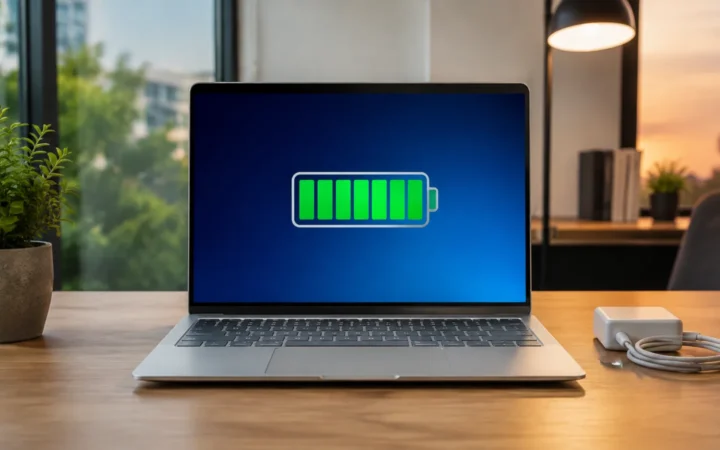
Charging is handled via any of the Thunderbolt 4 ports. Lenovo ships a 65 W USB‑C GaN adapter, which can top up the battery from empty to about 80 % in roughly an hour. Because the charger is compact and supports universal USB‑C Power Delivery, you can charge phones or tablets with the same brick—handy for travel.
Audio, camera and conferencing experience
The Gen 14 doesn’t neglect collaboration. Lenovo includes two Dolby Atmos speakers (woofer + tweeter) that deliver clear mids and crisp treble for conference calls and media. Volume peaks are sufficient for small meeting rooms, though bass still can’t match larger 15‑inch laptops.
Microphone quality is crucial for remote work. The laptop integrates two microphones with AI noise cancellation, significantly reducing keyboard clatter and ambient noise. The standout feature is the 10 MP MIPI IR webcam—a first in thin‑and‑light business notebooks. The camera offers a wide field of view and adaptive distortion correction, capturing more participants during team meetings. Combined with Windows Hello facial recognition, logging in is quick and secure.
Real‑world usage scenarios
1. Executive travel and presentations
2. Software development and remote work
3. Creative professionals and content creators
4. Students and mixed‑use owners
Comparison with competitors
Dell XPS 14 (2026)
Dell’s 2026 XPS 14 targets a similar premium business market. iFeelTech lists it as the “best battery life” laptop, achieving 20+ hours in their tests. It also features Intel’s Core Ultra Series 3 chips and a return to physical function keys. However, it weighs slightly more (around 2.5 lb) and lacks the tool‑free repairability of the ThinkPad’s Space Frame. For users who prioritise all‑day battery life above repairability, the XPS 14 might be a better choice.
Apple MacBook Air M5 (2026)
Apple’s MacBook Air M5 is FrediTech’s best value premium pick. It provides 18 hours of battery life and a fanless design for silent operation. However, macOS may not integrate as smoothly into Windows‑centric business environments. The M5 also lacks user‑serviceable parts—replacing the battery requires professional service, adding to long‑term costs. Professionals tied to the Apple ecosystem will enjoy its efficiency and resale value, but others may prefer the X1 Carbon’s serviceability.
ThinkPad T14s Gen 6 (Snapdragon)
Pros and cons
Advantages
- Outstanding portability and build quality – Weighs under 2.2 lb and meets MIL‑STD 810H durability standards.
- Innovative Space Frame design – Simplifies repairs and provides 9/10 iFixit repairability.
- Bright, vibrant display options – Up to 2.8K OLED with 500 nits brightness and 100 % DCI‑P3.
- Powerful AI‑ready processor – Intel Core Ultra Series 3 with 50 TOPS NPU.
- Strong port selection – Three Thunderbolt 4, USB‑A, HDMI 2.1 and audio jack.
- Long battery life – Real‑world tests show 12+ hours of typical use.
- Excellent keyboard and optional haptic touchpad – 1.5 mm travel and customizable haptic feedback.
Disadvantages
- No discrete GPU option – Integrated 12‑core Arc GPU suffices for light editing but not heavy 3D work.
- Potential keyboard layout adjustment – Removal of the Insert key may require adaptation.
- OLED panels may reduce battery life – Expect slightly shorter runtimes compared to IPS models.
Step‑by‑step buying guide
Choosing a premium laptop can be overwhelming. Here’s a step‑by‑step approach to decide whether the X1 Carbon Gen 14 is right for you.
- Choose your display. Opt for WUXGA IPS if you need maximum battery life and an integrated privacy filter. Pick 2.8K OLED for creative work and richer colors.
- Decide on memory and storage. Many professionals will be satisfied with 32 GB RAM and 1 TB SSD. Consider the 64 GB option if you handle large datasets or virtual machines.
- Pick your touchpad. Choose the mechanical trackpad for tactile feedback or the haptic touchpad if you prefer a larger surface and customizable clicks.
- Plan for longevity. Factor the 9/10 repairability rating into your total cost of ownership. Being able to swap a battery or keyboard on your own may save hundreds over the laptop’s life.
- Consider warranty and support. Lenovo offers extended warranty and Premier Support services. Given the higher upfront cost, investing in a multi‑year warranty can protect your investment.
Frequently asked questions
<!–ThinkPad X1 Carbon Gen 14 Aura Edition FAQs — Accordion + JSON-LD Tip: If your page already has the FAQ, you can delete the block below.When will the ThinkPad X1 Carbon Gen 14 Aura Edition be available?
Lenovo’s CES 2026 press release and multiple reports state that the X1 Carbon Gen 14 will ship in March 2026 with a starting price around US $1,999.
How long does the battery last in real use?
With the 58 Wh battery, real-world tests have shown 12+ hours of battery life during typical productivity tasks. Lower-resolution IPS models may last slightly longer than OLED configurations, while high brightness settings or heavy workloads can reduce runtime.
Is the laptop easy to repair?
Yes. The new Space Frame design allows tool-free replacement of the keyboard, battery, fans, and USB ports. iFixit awarded the laptop a 9/10 repairability score, which is exceptional for an ultralight notebook.
Does it qualify as a Copilot+ PC?
Yes. The Core Ultra Series 3 processors include NPUs rated at 50 TOPS, surpassing Microsoft’s 40 TOPS Copilot+ requirement. Configurations with at least 16 GB RAM and 512 GB storage qualify as Copilot+ PCs.
Are there any downsides compared to the Gen 13?
The Gen 14 removes the Insert key and slightly rearranges the keyboard layout. Some reviewers note that the larger haptic trackpad takes time to get used to, and there is still no discrete GPU option. However, the improved cooling, repairability, and AI performance are major upgrades.
How does it compare to the ThinkPad T14s Gen 6 or X1 2-in-1?
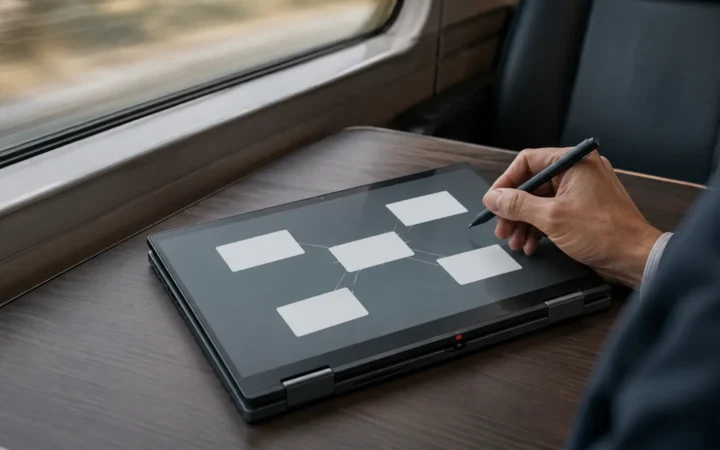
The T14s Gen 6 offers longer battery life (over 21 hours) and uses Snapdragon X Elite chips, but it may face compatibility issues for certain Windows software. The X1 2-in-1 shares the Space Frame design but adds 360-degree hinges and a touchscreen, making it suitable for note-taking and presentations. The clamshell Gen 14 remains the lightest and most traditional business laptop among the three.
Is the OLED display worth it?
If you work with photos/video or simply appreciate deep blacks and high contrast, the 2.8K OLED panel is exceptional and can justify the premium. For pure productivity and battery life, the WUXGA IPS screens typically deliver slightly longer runtimes and may offer ePrivacy options.
Conclusion
The Lenovo ThinkPad X1 Carbon Gen 14 Aura Edition is a significant milestone in the evolution of ultralight business laptops. Its Space Frame chassis rethinks internal design, enabling tool‑free repairs and improved cooling while keeping the weight under 1 kg. Powered by Intel’s Panther Lake Core Ultra Series 3 processors and NPUs ready for Copilot+ AI features, it combines high performance with smart efficiency. Options for 2.8K OLED or WUXGA IPS displays cater to creatives and professionals alike.
Bottom Line
A laptop is a good buy when its exact configuration fits your workload, portability needs and budget. Compare the reviewed hardware with current alternatives and discounts, then prioritize the display, battery, ports and support you will use every day.