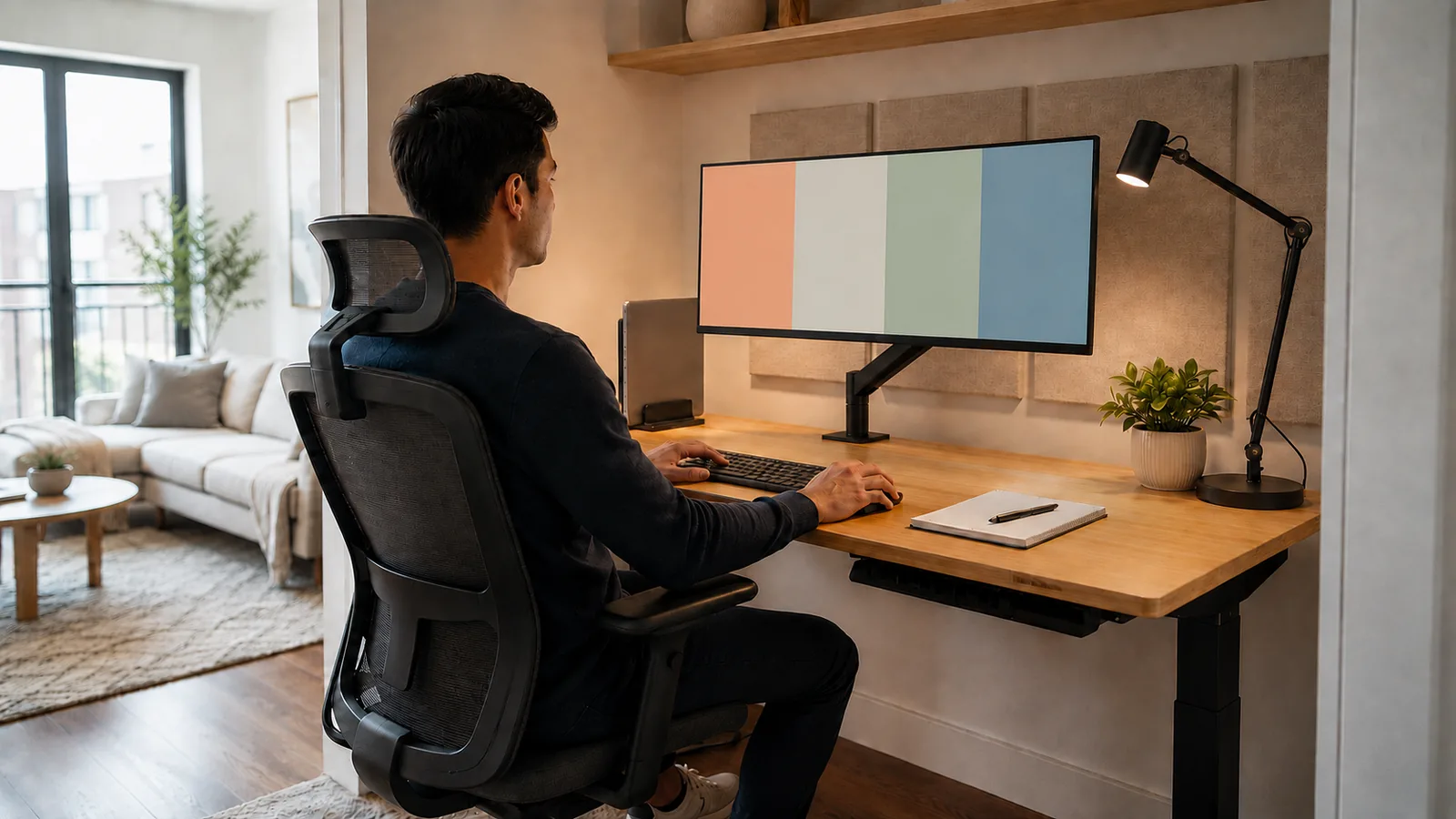

A productive home office is built around comfort, reliable connectivity and fewer interruptions—not simply more gadgets. Start with the desk, chair, display, lighting, network and backup setup that support the work you actually do.
Quick Verdict
- Best for: buyers comparing laptops by real workload rather than marketing tiers.
- Focus on: performance, battery, display, keyboard, ports, support life and repairability.
- Watch for: thin designs and premium branding can hide compromises in cooling, ports or value.
The world of work has fundamentally changed. What was once a niche perk has become a global standard, with over 32.6 million people in the United States alone working remotely in 2025. The kitchen table, the spare bedroom, the corner of the living room—these spaces have transformed into hubs of productivity and innovation. Yet, the rapid shift to remote work has left many professionals in a state of makeshift compromise, battling distractions, discomfort, and digital friction.
An inefficient home office isn’t just a minor inconvenience; it’s a direct threat to your productivity, well-being, and career growth. Poor ergonomics can lead to chronic pain, a cluttered space can create mental fog, and an unreliable network can bring your workday to a screeching halt. The reality is that simply having a laptop and an internet connection is not enough to thrive in a remote environment. You must be intentional.
Crafting a home office that is optimized for efficiency is one of the most powerful investments you can make in your professional life. It’s about more than just aesthetics; it’s about creating a dedicated, ergonomic, and technologically sound environment that empowers you to do your best work.
This comprehensive guide will walk you through the essential pillars of creating a high-performance home office. We will move beyond the basics and provide actionable, expert-backed advice on everything from ergonomic fundamentals to the technology that powers productivity, all designed to help you build a workspace that works for you.

Table of contents
The Foundation: Location and Ergonomics
Before you buy a single piece of equipment, you must lay the physical groundwork. The location of your office and its ergonomic setup are the bedrock upon which all your productivity rests. Neglecting this foundation is a common mistake that can lead to long-term physical strain and a constant, low-level drain on your focus.
Choosing Your Workspace: The Power of a Dedicated Zone
The single most critical step in setting up a home office is establishing a clear, dedicated workspace. Your brain is highly associative; when you blur the lines between where you work and where you relax, it struggles to switch off, leading to burnout. Conversely, a designated work zone signals to your brain that it’s time to focus.
Step-by-Step Selection Process:
- Prioritize Separation: If possible, choose a room with a door. A separate room is the gold standard, as it provides a physical barrier against household noise and interruptions.
- Consider Natural Light: Position your desk near a window if you can. Studies have consistently shown that exposure to natural light improves mood, energy, and alertness, which are all critical for a productive workday.
- Low-Traffic Areas: Avoid setting up in high-traffic zones like the kitchen or living room. The constant flow of family members or roommates will create a steady stream of distractions.
- No Spare Room? Create a Nook: If a separate room isn’t an option, carve out a dedicated corner in a larger room. Use a room divider, a bookshelf, or even a large plant to create a visual boundary that separates your “office” from the rest of the living space.
Ergonomics 101: Designing for Comfort and Health
Working from home often means long hours spent sitting. A poor ergonomic setup can lead to a host of musculoskeletal issues, including back pain, neck strain, and carpal tunnel syndrome. Investing in proper ergonomics is not a luxury; it’s an essential aspect of long-term health and productivity.
The Core Ergonomic Trio: Chair, Desk, and Monitor
1. The Ergonomic Chair: This is your most important investment.
- What to Look For: Your chair should have adjustable height, adequate lumbar support to maintain the natural curve of your lower back, and adjustable armrests.
- The 90-Degree Rule: When seated, your feet should be flat on the floor with your knees at a 90-degree angle. Your elbows should also be at a 90-degree angle, resting comfortably on the armrests or desk.
- Pro Tip: If a high-end ergonomic chair isn’t in the budget, you can significantly improve a standard chair with a separate lumbar support pillow and a footrest to achieve the correct posture.
- Ideal Height: The desk surface should be at the height of your elbows when you are seated correctly.
- Sit-Stand Desks: An adjustable sit-stand desk is an excellent investment. Alternating between sitting and standing throughout the day has been shown to reduce back pain and increase energy levels.
- Sufficient Space: Ensure your desk has enough surface area for your monitor, keyboard, and other essentials without feeling cramped.
- Eye Level is Key: The top of your monitor should be at or slightly below your eye level. You should not be looking up or craning your neck down to see your screen. Use a monitor stand or a stack of books to achieve the correct height.
- Arm’s Length Away: Position the monitor about an arm’s length from your face to prevent eye strain.
- The 20-20-20 Rule: To combat digital eye strain, the American Academy of Ophthalmology recommends following the 20-20-20 rule: every 20 minutes, take a 20-second break to look at something 20 feet away.
The Impact of Lighting
Proper lighting is often overlooked but has a profound impact on focus and energy.
- Maximize Natural Light: Position your desk so that natural light is to your side, not directly in front or behind your screen, to avoid glare.
- Task Lighting: Supplement ambient light with a good quality desk lamp. This reduces eye strain, especially during the evening or on overcast days. Opt for an LED lamp with adjustable brightness and color temperature. A cooler, blue-toned light is generally better for focus during the day.
The Tech Toolkit: Powering Your Productivity
With your physical environment optimized, the next layer is technology. Your tech stack should be reliable, efficient, and tailored to your specific workflow.
The Core Components: Computer and Connectivity
1. Your Computer: This is the engine of your home office.
- Laptop vs. Desktop: For most professionals, a powerful laptop connected to a docking station offers the best of both worlds: portability when needed and a full desktop experience at home. A docking station allows you to connect your laptop to multiple monitors, a full-sized keyboard, a mouse, and other peripherals with a single cable.
- Performance Matters: Ensure your machine has sufficient RAM (16GB is a good baseline for professional multitasking) and a Solid-State Drive (SSD) for fast boot-up and application loading times.
2. Internet Connectivity: Your Digital Lifeline
- Speed and Reliability: A stable, high-speed internet connection is non-negotiable. For most remote work, especially roles involving frequent video calls, a minimum download speed of 50-100 Mbps is recommended. However, upload speed is equally important for video conferencing and sending large files; aim for at least 10 Mbps.
- Wired is Better: Whenever possible, connect your computer directly to your router with an Ethernet cable. A wired connection is inherently more stable and faster than Wi-Fi.
- Optimizing Your Wi-Fi: If a wired connection isn’t feasible, optimize your Wi-Fi by placing your router in a central location, away from walls and obstructions. For larger homes, a mesh Wi-Fi system can eliminate dead zones and ensure consistent coverage.
Essential Peripherals for an Efficient Workflow
- Dual Monitors: The single biggest productivity booster for many professionals. A dual-monitor setup allows you to have your primary work on one screen and reference materials, email, or communication apps on the other, drastically reducing the time you spend switching between windows.
- High-Quality Webcam: In a remote-first world, your webcam is your window to your colleagues. An external 1080p or 4K webcam provides a much clearer and more professional image than the one built into most laptops.
- Noise-Cancelling Headphones with a Good Microphone: This is a crucial tool for maintaining focus and ensuring clear communication. Noise-cancelling technology blocks out household distractions, while a dedicated microphone ensures your voice comes through crisply on calls, without picking up background noise.
- Ergonomic Keyboard and Mouse: A full-sized ergonomic keyboard promotes a more natural hand and wrist posture than a laptop keyboard. An ergonomic or vertical mouse can also help prevent wrist strain.
Software and Digital Organization
- Cable Management: Tangled wires create visual clutter and can be a hazard. Use cable ties, sleeves, or an under-desk cable management tray to keep your cords organized and out of sight.
- Productivity Apps: Leverage tools like Trello, Asana, or Todoist for task management. Use a password manager like Bitwarden or 1Password to securely manage your credentials.
- Cybersecurity: Working from home expands your digital attack surface. Ensure you have a reputable antivirus program, use a firewall, and secure your home Wi-Fi with a strong, unique password. For comprehensive protection, explore our Cybersecurity Essentials.
Mastering the Workday: Routines and Boundaries
A perfect physical and technological setup is only half the battle. True efficiency comes from mastering the psychological aspects of working from home.
The Power of a Morning Routine
Without the structure of a daily commute, it’s easy to fall into the habit of rolling out of bed and straight to your desk. This is a recipe for burnout.
- Simulate a Commute: Create a routine that signals the start of your workday. This could be a short walk, a 15-minute reading session, or making your coffee and listening to a podcast. This mental transition is crucial for shifting into “work mode.”
- Dress for the Day: You don’t need a full suit, but changing out of your pajamas into comfortable work clothes reinforces the psychological boundary between personal time and work time.
Structuring Your Day for Peak Performance
- Time Blocking: Plan your day in advance by blocking out specific chunks of time for specific tasks on your calendar. This prevents multitasking and helps you focus on one thing at a time.
- The Pomodoro Technique: This popular time management method involves working in focused 25-minute intervals separated by 5-minute breaks. It’s an excellent way to maintain high levels of concentration and prevent mental fatigue.
- Schedule Breaks: Intentionally schedule short breaks throughout your day. Step away from your desk, stretch, grab a glass of water, or step outside for a few minutes of fresh air.
Setting Boundaries and Conquering Distractions
One of the biggest challenges of remote work is managing distractions and setting clear boundaries with others in your household.
- Communicate Your Schedule: Let your family or roommates know your core working hours and when you have important meetings. A simple sign on your office door can be an effective “do not disturb” signal.
- Limit Digital Distractions: Use website blockers like Freedom or LeechBlock to prevent yourself from mindlessly scrolling through social media. Turn off non-essential notifications on your phone and computer.
- The End-of-Day Shutdown: Just as you have a routine to start your day, create one to end it. This could involve tidying your desk, planning your tasks for the next day, and then decisively closing your laptop. This ritual helps you mentally “clock out” and transition back to your personal life.
Conclusion: Your Home Office as a Strategic Asset
Setting up a home office for maximum efficiency is an ongoing process of refinement, not a one-time task. It is a strategic investment in your productivity, your health, and your overall work-life balance. By thoughtfully designing your physical space, choosing the right technology, and cultivating disciplined routines, you can transform your home workspace from a makeshift necessity into a powerful engine for professional success.
The principles outlined in this guide—a dedicated and ergonomic space, a reliable tech stack, and strong personal boundaries—are the keys to unlocking your full potential as a remote professional. Start with one or two changes today, and build from there. Your future, more productive self will thank you.
Frequently Asked Questions (FAQ)
Q1: How can I improve my home Wi-Fi for video calls?
A: First, try connecting directly to your router with an Ethernet cable for the most stable connection. If you must use Wi-Fi, ensure your router is in a central location and consider upgrading to a newer model that supports the latest Wi-Fi standards (like Wi-Fi 6). A mesh Wi-Fi system is also an excellent solution for larger homes to ensure strong, consistent coverage in every room.
Q2: Is a standing desk really worth it?
A: For many people, yes. The primary benefit is not standing all day, but the ability to easily change your posture. Alternating between sitting and standing can reduce back pain, improve circulation, and boost energy levels. Even standing for 30 minutes a few times a day can make a significant difference.
Q3: What’s the most important piece of tech to invest in after a good computer?
A: A dual-monitor setup. The productivity gains from having extra screen real estate are substantial for almost any type of knowledge work. It streamlines your workflow by reducing the need to constantly switch between tabs and applications, allowing for a more fluid and focused work experience.
Q4: How do I stay motivated when working from home?
A: Motivation is closely linked to structure and a sense of accomplishment. Set clear, achievable goals for each day. Time blocking your schedule and using techniques like the Pomodoro method can create momentum. Also, maintaining a strong connection with your team through regular check-ins and virtual social events can help combat feelings of isolation that can sap motivation.
Q5: My back hurts from sitting all day. What’s a quick fix?
A: The most immediate fix is to assess your posture. Ensure your feet are flat on the floor, your back is supported by your chair’s lumbar support (or a rolled-up towel), and your monitor is at eye level. Most importantly, get up and move every 30-60 minutes. A few minutes of stretching or walking around can do wonders to alleviate stiffness and prevent long-term pain.
Bottom Line
Choose the laptop that fits the workload, support horizon and daily ergonomics rather than the one with the loudest specification sheet. A balanced system you can comfortably use and maintain usually delivers better long-term value.