

Table of contents
iPhone 16 Features at a Glance
The four original iPhone 16 models share several upgrades: Camera Control, an Action button, a 48MP Fusion main camera, USB-C and support for Apple Intelligence. Their displays, camera lenses, video formats and battery-life ratings are not identical. These distinctions matter when comparing refurbished or discounted units in 2026.
Camera Control combines a click, light-press controls and finger-slide adjustments across all four models.
The 48MP Fusion main camera includes a 2× optical-quality option; the standard models also gain macro photography.
A18 and A18 Pro support compatible AI features, subject to software, language and regional availability.
Both Pro models include ProMotion, 5× telephoto, 48MP Ultra Wide and 4K 120 fps Dolby Vision video.
Design and Display Improvements
A refreshed look with the Action button
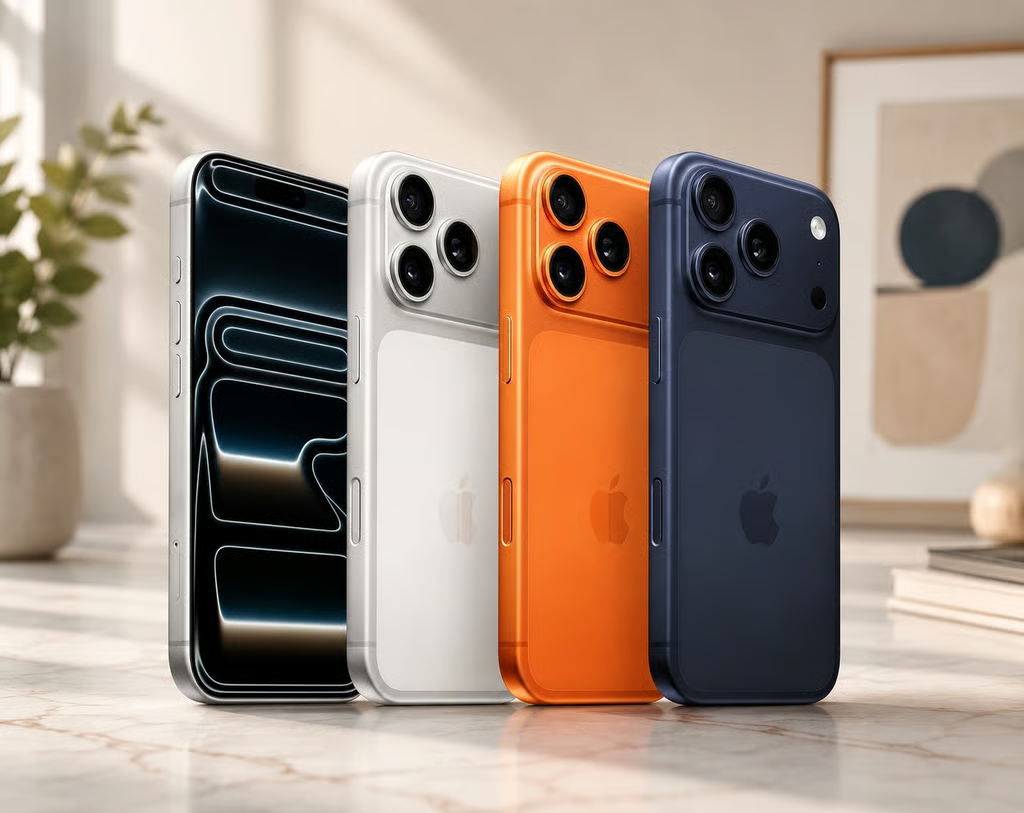
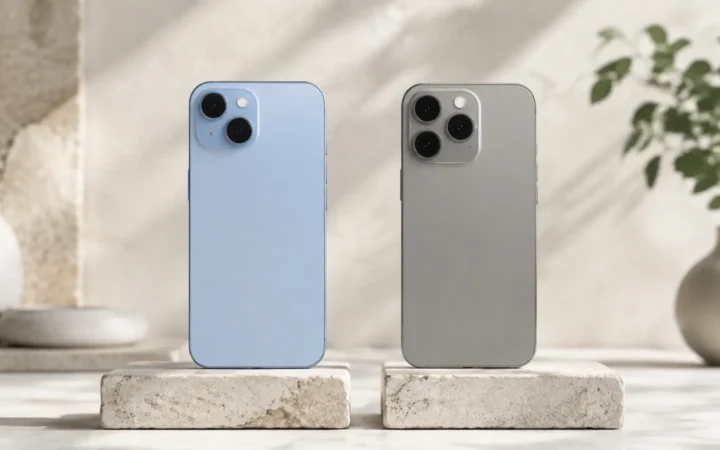
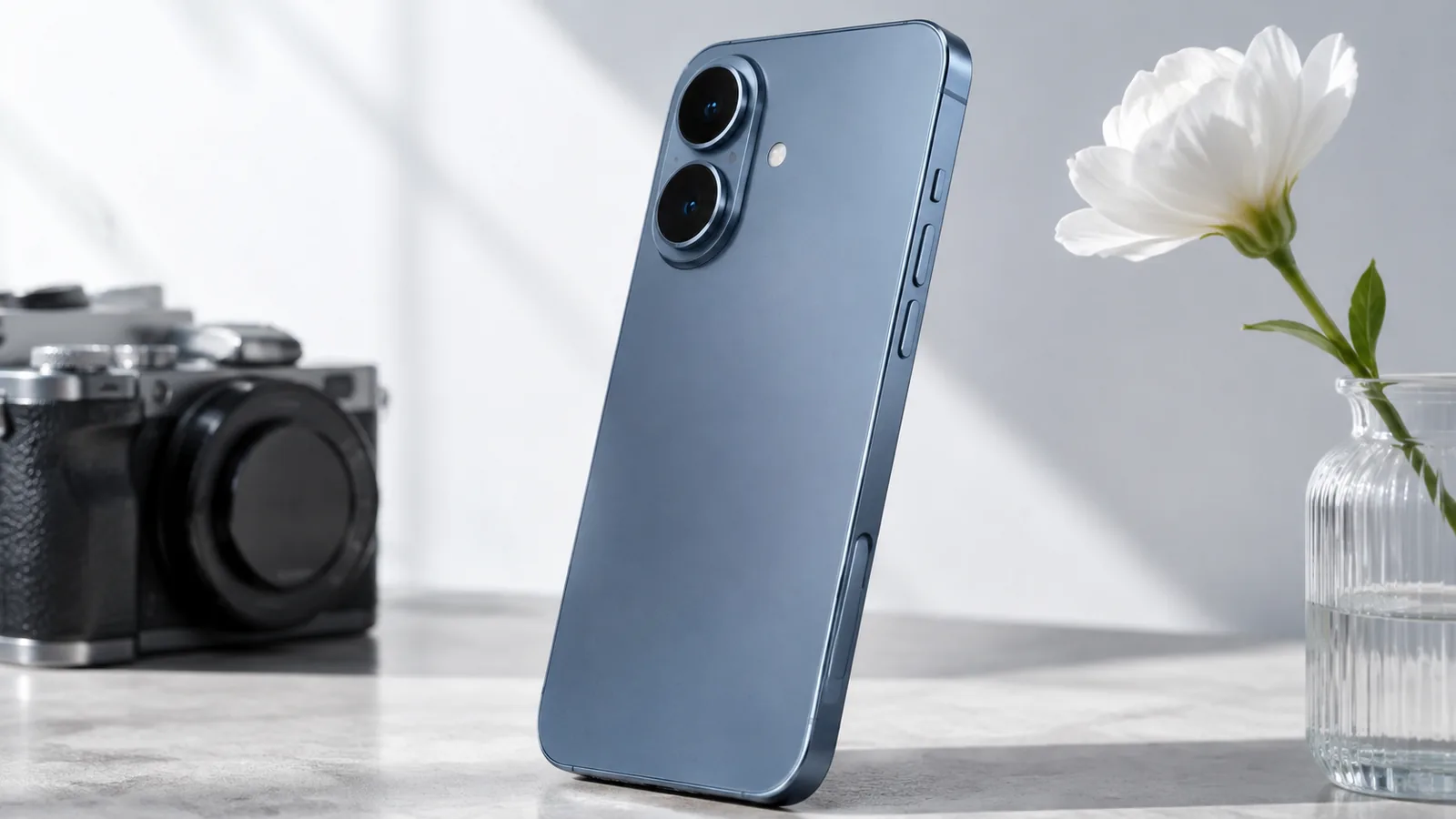
The iPhone 16 and 16 Plus replaced the iPhone 15’s diagonal rear-camera arrangement with a vertical dual-camera layout. In addition to creating a different visual identity, the arrangement helps the standard phones record spatial photos and videos that can be viewed on a compatible Apple Vision Pro. The standard models launched in ultramarine, teal, pink, white and black, with an aluminum enclosure and a color-infused glass back.
Every iPhone 16 model has an Action button in place of the older Ring/Silent switch, as well as the separate Camera Control. Apple also introduced a newer Ceramic Shield front formulation and retained an IP68 water- and dust-resistance rating. Water resistance can decrease with normal wear, and liquid damage is not automatically covered by warranty.
Standard OLED or ProMotion: know the difference
The iPhone 16 has a 6.1-inch Super Retina XDR OLED display, while the 16 Plus measures 6.7 inches. Both retain Dynamic Island but operate at a conventional 60Hz refresh rate. They are bright, high-contrast screens, although buyers used to 120Hz panels may notice less fluid scrolling.
The iPhone 16 Pro has a 6.3-inch display, and the Pro Max has a 6.9-inch display. These models use titanium frames, thinner display borders, an Always-On display and adaptive ProMotion up to 120Hz. Apple specifies peak outdoor brightness of up to 2,000 nits across the family; actual brightness varies with conditions and content.


A18 Performance and Apple Intelligence
A18 versus A18 Pro
The iPhone 16 and 16 Plus use the A18, built on a second-generation 3-nanometer process. It combines a six-core CPU, five-core GPU and 16-core Neural Engine. Compared with the A16 Bionic used in the iPhone 15, Apple announced CPU and graphics improvements of up to 30% and 40%, respectively; those are manufacturer comparisons, not a promise of the same uplift in every app.
The 16 Pro and Pro Max use the A18 Pro, with an additional GPU core and advanced media capabilities. Both chips support hardware-accelerated ray tracing. In ordinary use, the A18 family can handle multitasking, demanding mobile games, photo editing and 4K video workloads, but heavy use still produces heat and drains the battery faster.
What Apple Intelligence actually adds
Apple Intelligence integrates compatible writing, image and visual-search capabilities into supported software. Features include Writing Tools that can proofread, summarize or rewrite text, and Visual Intelligence that can use the camera to help identify information about objects or places. Some tasks involve on-device processing, while others may use Apple’s privacy-focused cloud infrastructure or an optional third-party service.
Availability is more complicated than a chip specification: individual features can depend on the installed iOS version, language, country and account settings. Not every Siri capability described at the original 2024 launch became available at the same time, so check Apple’s current feature-availability information rather than purchasing a used iPhone on the assumption that every announced AI demonstration is universally available.
Camera Upgrades: Photos, Zoom and 4K Video
48MP Fusion camera on every model
All four models include a 48MP Fusion main camera. Its 24MP default photo option balances detail and manageable file size, while supported settings permit higher-resolution capture. The 2× crop option offers an optical-quality 12MP field of view without a separate telephoto camera on standard models. As with any smartphone, results vary with lighting, motion and processing.
Macro photography comes to the standard models
The iPhone 16 and 16 Plus pair the Fusion camera with a 12MP Ultra Wide camera with autofocus. That autofocus enables macro photos and close-up video, which previously distinguished some Pro models. The iPhone 16 Pro and Pro Max go further with a 48MP Ultra Wide camera supporting additional high-resolution photo options.
A 5× telephoto on both Pro models
Apple moved the dedicated 12MP, 5× telephoto lens into both iPhone 16 Pro sizes. The 120mm-equivalent reach is useful for distant architecture, wildlife and stage photography when there is adequate light. Neither the iPhone 16 nor the 16 Plus includes this separate lens: their 2× option crops the main sensor, and greater zoom relies on digital processing.
Video: 4K 60 versus 4K 120 fps
The standard iPhone 16 and 16 Plus record up to 4K Dolby Vision at 60 fps. The Pro models support 4K Dolby Vision up to 120 fps, allowing high-resolution slow-motion footage and more flexible playback-speed adjustments after capture. ProRes, Log recording and supported external-storage workflows are additional reasons a filmmaker may choose a Pro configuration. Check the selected codec and external-drive requirements before a shoot.
Spatial photo and video capture, upgraded Photographic Styles and Audio Mix add creative flexibility. Audio Mix can help adjust the balance between voices and surrounding sound in supported video recordings; it does not eliminate the need for a dedicated microphone when dependable production audio is essential.

How to Use Camera Control
Camera Control is a separate control along the side of every iPhone 16 model. It combines a physical switch, force sensing and touch interaction, reducing the need to reach for on-screen camera controls while framing a shot.
- Open Camera: Click Camera Control once to open your assigned compatible camera app. Its behavior can differ if you have changed its settings.
- Take a picture: Once the Camera app is open, click again to capture a photo.
- Start a video: Press and hold while using the Camera app to begin video capture; release to stop.
- Adjust a camera setting: Lightly press to reveal supported controls, then slide a finger to adjust a selected option such as zoom or exposure. Depending on your configuration, an additional light press switches between controls.
- Try Visual Intelligence: On a supported iOS version, use the assigned Camera Control gesture to access visual search and related actions. Feature availability varies.
Camera Control and the Action button are different hardware features. If accidental camera launches or gesture sensitivity are a problem, review the camera and accessibility controls in Settings. A compatible case must also allow unobstructed use of Camera Control.
Battery Life and Charging
Apple’s original video-playback ratings were up to 22 hours for iPhone 16, 27 hours for 16 Plus, 27 hours for 16 Pro and 33 hours for 16 Pro Max. These figures are laboratory estimates for video playback—not a prediction of gaming, 5G hotspot use or a particular second-hand phone’s endurance. Battery condition is particularly important for 2026 buyers.
Every model uses USB-C for charging and supports faster MagSafe wireless charging up to 25W with a compatible MagSafe charger and a sufficiently powerful USB-C adapter. Apple advertised reaching approximately 50% charge in around 30 minutes using an appropriate wired power adapter, but charging time depends on temperature, battery condition and accessories. USB-C data-transfer speeds differ: the standard phones use USB 2 speeds, while the Pro models can reach USB 3 speeds with a suitable cable.
Connectivity, Safety and USB-C
- Wi-Fi 7: Supported across the lineup, although router compatibility, regional spectrum rules and network conditions determine the benefit.
- 5G and SIM options: All four models support 5G. US versions use eSIM without a physical SIM tray; other market versions may offer a nano-SIM slot. Verify the exact model and your carrier’s support.
- Satellite features: Emergency SOS and other satellite services work only in supported countries and conditions. Do not assume full satellite messaging capability is available worldwide.
- Ultra Wideband and Precision Finding: The second-generation Ultra Wideband chip supports compatible nearby-finding features.
- USB-C accessories: Charging, wired audio, card readers and displays are supported with compatible accessories. Professional high-speed file-transfer workflows favor the Pro models’ USB 3 capability.
iPhone 16 vs iPhone 16 Pro: Full Comparison
The differences below describe the original September 2024 family. Listed US prices are starting launch prices, not current 2026 prices or stock guarantees.
| Feature | iPhone 16 | 16 Plus | 16 Pro | 16 Pro Max |
|---|---|---|---|---|
| Display | 6.1″ OLED · 60Hz | 6.7″ OLED · 60Hz | 6.3″ OLED · up to 120Hz | 6.9″ OLED · up to 120Hz |
| Chip | A18 | A18 | A18 Pro | A18 Pro |
| Main / Ultra Wide | 48MP / 12MP | 48MP / 12MP | 48MP / 48MP | 48MP / 48MP |
| Dedicated telephoto | No | No | 12MP · 5× | 12MP · 5× |
| Maximum Dolby Vision video | 4K 60 fps | 4K 60 fps | 4K 120 fps | 4K 120 fps |
| USB data | USB 2 | USB 2 | USB 3* | USB 3* |
| Apple-rated video playback | Up to 22 hours | Up to 27 hours | Up to 27 hours | Up to 33 hours |
| US launch price (2024) | From $799 | From $899 | From $999 | From $1,199 |
For everyday photography: The standard 16 and 16 Plus combine a 48MP main camera with macro-capable Ultra Wide hardware. For video and long-range photography: the 16 Pro and Pro Max add a dedicated 5× lens, higher-resolution Ultra Wide hardware, ProRes/Log options and 4K 120 fps capture. The Plus and Pro Max also provide larger viewing areas for editing and media.
Make the Most of the Action Button
All iPhone 16 models have an Action button. The default long press switches between Ring and Silent, but you can assign a different action: Camera, Flashlight, Focus, Voice Memo, Translate, Magnifier or a custom Shortcut.
- Open Settings → Action Button and swipe to the function you want.
- For a multi-step routine, select Shortcut and choose a shortcut you have already created in Apple’s Shortcuts app.
- Press and hold the Action button to test the result. You can return to Settings and change the assigned function whenever needed.
For example, a single Shortcut can open a preferred camera app, switch on a Focus mode or launch an evening routine. Keep in mind that the button runs its selected action; it does not automatically offer multiple independent press gestures for several unrelated commands.
Buying an iPhone 16 in 2026
The iPhone 16 line launched in September 2024, so a listing in 2026 may be for remaining new inventory, a refurbished device or a used phone. Unlike launch-day comparisons, the decision now depends heavily on actual asking price, device condition, storage, warranty and the gap to newer models. Avoid treating original launch prices as live discounts.
- Inspect battery condition: Check maximum capacity, cycle count where shown, and whether the battery has been replaced or has a service warning.
- Confirm network support: Check carrier compatibility, SIM/eSIM options and the exact regional variant. A US eSIM-only model can be inconvenient where carriers have limited eSIM support.
- Choose storage for your workflow: A 128GB base model may be enough for cloud-backed everyday use, while 4K video, offline media and large games justify more capacity. Pro video buyers should investigate external-storage options.
- Match the cameras to your needs: Choose a Pro version for the dedicated 5× lens, 48MP Ultra Wide, ProRes/Log capture or 4K 120 fps; otherwise evaluate whether the standard model’s cameras are sufficient.
- Compare total cost: Include battery-replacement risk, charger and case costs, return conditions and the prices of any newer iPhone models currently available in your market.
For context on the previous generation, see FrediTech’s iPhone 15 Pro Max review. Our smartphone battery-life guide can also help you evaluate the trade-offs of a pre-owned phone.
What Stands Out—and What to Consider
What stands out
- Camera Control and Action button on every model.
- 48MP Fusion main camera and macro photography across the family.
- Apple Intelligence-compatible A18 chips.
- 5× telephoto and 4K 120 fps recording on both Pro models.
- High Apple-rated battery endurance on the Plus and Pro Max.
Points to consider
- Standard 16 and 16 Plus retain 60Hz screens.
- Pro camera and video formats cost extra.
- AI and satellite features vary by region, language and software.
- USB 2 data speeds on standard models.
- Used-device battery condition and asking price matter in 2026.
Final Thoughts
The iPhone 16 family made several changes that continue to matter beyond launch year: Camera Control, Action button access across the lineup, A18 performance, macro photography on the standard phones and more capable Pro camera systems. The Pro models distinguish themselves with smoother screens, longer-range optics and video formats intended for serious production workflows. Rather than treating every iPhone 16 as identical, use the model-by-model distinctions above to judge which features justify the price of the particular device you are considering.
Frequently Asked Questions
When did the iPhone 16 launch, and how much did it cost?
Apple announced the four original models on September 9, 2024, with availability beginning September 20. US starting launch prices were $799 (16), $899 (16 Plus), $999 (16 Pro) and $1,199 (16 Pro Max). These are historical prices, not live 2026 offers.
Do all iPhone 16 models have Camera Control and the Action button?
Yes. Every original iPhone 16, 16 Plus, 16 Pro and 16 Pro Max has both controls. Camera Control handles camera access and supported capture settings; the Action button can launch an assigned action or Shortcut.
Does the standard iPhone 16 have macro photography?
Yes. The 12MP Ultra Wide camera on the 16 and 16 Plus has autofocus, enabling macro close-ups. The Pro models use a higher-resolution 48MP Ultra Wide camera.
Is the 5× optical zoom available on both Pro models?
Yes. Both the iPhone 16 Pro and 16 Pro Max include a dedicated 12MP 5× telephoto camera. The standard models offer a 2× optical-quality option using the main sensor, but no separate 5× telephoto lens.
Which iPhone 16 models can record 4K 120 fps video?
The iPhone 16 Pro and Pro Max support 4K Dolby Vision recording at up to 120 fps. The standard iPhone 16 and 16 Plus record up to 4K 60 fps.
What battery life did Apple advertise for each model?
Apple’s original video-playback estimates were up to 22 hours for iPhone 16, 27 hours for 16 Plus, 27 hours for 16 Pro and 33 hours for 16 Pro Max. A pre-owned phone may perform differently depending on battery health and usage.
Can every iPhone 16 run Apple Intelligence?
All four original models have compatible A18-family hardware. The specific features available depend on software version, language, region and Apple’s rollout; check the official availability information for the functions you need.
Should I buy an iPhone 16 or iPhone 16 Pro in 2026?
Compare the price and condition of actual listings. The 16 and 16 Plus provide the shared controls, AI compatibility and everyday cameras; the Pro models add 120Hz displays, a dedicated 5× telephoto, 48MP Ultra Wide and more advanced video recording.
Does every iPhone 16 support high-speed USB data transfer?
No. The iPhone 16 and 16 Plus have USB 2 data speeds. The 16 Pro and Pro Max support USB 3 speeds with a compatible cable, which is useful when transferring large video files.
Sources and Related Reading
Manufacturer specifications and original announcements: Apple’s iPhone 16 / 16 Plus announcement and iPhone 16 Pro / Pro Max announcement. For changing feature availability, consult Apple Intelligence.
Related FrediTech guides: iPhone 15 Pro Max review · How to extend your smartphone’s battery life.
Editorial note: This is a model-by-model specifications and buying guide based on published information. No unpublished hands-on benchmark results or live 2026 prices are claimed. The illustrations are editorial artwork rather than official product photographs.