

Fact-checked: September 2, 2026. Prices, availability and announced features can change by market.
Google’s September Android Drop is a bundle of staged service and app updates rather than one operating-system image. Its most useful additions are Find Hub remembered locations for ordinary objects, Motion Assist visual cues intended to reduce motion discomfort, Guided Vision descriptions through Gemini Live, and collaborative Google Keep notes launched from Google Messages.
Each feature has different requirements. Some need Android 16 or Android 17, some depend on Gemini availability and language, and some roll out through Google Play services or app updates. A compatible phone may therefore receive one feature before another.
The two biggest accuracy traps are simple. Find Hub does not track a remembered object after it moves; it stores the place or photo you gave it. Guided Vision can describe a live camera scene, but Google does not position it as a substitute for a mobility aid, medical service or safety-critical navigation.
Table of contents
At a Glance
| Key fact | Verified position |
|---|---|
| Find Hub memory | Stores a user-provided place/photo for an item; it does not physically track movement |
| Motion Assist | Displays visual cues intended to reduce vehicle-motion discomfort on supported Android versions |
| Guided Vision | Gemini Live camera descriptions; rollout, country and account requirements apply |
| Messages + Keep | Create or share a collaborative Keep list from the Messages plus menu |
| Delivery | Staged app/Play-services rollout, not necessarily a same-day system update |
| Regions | Feature and Gemini availability varies by country, language and account type |
| Medical status | Motion Assist and Guided Vision are not medical devices |
| Date checked | September 2, 2026 |
How Android Drops Reach Your Phone
An Android feature drop can update Google Play services, Gemini, Messages, Keep or system components independently. That is why “check for system update” may report current while a feature remains absent. App-store updates, server-side flags and country eligibility can all be necessary.
- Install pending Android system and Google Play system updates.
- Update Gemini, Google Messages, Google Keep and Find Hub from the Play Store.
- Restart once, then check the official menu path for the feature.
- Verify account age, language and country eligibility.
- Wait for staged rollout before clearing app data or resetting the phone.
Find Hub Remembered Items: What It Is Good For
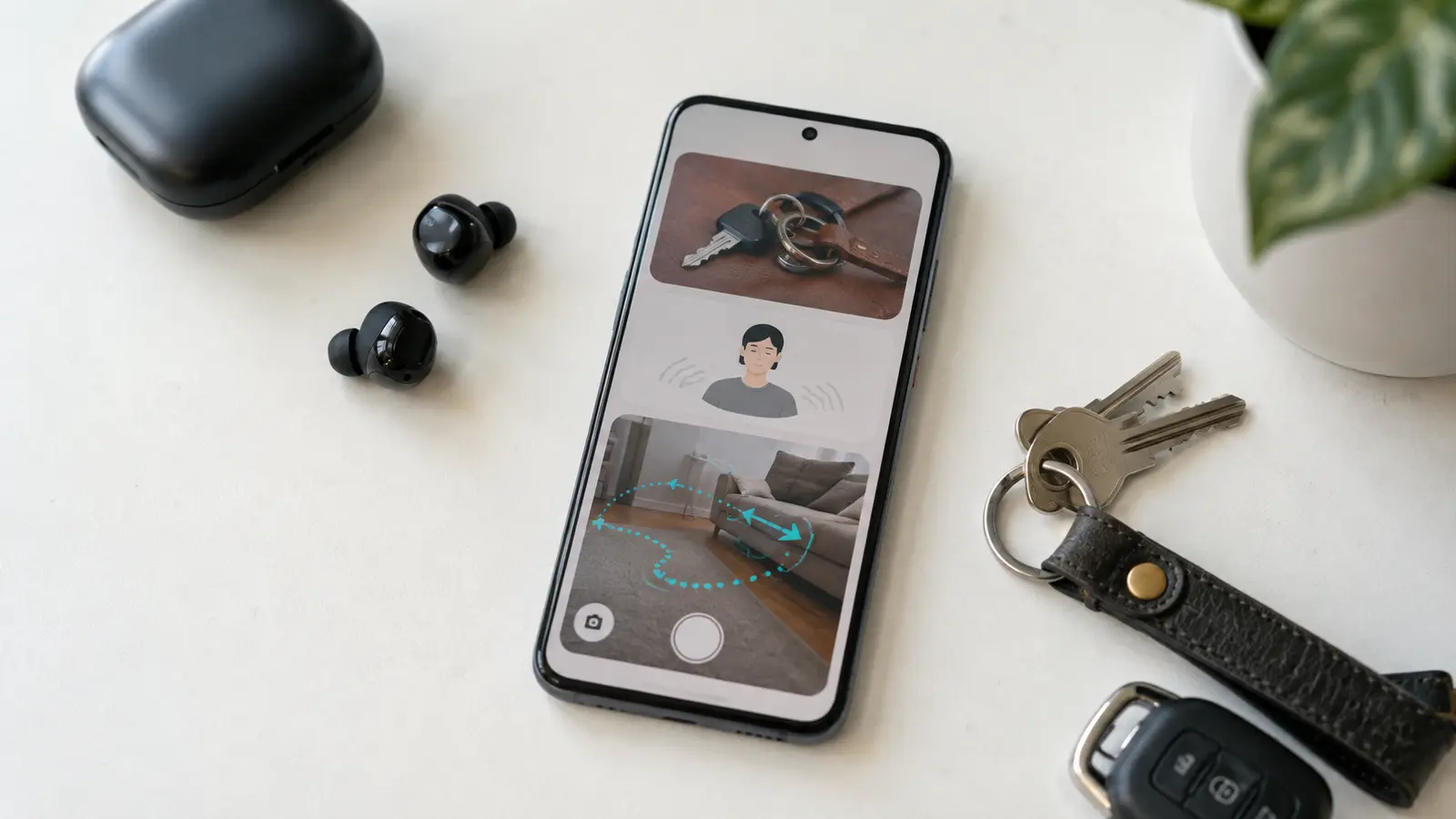
Remembered items solve the “where did I store it?” problem for objects without trackers. A user can tell Gemini where a passport, spare key or seasonal cable was placed and optionally associate a photo. Later, Find Hub can surface that saved context.
The location is only as current as the last note. If someone moves the passport, the phone cannot detect that movement unless a compatible physical tracker is attached. Avoid storing highly sensitive descriptions such as safe combinations or unprotected document images. A reminder feature belongs inside the same account-security model as email and photos.
Remembered is not tracked
Use a compatible Find Hub tag when live locating matters. A saved photo or room description cannot report movement, distance or current position.
How to Set Up a Remembered Item
- Open the supported Gemini/Find Hub entry point on an eligible Android 16-or-newer device.
- Describe the item and where you placed it in plain language.
- Add a photo only if it helps and does not expose sensitive information.
- Ask where the item is later and confirm that the saved place is still current.
- Update or delete the memory when the object moves.
Exact wording can change as Google integrates memory and Find Hub. If the option is absent, confirm account and region support. Do not download third-party APKs claiming to unlock the rollout.
Motion Assist: Visual Cues for Travel
Motion Assist places animated cues at the screen edge that correspond to sensed vehicle movement. The concept is to reduce mismatch between what the inner ear feels and what the eyes see while reading. It may help some passengers, but response varies and it is not treatment for persistent or severe symptoms.
On eligible builds, look under Settings, the user/Google services area and Personal & device services; menu names can vary. Enable it as a passenger and stop screen use if symptoms worsen. Drivers should not interact with the phone. Anyone with frequent severe nausea, dizziness or new neurological symptoms should seek appropriate professional advice.
Guided Vision With Gemini Live
Guided Vision lets Gemini Live use the camera to describe a scene in a more directed way, potentially helping identify an object, read context or explain controls. Android 9-or-newer availability has been discussed for supported Gemini markets, with rollout still staged. Account, language, camera permission and network access may apply.
Camera AI can omit hazards, misidentify objects and misunderstand distance. Do not use it to cross roads, identify medication, inspect electrical faults or replace a cane, guide animal or trained person. Frame it as optional descriptive assistance. Avoid pointing the camera at people or private material without consent.
Collaborative Keep Notes in Google Messages
The Messages integration reduces friction when a conversation turns into a grocery list, trip checklist or shared task. From an eligible RCS conversation, use the plus menu, choose the Keep option, create or select a note and share collaboration access. Participants may need Google accounts and current apps.
A shared note is a separate cloud document, not merely a message attachment. Check who has edit access and remove collaborators after a temporary project. Do not place passwords, identity documents or sensitive health data in an informal group note.
Troubleshooting Missing Features
| Problem | Likely cause | Safe next step |
|---|---|---|
| Feature absent | Staged rollout or version requirement | Update apps and wait; check official eligibility |
| Guided Vision unavailable | Gemini market, language or account restriction | Confirm Gemini Live support and permissions |
| Keep option missing | Messages/Keep integration not enabled | Update both apps and verify account |
| Motion cues do not help | Individual response differs | Disable; avoid screen use when unwell |
FrediTech verdict
The drop is useful because it removes small points of friction rather than demanding new hardware. Adopt remembered items and shared notes cautiously, try Motion Assist as an optional comfort feature, and treat Guided Vision as fallible assistance—not safety technology.
Accessibility and Consent
Camera-assisted descriptions can be valuable, but users should know when the camera is active and where processing occurs. Avoid pointing Guided Vision at bystanders, confidential documents or payment details unless necessary. In shared spaces, announce that a camera feature is running. Review Gemini activity controls and delete sensitive history according to Google’s current account documentation.
For accessibility, reliability matters more than novelty. Keep Voice Access, TalkBack, magnification or a trusted human alternative configured if those tools meet the need. Test Guided Vision in a safe familiar room before depending on it elsewhere, and provide feedback on incorrect descriptions. It is an assistance feature, not a substitute for a mobility aid, medical device or emergency service.
Frequently Asked Questions
Does Find Hub track remembered items?
No. It recalls the place or photo you saved. A compatible physical tracker is needed for live locating after movement.
Which Android version is required?
Requirements differ by feature. Remembered items is associated with newer Android releases, while Guided Vision may reach older supported versions. Check the live help page.
How do I enable Motion Assist?
On an eligible phone, look in Settings under Google/user services and Personal & device features. Menu naming can vary during rollout.
Is Guided Vision a navigation aid?
It is a camera-description feature, not an independent mobility or safety-critical navigation system.
Can everyone edit a Keep note?
Only people granted access through the shared note can edit. Account requirements and app versions apply.
Why do I have only some September features?
The drop uses app updates and server-side rollout, so features can arrive at different times.
Related FrediTech Guides
- POCO F9 Ultra vs F9 Pro
- Internal-link opportunity: FrediTech Android privacy settings guide (URL to be assigned)
Sources and Verification
Feature names and broad rollout behavior were checked against current Google/Android reporting. Exact menus, version thresholds and country availability remain subject to staged rollout.