

On this page — table of contents
The New Camera Control Button
Design and Placement
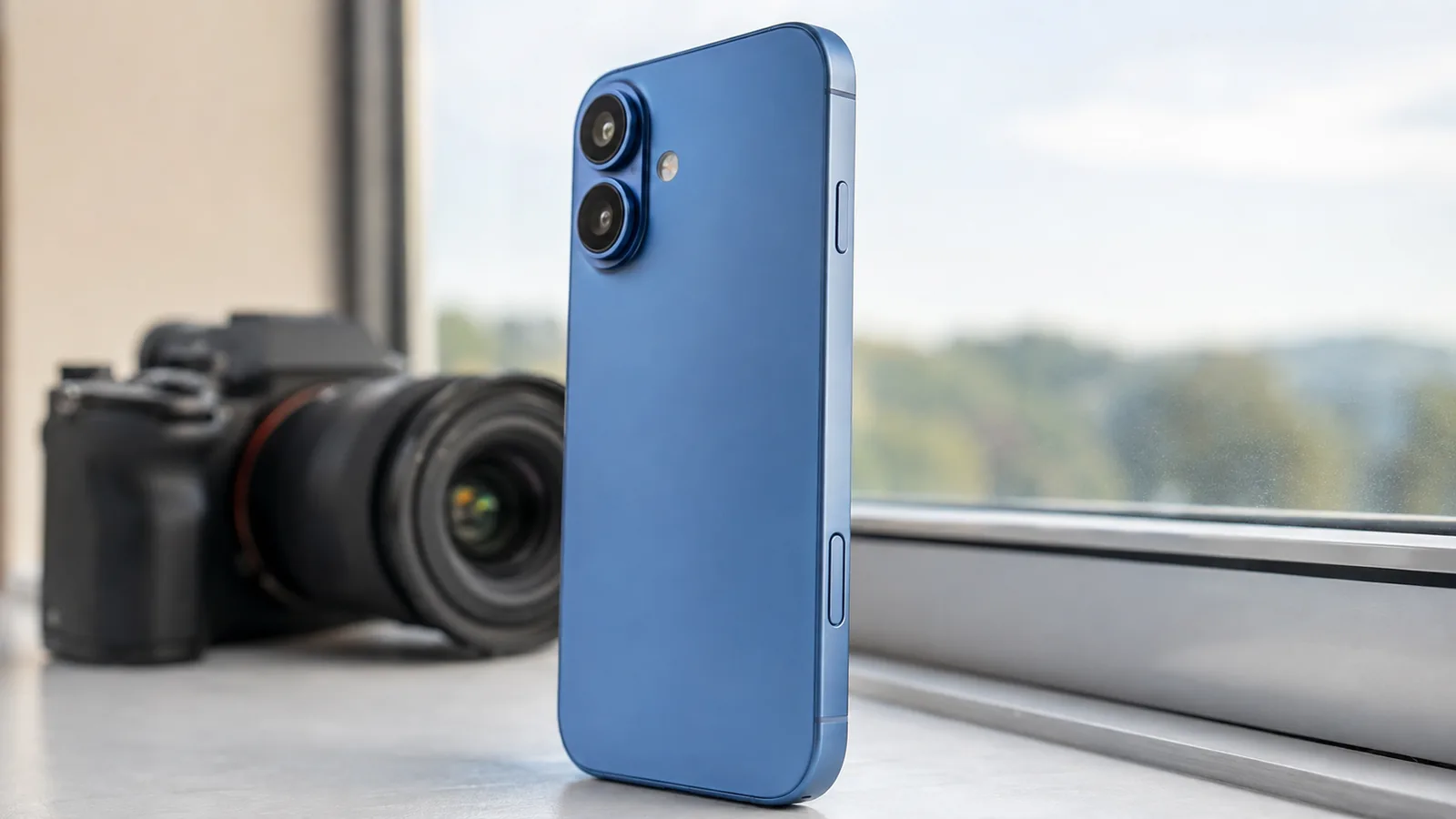
Camera Control is a dedicated capture control on the side of every iPhone 16 model. It combines a click mechanism, a force sensor and touch-sensitive gestures under a sapphire-crystal surface. A click opens the camera; another captures a photo. Light presses and finger slides bring frequently used camera settings within reach without covering the screen. The aluminium iPhone 16 and 16 Plus and the titanium Pro models all include the feature.
How to Use Camera Control
Camera Control is most useful when you learn the distinction between a full click, a light press and a finger slide. The available actions can vary with the camera app and iOS version.
- Open Camera: Click Camera Control once. You can change it to a double-click or select a supported camera app in Settings → Camera → Camera Control.
- Capture a photo: With the Camera app open, click Camera Control to take the shot.
- Record video: Click and hold while the Camera app is open; release to stop recording. This is not a video-pause gesture.
- Adjust a setting: Lightly press to reveal supported camera controls. Lightly double-press to choose a setting such as zoom or exposure, then slide along the control to adjust it.
- Lock focus and exposure: On supported software, turn on Lock Focus and Exposure in Camera Control settings, then lightly press and hold until AE/AF Lock appears. Release to unlock.
- Use Visual Intelligence: On a supported iOS version with Apple Intelligence enabled, click and hold Camera Control to examine an object, translate text or find information. Availability varies by language and region.


Camera Hardware and 4K Video
All four iPhone 16 models have a 48MP Fusion main camera. Their main cameras can produce detailed 48MP photos in supported settings, convenient 24MP default images and a 2× optical-quality crop. The differences appear in the secondary lenses and advanced video formats.
4K 120 fps Is a Pro Feature
The iPhone 16 Pro and Pro Max can capture 4K Dolby Vision video at up to 120 frames per second. After recording, the Photos app lets you alter playback speed for smooth slow-motion effects. For high-end editing, the Pro models can also record 4K 120 fps ProRes and Log video directly to compatible external USB-C storage. The standard iPhone 16 and 16 Plus top out at 4K Dolby Vision at 60 fps.
Ultra Wide and Macro Photography
The iPhone 16 and 16 Plus added autofocus to their 12MP Ultra Wide cameras, bringing macro photography to the standard models. You can photograph small objects, plant textures and other close-up subjects without buying a Pro model.
The iPhone 16 Pro and Pro Max use a 48MP Ultra Wide camera, making higher-resolution wide-angle and macro shots possible in compatible HEIF or ProRAW modes. Those larger files take more storage and do not automatically look better in every lighting condition. For steadier results, keep the phone still, tap the point you want sharp and use good natural light.
Telephoto Upgrades and Focal Range
With the iPhone 15 generation, only the Pro Max received Apple’s 5× tetraprism telephoto camera. In the iPhone 16 generation, both Pro models include the dedicated 12MP 5× telephoto, equivalent to a 120mm focal length, with optical image stabilisation. This gives the smaller iPhone 16 Pro the same long-reach camera hardware as the 16 Pro Max.
The standard iPhone 16 and 16 Plus offer a 2× optical-quality crop through the 48MP Fusion main camera but do not have a separate 5× telephoto lens. A photographer who regularly shoots concerts, wildlife, outdoor sports or portraits from a distance will notice this distinction more than someone who mainly takes everyday family or travel photos.
Enhanced Audio and Video Recording
Camera quality includes sound as well as image detail. Every iPhone 16 model supports Spatial Audio recording, Audio Mix and wind-noise reduction, making it possible to reshape the sound of compatible videos after filming. Audio Mix can prioritise speech from people in the frame, produce a more studio-like voice sound or separate voices from surrounding ambience.
Pro Microphones, ProRes and Log
The iPhone 16 Pro and Pro Max add four studio-quality microphones and advanced recording options that suit interviews, short films and video production. Their A18 Pro chip enables 4K 120 fps Dolby Vision. For ProRes and Log capture at that frame rate, plan on a compatible external SSD, a suitably fast USB-C cable and enough free capacity for large video files.
On any model, record a short sample before an important shoot. Listen for wind, background music and echoes, and check your chosen resolution and frame rate before filming a long take.
Photographic Styles, AI and Visual Intelligence
The iPhone 16 family introduced next-generation Photographic Styles, which let you customise colour, warmth and tone. Rather than applying the same colour overlay across the entire photo, supported styles make more selective adjustments and can be reviewed or changed after capture. Save a look you enjoy for portraits or travel photography, but compare it against the unedited image when accurate colours matter.
Visual Intelligence and Apple Intelligence
Visual Intelligence uses the camera and supported Apple Intelligence features to help you understand something in front of you: identify a plant, translate a menu, find information about a place or capture details from an event poster. It is available on supported iPhone 16 software, although features, languages and third-party integrations vary by region and version. Some requests can involve external services; review the prompts and privacy information before sharing an image or query.
Apple Intelligence can also help you search for photos using natural-language descriptions and remove some background distractions using Clean Up in the Photos app. Treat generated or altered results as edits: keep originals when documenting events, products or work where an unmodified image matters.
Comparing iPhone 16 Models
For everyday photos, all four devices offer Camera Control, the 48MP Fusion camera, Photographic Styles, macro capture and Audio Mix. The iPhone 16 and 16 Plus record up to 4K 60 fps Dolby Vision; the iPhone 16 Pro and Pro Max add a 48MP Ultra Wide, 5× telephoto, 4K 120 fps Dolby Vision, ProRes/Log options and professional external recording workflows.
Camera hardware is the same on both Pro models; the main reasons to choose between them are physical size, viewing area and battery-life preferences. Focus on the lenses and editing formats you will actually use, rather than assuming that a larger screen means a more advanced camera sensor.
iPhone 16 Model Comparison Table
| Model | Rear cameras | Video capabilities | Useful for |
|---|---|---|---|
| iPhone 16 | 48MP Fusion; 12MP Ultra Wide with macro | 4K Dolby Vision up to 60 fps; Spatial Audio and Audio Mix | Everyday photography and lightweight video |
| iPhone 16 Plus | Same camera setup as iPhone 16 | Same capture features as iPhone 16 | Same cameras with a larger display and battery |
| iPhone 16 Pro | 48MP Fusion; 48MP Ultra Wide; 12MP 5× telephoto | 4K Dolby Vision up to 120 fps; external ProRes/Log recording | Telephoto, macro detail and advanced editing |
| iPhone 16 Pro Max | Same rear camera system as 16 Pro | Same pro recording options as 16 Pro | Pro cameras with a larger screen and longer rated battery life |
Practical Tips and Real-World Examples
Try these settings as starting points. The exact wording in Camera and Settings may differ by your iOS version, and some options are available only on Pro models.
- Close-up detail: Get closer until Macro Control appears or select the 0.5× Ultra Wide view. Use bright, even light and check focus before taking the photo. The Pro models support higher-resolution 48MP Ultra Wide modes.
- Tricky light: Use a light press on Camera Control to reach the exposure setting, then slide to make the image brighter or darker. If supported and enabled, lightly press and hold for AE/AF Lock before recomposing.
- Video zoom: Set a consistent frame rate and move between lenses deliberately. Sliding Camera Control can adjust zoom, but transitions between different physical lenses may not look seamless.
- Better dialogue: Keep the microphone near the person speaking, record in a sheltered location and test Audio Mix after capture. An external microphone is useful in noisy environments.
- Faster identification: Use Visual Intelligence to read signage, identify an object or add details from a poster when the feature is available in your language and region.
- Consistent visual style: Save a Photographic Style for a photo series, then check skin tones and highlights on a few test shots before using it for every image.
Finally, wipe the lenses with a clean microfibre cloth before shooting. Smudges often cause hazy night scenes and flare. If you are transferring large ProRes files, make sure your USB-C cable and storage device support the speeds required by your chosen format.
Conclusion
The iPhone 16 generation put useful camera upgrades across the entire lineup instead of limiting every new feature to the Pro tier. Camera Control, a 48MP Fusion main camera, autofocus Ultra Wide macro capture and Audio Mix are available on the standard models. The Pro and Pro Max expand the toolkit with a dedicated 5× telephoto camera, a 48MP Ultra Wide sensor, four studio-quality microphones and 4K 120 fps Dolby Vision with advanced external ProRes and Log recording.
The practical decision comes down to how you take pictures and videos. Everyday photography benefits from the standard cameras; long-distance subjects and high-end editing workflows can justify the extra Pro hardware. The two Pro models have matching rear cameras, so their different display sizes and battery ratings matter more than a nonexistent sensor advantage for Pro Max.
References and Related Sources
Original model specifications and Camera Control guidance are documented in Apple’s official sources. For more context, these related FrediTech articles explore recent iPhone generations and smartphone photography.
- Apple: iPhone 16 and iPhone 16 Plus announcement — Fusion camera, autofocus Ultra Wide, Photographic Styles, Audio Mix and Camera Control.
- Apple: iPhone 16 Pro and iPhone 16 Pro Max announcement — 48MP Ultra Wide, 5× telephoto, 4K 120 fps and professional recording.
- Apple Support: How to use Camera Control — current instructions for settings, gestures and Visual Intelligence.
- FrediTech: Complete iPhone Review — cross-generation comparison.
- FrediTech: Smartphones for Photography — wider camera-phone context.
- FrediTech: iPhone 15 Pro Max Review — what changed between generations.
Frequently Asked Questions
What does Camera Control do?
It opens the camera, captures a photo, starts video and adjusts compatible camera settings using clicks, light presses and touch gestures. You can customise its behaviour in Settings.
Do all iPhone 16 models have a 48MP Ultra Wide camera?
No. iPhone 16 and 16 Plus have a 12MP Ultra Wide camera with autofocus. The iPhone 16 Pro and Pro Max have a 48MP Ultra Wide camera.
Can every iPhone 16 take macro photos?
Yes. All four models can focus close up using their autofocus Ultra Wide cameras. Higher-resolution Ultra Wide capture is a Pro-model feature.
Which iPhone 16 models record 4K 120 fps video?
Only the iPhone 16 Pro and Pro Max record 4K Dolby Vision at up to 120 fps. Standard iPhone 16 and 16 Plus models record up to 4K 60 fps.
Do both Pro models have the same 5× telephoto camera?
Yes. Both iPhone 16 Pro and iPhone 16 Pro Max include the dedicated 12MP 5× tetraprism telephoto camera and have the same rear camera hardware.
Does Audio Mix work on the standard iPhone 16?
Yes. Audio Mix and Spatial Audio recording are available across the iPhone 16 lineup. The Pro models add four studio-quality microphones.
Can iPhone 16 use Visual Intelligence?
Supported iPhone 16 software provides Visual Intelligence through Camera Control when Apple Intelligence is available and enabled. Features and supported languages or regions can vary.