360Hz requires DisplayPort and very high frame rates
The AW2725DF reaches up to 360Hz at 2560×1440 through DisplayPort. HDMI is limited to 144Hz at native resolution. Your computer and game settings must also produce hundreds of frames per second to benefit fully.
Fact-checked: August 31, 2026
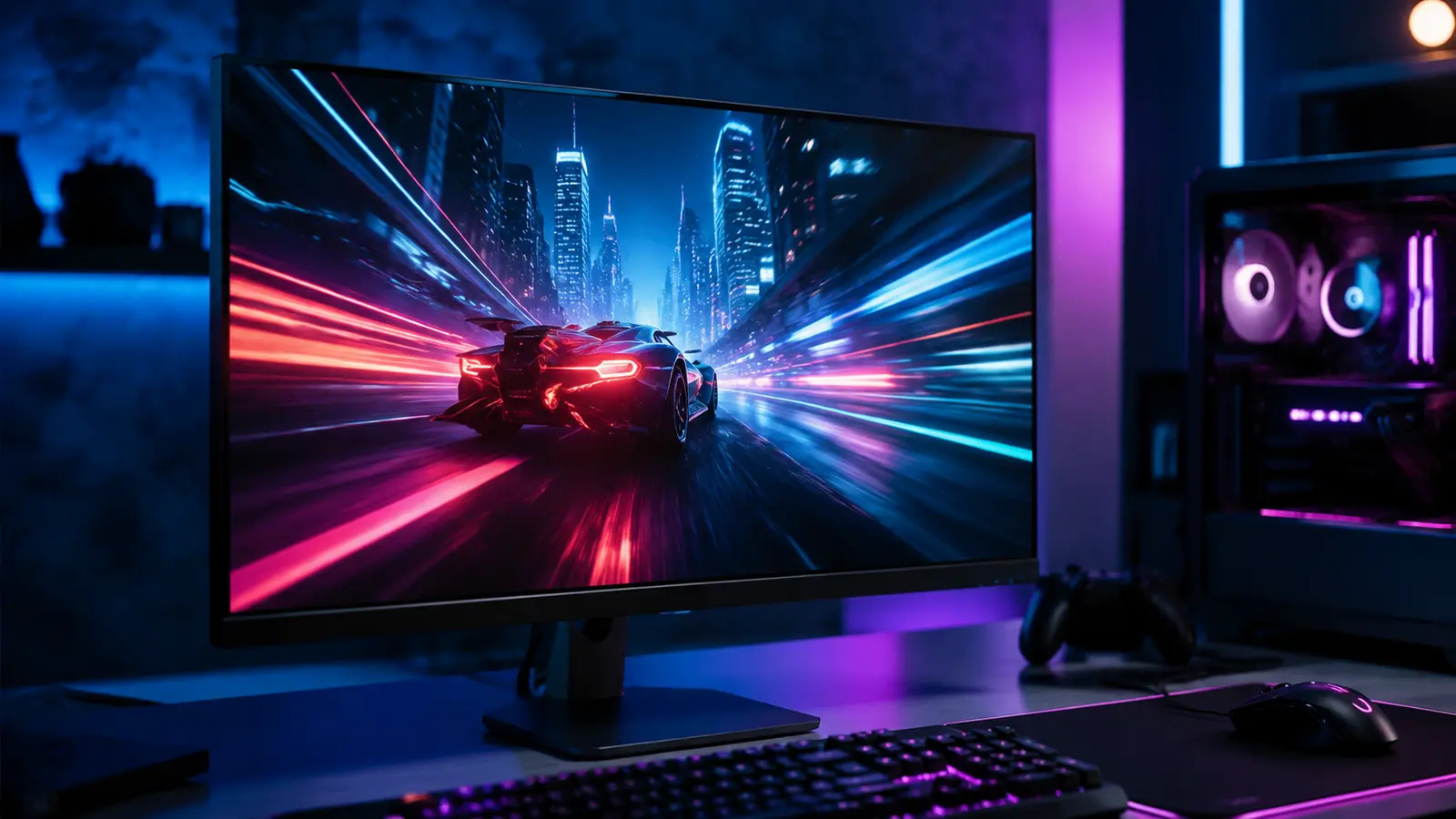
The Alienware AW2725DF 27-inch-class gaming monitor has dropped from $649.99 to $499.99 at Dell and Amazon, a $150 or 23.1% reduction. It pairs a 2560×1440 QD-OLED panel with a refresh rate up to 360Hz and a quoted 0.03ms gray-to-gray response time.
The panel’s actual viewable size is 26.7 inches. It targets competitive PC players who want OLED pixel response and deep contrast without moving to 4K, where sustaining very high frame rates is harder. The monitor also includes a three-year Advanced Exchange and Premium Panel Exchange plan that Dell says covers OLED burn-in.
There is an important port distinction: full 360Hz is available through DisplayPort, while HDMI tops out at 144Hz at native resolution. Console buyers and HDMI-only laptop users therefore cannot use the monitor’s defining refresh-rate ceiling.
Affiliate disclosure
FrediTech may earn a commission from qualifying purchases made through links in this article, at no extra cost to you. Prices and availability can change after publication.
Is the AW2725DF Worth $499.99?
Yes for a competitive PC gamer with DisplayPort, a GPU that can drive high frame rates at 1440p and a willingness to follow OLED care practices. It is less compelling for console-only use, static office work or buyers who prefer 4K detail over extreme refresh rate.
- Price: $499.99 from $649.99, down $150 or 23.1%.
- Panel: 26.7-inch QD-OLED, 2560×1440.
- Refresh: up to 360Hz via DisplayPort; 144Hz via HDMI at native resolution.
- Warranty: three-year exchange and panel coverage including OLED burn-in.
Alienware AW2725DF Key Specifications
| Feature | Specification | Why it matters |
|---|---|---|
| Panel | QD-OLED | Fast pixel response, deep blacks and wide color |
| Viewable size | 26.7 inches | Sold in the 27-inch class |
| Resolution | 2560×1440 | Balanced sharpness and achievable PC frame rates |
| DisplayPort refresh | Up to 360Hz | Best for competitive PC play |
| HDMI refresh | Up to 144Hz at native resolution | Limits console and HDMI-only use |
| Quoted response | 0.03ms gray-to-gray | Manufacturer test figure; complete latency also includes system and game |
| Panel coverage | Three years including burn-in | Important protection for OLED ownership |
Who Can Actually Use 360Hz?
Esports games such as tactical shooters and lightweight competitive titles can exceed 300fps on powerful hardware with tuned settings. Cinematic games with ray tracing often cannot. A 360Hz monitor still functions at lower frame rates, but the financial reason to choose it weakens if your normal games sit near 80–140fps.
- Use DisplayPort from a compatible graphics card for the maximum refresh rate.
- Confirm 360Hz in Windows display settings and the GPU control panel.
- Enable an appropriate variable-refresh mode and check the game’s frame cap.
- Use competitive settings only where visual tradeoffs are acceptable.
- Measure complete system performance rather than relying on monitor response time alone.
Check the $499.99 Price
Compare Dell and Amazon, seller, return terms and delivery date before ordering.
QD-OLED Strengths and Ownership Tradeoffs
| Strength | Tradeoff |
|---|---|
| Near-instant pixel transitions and excellent motion clarity | Static desktop use can increase uneven-wear risk |
| Deep blacks and strong HDR contrast | Room lighting and screen coating affect perceived black level |
| Wide color and vivid games | Color-managed work still needs correct profiles and calibration |
| Burn-in included in three-year panel coverage | Warranty does not eliminate the need for normal OLED care |
AW2725DF vs Newer 360Hz and 500Hz OLEDs
Newer monitors can add higher refresh ceilings, different subpixel structures or improved ports, but they often cost more. Moving from 360Hz to 500Hz produces a smaller frame-time reduction than moving from 60Hz to 144Hz, and it demands even more from the computer.
At $499.99, AW2725DF competes on a mature combination of 1440p, QD-OLED and warranty. Compare current prices, HDMI capability, text rendering, USB features and panel coverage—not just the largest refresh-rate number.
What to Check Before Ordering
- Verify that your PC has a suitable DisplayPort output.
- Check desk depth, stand footprint and VESA-arm capacity.
- Estimate frame rates in the games you actually play.
- Read the current panel-exchange and burn-in terms for your region.
- Inspect the panel promptly within the retailer return window.
Console shoppers deciding whether to spend on a display or a new platform should also review the Nintendo Switch 2 price-increase guide before comparing budgets.
FrediTech Verdict
AW2725DF is a strong $500 monitor for competitive PC players who can feed its DisplayPort input with very high 1440p frame rates. The OLED panel and burn-in coverage add value, but HDMI’s 144Hz limit makes it a poor purchase if your primary device cannot use DisplayPort.
Frequently Asked Questions
Can AW2725DF run 360Hz over HDMI?
No. At native 2560×1440, HDMI is limited to 144Hz. Use DisplayPort for up to 360Hz.
Does the warranty cover OLED burn-in?
Dell lists three-year Advanced Exchange and Premium Panel Exchange coverage including OLED burn-in. Review the current regional terms before buying.
Is 360Hz useful if my game runs at 120fps?
The monitor will work, but you will not realize its full refresh advantage. A less expensive OLED or higher-resolution display may be a better fit.
Is the AW2725DF 4K?
No. Its native resolution is 2560×1440.
Related FrediTech Guides
Sources and Editorial Notes
Price and deal status are cross-checked against current Dell/Amazon reporting. Port limits, resolution, panel size and warranty wording use Dell’s specifications. Response time is identified as a quoted manufacturer figure.