FrediTech verdict at a glance
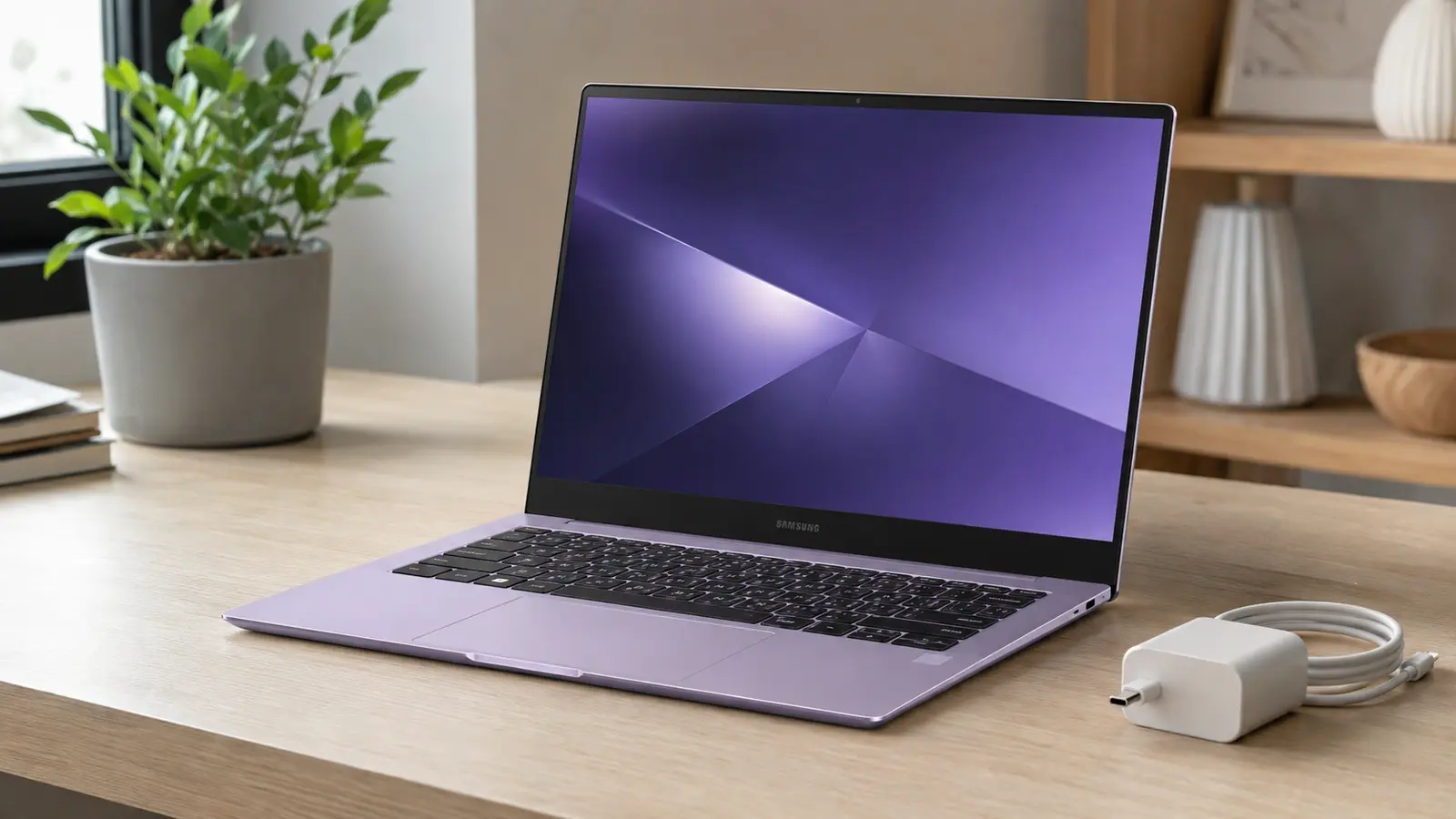
The new 14-inch Samsung Galaxy Book6 lowers the family’s starting price to $799 and covers the essentials well: a portable 1.35kg design, a useful selection of full-size ports, an included USB-C charger and tight integration with Galaxy phones and tablets. It is best viewed as an everyday Windows laptop for study, office work, browsing and streaming—not a cut-price version of the much faster Galaxy Book6 Pro.
Best for: Galaxy phone owners who value continuity features and want a light general-purpose laptop. Think twice if: you need an OLED display, demanding creative performance, gaming power or a backlit keyboard.
Affiliate disclosure: FrediTech may earn from qualifying Amazon purchases made through links in this guide, at no additional cost to you. Recommendations remain independent.
Samsung Galaxy Book6 price and availability
Samsung announced this more accessible Galaxy Book6 on September 1, 2026. It starts at $799 in selected markets, with wider availability promised later. Memory choices are 8GB or 16GB of LPDDR5X, while storage options are 256GB, 512GB and 1TB PCIe SSDs. Exact processors, colours and configurations vary by country.
The price comparison needs care. The earlier standard Galaxy Book6 entered the US at $1,049.99 in March 2026, so the family now has an entry point $250.99—or about 23.9%—lower. That does not mean Samsung discounted an identical machine. The $799 model uses lower-tier Intel Core 3 or Core 5 Series 3 processors and a simpler display, so it is a distinct configuration.
| Specification | New 14-inch Galaxy Book6 | What it means |
|---|---|---|
| Starting price | $799 | Lower-cost entry to Samsung’s laptop ecosystem |
| Display | 14-inch, 1920×1200 LCD, 350 nits, anti-glare | Good document space; modest brightness and no OLED contrast |
| Processor | Intel Core 3 or Core 5 Series 3 | Designed for everyday productivity rather than heavy creation |
| Memory and storage | 8GB/16GB; 256GB/512GB/1TB | 16GB is the safer long-term choice for multitasking |
| Battery | 61.2Wh; up to 25 hours claimed | Promising, but the claim is not an all-purpose real-world result |
| Weight | 1.35kg | Portable enough for commuting and study |
| Ports | 2× USB-C, USB-A, HDMI 1.4, 3.5mm | Useful mix, but HDMI is limited to 4K at 30Hz |


Design and display: practical, with clear compromises
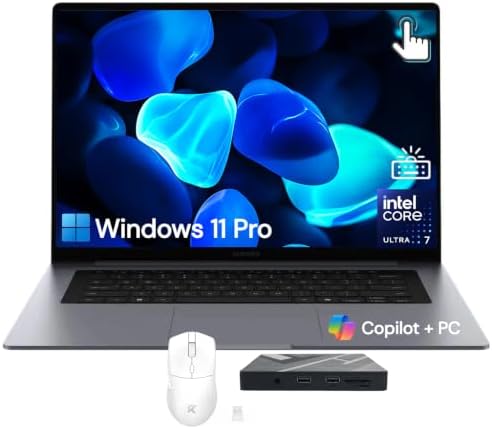
At 15.7mm thick and 1.35kg, the laptop sits in a comfortable middle ground: light enough for a backpack without chasing the extreme thinness that often removes useful ports. Samsung offers Gray and a new Violet Silver finish. The centred lid logo and symmetrical lines bring it visually closer to the rest of the Book6 family.
The 16:10 screen is a meaningful productivity advantage over older 16:9 budget laptops because it shows more of a webpage, spreadsheet or document vertically. Its anti-reflective coating should also help under overhead lights. The limitations are equally important: this is a 350-nit WUXGA LCD, not the brighter high-refresh AMOLED panel associated with premium Galaxy Books. Outdoor visibility, HDR impact and deep-black performance are therefore unlikely to match the Pro models.
The keyboard is explicitly listed as non-backlit. Anyone who regularly works in dim rooms should treat that as a purchasing decision rather than a minor footnote. A 1080p webcam, dual microphones, stereo 2W speakers and Dolby Atmos cover routine calls and entertainment, though independent camera and speaker tests are still needed.
Performance: choose 16GB if you can
Intel Core 3 and Core 5 Series 3 chips target browsing, Microsoft 365, video meetings, light photo work and general multitasking. Integrated Intel graphics should handle media playback and casual games, but Samsung does not position this model for sustained video editing, 3D work or modern AAA gaming.
The NPU is rated at up to 15 TOPS. That can support Samsung’s connected AI features, but it is well below the 40-TOPS threshold associated with the most capable Copilot+ PC experiences. Buyers should judge the laptop on its core everyday performance rather than assuming every new Windows AI feature will run locally at premium-PC speed.
For longevity, the 16GB model is the better target. Windows 11, multiple browser tabs, messaging apps and video calls can make 8GB feel constrained. Samsung lists LPDDR5X memory, which is normally soldered; buyers should therefore select enough RAM at purchase. Storage is more flexible across the available capacities, but regional teardown information is needed before assuming the SSD is user-upgradeable.
Battery and charging claims explained
Samsung advertises up to 25 hours from the 61.2Wh battery and says the included 45W USB-C charger can restore approximately 33% in 30 minutes. “Up to” results depend heavily on brightness, wireless activity, applications and test conditions. A mixed day of web work and calls will normally be more demanding than controlled local-video playback, so the 25-hour figure should be treated as a ceiling, not an expectation.
Including the charger is a genuine advantage when some devices increasingly omit power adapters. Both USB-C ports offer the same functionality, reducing guesswork when docking or charging from either side.
The Galaxy ecosystem is the main differentiator
- Quick Share moves files between compatible Galaxy and Windows devices.
- Storage Share can expose supported phone files to the laptop without a manual transfer.
- Multi Control lets one keyboard and mouse operate compatible Galaxy devices.
- Second Screen turns supported Galaxy Tab models into an additional display.
- Link to Windows brings supported calls, messages, notifications and phone experiences to the PC.
These features require compatible hardware, current software, appropriate accounts and—in several cases—the same Wi-Fi network. They are useful conveniences, not reasons to ignore a materially better-priced rival.
Useful accessories for a 14-inch Galaxy Book
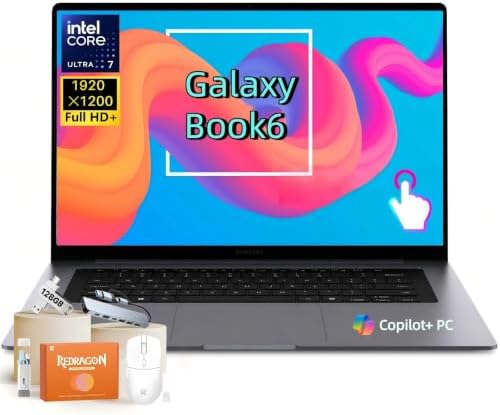
Choose accessories by specification rather than brand claims: a padded 14-inch sleeve, a USB-C hub that explicitly supports 4K/60Hz if you need a smoother external display, and a compact Bluetooth mouse.
Amazon prices and availability can change. Confirm compatibility on the product page before ordering.
Who should buy it?
Buy if you want
- A portable laptop for documents, browsing and calls
- Strong integration with a Galaxy phone or tablet
- A full-size USB-A port and headphone jack
- An included USB-C charger
- A 16:10 anti-glare display
Skip or compare carefully if you need
- OLED contrast or high-refresh gaming
- A backlit keyboard
- Professional GPU acceleration
- 4K/60Hz directly through the HDMI port
- Maximum local AI performance
Buying checklist
- Confirm whether your country receives Core 3 or Core 5 and whether the $799 configuration has 8GB or 16GB RAM.
- Prioritize 16GB RAM if you keep many apps and browser tabs open.
- Check the keyboard layout and remember that it is not backlit.
- Compare final price with an OLED laptop or MacBook Air promotion, not only list prices.
- Verify return policy, warranty and Samsung Care+ terms in your market.
Final buying advice
The $799 Galaxy Book6 makes sense when portability, familiar Samsung continuity tools and everyday Windows work matter more than display luxury or raw speed. The best-value configuration will likely be a Core 5 model with 16GB RAM, provided its regional price remains competitive. The 8GB version is harder to recommend as a long-term purchase, and creators should compare the Book6 Pro or other performance-focused laptops.
Frequently asked questions
Is the $799 Galaxy Book6 the same as the earlier $1,049 model?
No. It is a new lower-tier 14-inch configuration with Core 3 or Core 5 Series 3 processors and a 350-nit LCD. The lower entry price should not be described as a discount on identical hardware.
Does the Galaxy Book6 have a backlit keyboard?
Samsung’s specification table lists a non-backlit keyboard.
Is the charger included?
Yes. Samsung lists a 45W USB-C adapter and USB-C cable in the box, although regional packaging can vary.
Can it drive a 4K monitor?
The HDMI 1.4 port supports 4K at 30Hz. A compatible USB-C dock may offer different display capabilities, but confirm the laptop and dock specifications before purchase.
Sources and methodology
This guide is based on Samsung’s September 1 announcement and official specification table, with the earlier US Galaxy Book6 launch used only for lineup-price context. Battery and performance statements identified as claims come from Samsung and await independent testing.