
ThinkPad T14 Gen 5 Review in 2026: Still Worth It? should be judged by more than a processor name or launch-day benchmark. This review focuses on the things that shape daily ownership: sustained performance, display quality, keyboard and ports, battery life, thermals, repairability or upgrade limits, software support and the price of the configuration you can actually buy.
Quick Verdict
- Best for: buyers comparing this laptop on real workflow fit rather than headline specifications.
- Focus on: display, sustained performance, keyboard, ports, battery, thermals, memory/storage configuration and warranty.
- Watch for: similarly named generations can have very different processors, displays and upgrade options, so verify the exact model number before buying.

Table of contents
Introduction
Business professionals depend on notebooks that can survive everyday abuse, deliver long battery life and protect sensitive data. With hybrid work now firmly established, reliability matters more than flashy design. Lenovo’s ThinkPad T‑series has long been the benchmark for corporate buyers; the latest ThinkPad T14 Gen 5 continues this legacy. This review dives deep into the specifications, build quality, performance, battery life and security of both Intel and AMD variants to determine whether Lenovo’s 2026 model truly is the most reliable business laptop. You’ll learn how the T14 Gen 5 compares to alternatives, what configuration to choose and how its engineering supports decades‑long use.
Overview and Key Specifications
Lenovo offers the T14 Gen 5 with Intel Core Ultra U‑ and H‑series processors or AMD Ryzen PRO chips. The Intel model uses up to Core Ultra 7 165H (16 cores, 22 threads, 24 MB cache) with integrated Intel Arc graphics and an on‑die NPU capable of up to 11 TOPS of AI accelerationpsref.lenovo.com. Memory can be configured up to 64 GB of DDR5‑5600 (two SODIMM slots), and storage supports a single M.2 2280 SSD up to 2 TB. Displays range from a 1920 × 1200 WUXGA panel to a 2880 × 1800 OLED with 120 Hz refresh and 100 % DCI‑P3 coverage.
The AMD version offers Ryzen 7 PRO 8840U or Ryzen 5 PRO 8540U processors with integrated Radeon 780M graphics and similar memory/storage limits. Both versions come with either a 39.3 Wh or 52.5 Wh battery. The larger pack delivers up to 11.5 hours of MobileMark 25 runtime and over 20 hours of local video playback.
Size and weight: The T14 Gen 5 measures 315.9 × 223.7 × 17.7 mm (12.44 × 8.81 × 0.70 inches). Depending on colour and battery, weight starts at 1.31 kg (2.89 lb) with a black case and 39.3 Wh battery and rises to 1.43 kg (3.15 lb) for a grey case with the 52.5 Wh pack.
Ports and connectivity: Lenovo includes two Thunderbolt 4/USB4 40 Gbps ports with power delivery and DisplayPort 2.1, two USB‑A (5 Gbps), HDMI 2.1, RJ‑45 Ethernet, and a 3.5 mm audio jack. Optional slots add nano‑SIM for 4G/5G and a smart‑card reader. Wireless options include Intel Wi‑Fi 6E or Wi‑Fi 7 and Bluetooth 5.3.
Reliability Credentials
ThinkPads are renowned for durability. According to a reliability study by refurbisher Wisetek, ThinkPads deliver military‑grade durability, long battery life and strong keyboards, making them favourites of IT departments worldwidewisetekstore.com. Repair‑shop data from LapTestPro ranks the ThinkPad line first among major brands with a failure rate of 8.3 % over three years and an average lifespan of 6.2 years, far above most competitorslaptestpro.com. Factors contributing to this reliability include steel‑reinforced hinges, spill‑resistant keyboards, MIL‑STD‑810H testing and modular design. A repair technician even described a ThinkPad T480 that continued to work after being run over by a car following inexpensive part replacements.
Design and Build Quality
Materials and Repairability
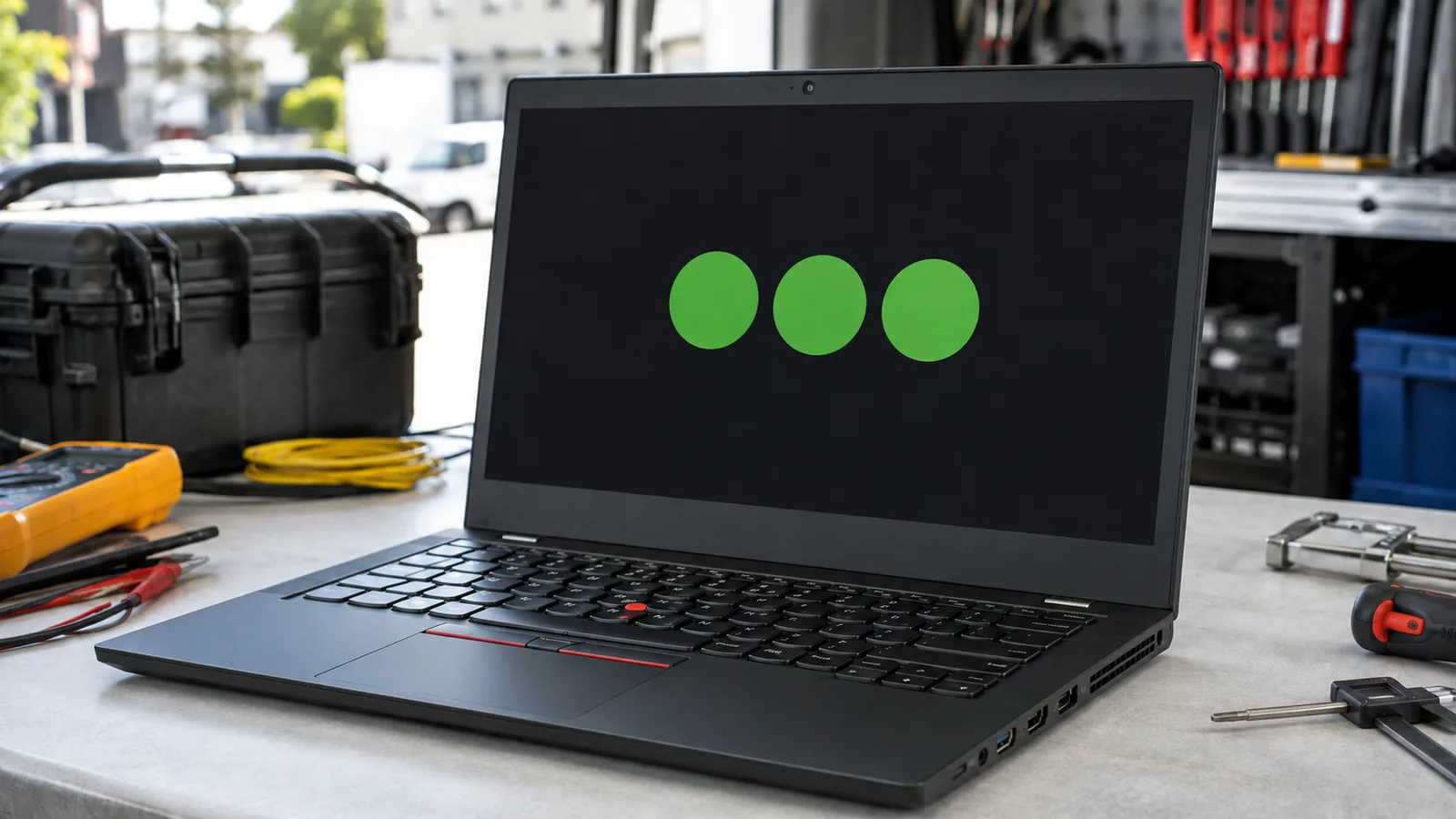
Lenovo sticks to the classic ThinkPad aesthetic: matte black or grey surfaces, straight edges and a red TrackPoint. Some may find the look dated, yet it serves a purpose. PCWorld notes that the T14 Gen 5’s chassis uses durable plastics and reinforced hinges; the screen hinge is tight and the lid resists flexpcworld.com. Lenovo worked with iFixit to make the notebook easy to service; removing the bottom panel reveals the battery, RAM and SSD for straightforward replacement. This modular design, combined with MIL‑STD‑810H testing, helps the T14 outlast many sleeker laptops.
Keyboard and Input Devices
The ThinkPad’s keyboard has legendary status. The T14 Gen 5 continues the tradition with 1.35–1.5 mm of key travel and large, tactile keys. The deck resists flex, and the spill‑resistant design protects the motherboard. PCWorld reviewers praised the keyboard for comfortable typing but noted that the chassis feels cramped compared with larger 15‑inch models. A familiar TrackPoint sits between the G and H keys, accompanied by a three‑button glass‑like trackpad. The touchpad supports multi‑finger gestures and is large enough for productivity tasks.
Chassis Options
Display Options and Visual Experience
The T14 Gen 5 offers multiple display choices to suit different users:
Size / Resolution | Brightness | Colour Gamut | Key Features |
14‑in WUXGA (1920 × 1200), non‑touch IPS | 400 nits | 45 % NTSC | Anti‑glare, 3M DBEF5 film for brightness |
14‑in WUXGA, multi‑touch IPS | 400 nits | 45 % NTSC | Eyesafe 2.0, dual brightness film |
14‑in WUXGA, low‑power IPS | 400 nits | 100 % sRGB | Low power for battery savings |
14‑in WUXGA, multi‑touch IPS with Privacy Guard | 500 nits | 100 % sRGB | Privacy filter blocks side glances |
14‑in 2.2K (2240 × 1400), non‑touch IPS | 300 nits | 100 % sRGB | TÜV low blue light |
14‑in 2.8K (2880 × 1800) OLED | 400 nits | 100 % DCI‑P3 | 120 Hz refresh, DisplayHDR True Black 500 and Dolby Vision |
Ports, Connectivity and Expansion
Lenovo understands that business users need versatile connectivity. Standard ports on the T14 Gen 5 include two Thunderbolt 4/USB4, two USB‑A (5 Gbps), HDMI 2.1, RJ‑45 Ethernet and a 3.5 mm combo audio jack. Optional expansions include a smart‑card reader and nano‑SIM slot for 4G/5G connectivity. The laptop also supports modern Wi‑Fi 6E or Wi‑Fi 7 modules with Bluetooth 5.3, plus a choice of 4G LTE or 5G modems.
For docking, Thunderbolt 4 provides high‑bandwidth connections to multi‑display docks. The laptop can drive up to four independent displays (internal plus three external) and supports 8K output via Thunderbolt. This makes it ideal for office setups with multiple monitors.
Performance and Everyday Use
Processor and Graphics Choices
Choosing between Intel and AMD versions depends on workload. The Intel models use Core Ultra chips with integrated Intel Arc graphics and a neural processing unit (NPU) for AI tasks. The NPU accelerates AI functions such as noise cancellation, background blur, transcriptions and on‑device Copilot features. Intel’s NPU can achieve up to 11 TOPS, making the T14 future‑proof for AI‑enhanced productivity. Meanwhile, AMD Ryzen PRO chips offer strong multi‑threaded performance and integrated Radeon 780M graphics, but they lack a dedicated NPU.
Benchmarks and Real‑World Performance
Nevertheless, for email, spreadsheets, remote meetings and code compilation, the T14 is more than adequate. The two SODIMM slots mean you can increase memory to 32 GB or 64 GB for demanding workloads. Storage is user‑replaceable, enabling upgrades as SSD prices drop.
AI and Productivity Features
With Windows 11 and Lenovo’s AI Engine, the T14 uses its NPU to enhance productivity. AI‑powered noise suppression filters out background sounds during calls; background blur improves video quality; real‑time translation and summarization assist multi‑lingual meetings. The dedicated Copilot key on the keyboard invokes Microsoft’s AI assistant to help with search, scheduling and document creation. For businesses that rely on secure communications, local AI processing means sensitive data stays on the device.
Battery Life and Charging
The battery supports Rapid Charge, recharging 80 % in one hour with the 65 W USB‑C adapter. That means a quick charge during lunch can replenish enough power for the afternoon. To optimize longevity, use the Windows performance slider to choose the best power efficiency mode and avoid frequent full discharges.
Choosing the Right Battery
- Assess your travel pattern: If you regularly work away from outlets, select the 52.5 Wh battery for maximum endurance. The extra weight (~50 g) is negligible.
- Check your display choice: High‑resolution OLED panels draw more power. Pairing a WUXGA low‑power display with the 52.5 Wh battery yields the longest runtimes.
- Use Rapid Charge wisely: For heavy travel days, use Rapid Charge to top up quickly. If you primarily work at a desk, enable battery conservation modes to prolong cell lifespan.
Security and Manageability
Lenovo’s ThinkShield platform bundles hardware, firmware and software protections. Key security features include:
- Discrete TPM 2.0 chip and FIDO authentication.
- Fingerprint reader integrated into the power button and optional IR camera for Windows Hello login. XDA notes that the webcam is 5 MP but its color reproduction is average.
- Optional smart‑card reader and self‑healing BIOS that automatically repairs corruption.
- Kensington Nano lock slot for physical security.
- vPro manageability on Intel models, enabling remote firmware updates and hardware‑level virtualization.
For organizations, these features simplify device management and comply with cybersecurity standards. Enterprises can deploy encrypted drives, enforce BIOS passwords and remotely lock or wipe lost machines.
Repairability and Sustainability
Sustainability is increasingly important to corporate buyers. The T14 Gen 5 contains 90 % post‑consumer recycled plastic in the battery frame, 85 % recycled plastic in backlit keycaps and 70 % in non‑backlit keys. Lenovo also offers recycled packaging and carbon‑offset options.
Reliability Rankings and Real‑World Durability
Industry Rankings
The reliability of ThinkPads is not just marketing. In a 2025 reliability ranking compiled from 3,247 laptop repairs over a decade, LapTestPro found that ThinkPad models achieved a top score of 9.2/10, with a failure rate of 8.3 % within the first three years. Average lifespan was 6.2 years, well beyond standard corporate refresh cycles. Dell, HP and Apple trailed behind with higher failure rates.
Wisetek’s 2026 durability guide emphasises that the ThinkPad series is built to military‑grade standards, offering . The report notes that reliability trends increasingly favour business‑grade lines like Dell Latitude, Lenovo ThinkPad and HP EliteBook, as consumer‑grade models lack the same durability.
Real‑World Example: Surviving Extreme Abuse
Comparison to Competitors
Business buyers often cross‑shop Dell, HP and Apple. The table below summarises how the T14 Gen 5 stacks up against some 2026 alternatives.
Laptop | Weight | Battery life (tested) | Notable strengths | Drawbacks |
Lenovo ThinkPad T14 Gen 5 | Starting 1.31 kg | 10–13 h (PCMark/Video) | Durable, repairable, excellent keyboard, abundant ports, AI NPU | Dull IPS display; mid‑tier performance |
Dell Latitude 7440/7540 | ~1.36 kg (14‑inch) | 8–10 h | Premium build, optional 5G, strong security | Expensive; soldered RAM (limited upgrades) |
HP EliteBook 840 G11 | ~1.32 kg | 9–11 h | MIL‑STD‑810H build, optional OLED display, good keyboard | Speakers and webcam are mediocre |
Apple MacBook Air 15 (M4) | 1.3 kg | 15–18 h | Unmatched battery life, silent operation, high‑res display | macOS only; two USB‑C ports; limited repairability |
ThinkPad X9 15 Aura Edition | ~1.4 kg | 15–16 h | Gorgeous OLED display, AI NPU, premium aluminium build | Soldered RAM/storage; expensive |
Who Should Buy the ThinkPad T14 Gen 5?
Ideal Users
- Business travellers and remote workers: The T14’s long battery life, solid port selection and durable build suit professionals who need to work from anywhere. Built‑in Ethernet, optional 4G/5G and physical security features help ensure uninterrupted connectivity and data protection.
- Students and academics: Its comfortable keyboard and repairability make it a good investment for multi‑year study programs. The mid‑range price and modular design mean parents can upgrade storage or RAM later rather than replacing the entire laptop.
- IT departments: With vPro manageability, easy part replacement and strong security, the T14 lowers total cost of ownership. Enterprises can standardize on a platform that will last through multiple refresh cycles.
Who Should Look Elsewhere
- Content creators or gamers: The T14 lacks discrete graphics and a high‑gamut display. Designers should consider Lenovo’s ThinkPad X9 15 Aura Edition or Dell’s XPS 15 for better GPUs and displays.
- Style‑conscious consumers: The utilitarian design may not appeal to those seeking sleek aesthetics. HP Spectre or MacBook Air models offer more visual flair.
Step‑by‑Step Buying Guide
- Choose your processor: Determine whether you need the Intel Core Ultra with NPU (better AI features) or AMD Ryzen PRO (better multi‑threaded CPU performance). Intel versions also support vPro.
- Select memory and storage: Base models start at 8 GB of RAM and 512 GB SSD. For heavy multitasking or VM workloads, configure 32 GB or 64 GB RAM and at least 1 TB SSD (both user‑replaceable on Intel models).
- Pick a display: For everyday office tasks, the WUXGA low‑power panel offers great battery life. If you need higher resolution or deeper blacks, choose the 2.2K IPS or 2.8K OLED; note that OLED reduces battery life.
- Decide on battery capacity: The 52.5 Wh battery is recommended for most users. Opt for the 39.3 Wh only if weight is critical and plug access is abundant.
- Consider connectivity: If you travel internationally or work in areas with unreliable Wi‑Fi, configure 4G LTE or 5G and a smart‑card reader for two‑factor authentication.
- Check corporate requirements: Enterprises should select vPro‑enabled Intel chips for remote management and ensure the laptop includes TPM, self‑healing BIOS and appropriate warranties.
- Plan for upgrades: Purchase a base configuration and upgrade RAM or SSD later to save money. Make sure to order with two SODIMM slots accessible; AMD versions may have soldered memory.
- Budget for accessories: Invest in a Thunderbolt dock for multi‑monitor setups and a 90 W USB‑C charger if you regularly travel with multiple devices.
Real‑World Usage Tips
- Protect the ports: Frequent plugging of Ethernet or HDMI cables can wear out connectors. Use a dock for regular desk use and reserve built‑in ports for travel.
- Use battery conservation: Enable Lenovo’s Battery Conservation Mode in Vantage software; it caps charging at 80 % when plugged in, prolonging cell lifespan.
- Keep it clean: Dust build‑up affects cooling. Periodically unscrew the base panel and use compressed air to clean the fans.
- Practice good security hygiene: Configure BIOS passwords, enable Windows Hello and keep firmware updated through Lenovo Commercial Vantage.
Conclusion
The ThinkPad T14 Gen 5 isn’t the flashiest or most powerful laptop of 2026, but reliability—not glamour—is often what matters to businesses. Lenovo’s latest T‑series model provides robust build quality, modular repairability, long battery life and comprehensive security features. Independent repair data shows ThinkPads last longer and fail less often than competing brands, while user experiences highlight durability and ease of maintenance. Yes, the IPS display is dull and the integrated graphics restrict gaming, but for day‑to‑day productivity, the T14 offers consistent performance, quiet operation and unrivalled longevity.
For professionals seeking a laptop that will survive years of travel and constant use—without locking them into sealed‑off components—the ThinkPad T14 Gen 5 stands out as 2026’s most reliable business laptop. If you need more power or a stunning OLED screen, consider Lenovo’s ThinkPad X9 Aura Edition or LG Gram 16—both reviewed on FrediTech—but for a dependable workhorse that balances durability and practicality, the T14 is hard to beat.
FAQ
What processors are available in the ThinkPad T14 Gen 5?
ThinkPad T14 Gen 5 is offered in both Intel and AMD versions. Intel configurations include Core Ultra U- and H-series processors with integrated Intel Arc graphics plus an NPU for AI workloads. AMD configurations typically use Ryzen PRO 8540U or 8840U processors.
How long does the battery last?
Battery life depends on display choice, power profile, and workload. With the 52.5Wh battery, Lenovo cites up to about 11.5 hours in MobileMark 25 and over 20 hours in local video playback. In real-world mixed use, many reviews report roughly 10–13 hours.
Can I upgrade the RAM and storage?
Intel models: commonly include two SO-DIMM slots and a single M.2 2280 SSD slot, so RAM and storage are upgradeable after removing the bottom panel.
AMD models: may use soldered memory on some configurations, which limits upgrades—always confirm the exact spec before buying.
Is the display good for creative work?
The standard IPS options prioritize anti-glare usability and battery life, but color coverage can range widely (often from entry-level panels up to full sRGB on better trims). If you need strong color accuracy for photo/video work, choose the 2.8K OLED option with 100% DCI-P3 and DisplayHDR True Black 500 support.
Does the laptop have a webcam and Windows Hello support?
Yes. The T14 includes a 5MP webcam. Image sharpness is generally good, though color can be average depending on lighting. A fingerprint reader is built into the power button. An optional IR camera enables Windows Hello facial recognition.
How does the T14 compare with the T14s or X1 Carbon?
- T14s: thinner and lighter, but typically uses soldered memory and may have a smaller battery.
- X1 Carbon: lighter premium chassis and often better display options, but higher price and generally less modular repairability.
- T14: the balanced option—strong durability, good port selection, and better serviceability at a more reasonable cost.
Is the ThinkPad T14 suitable for gaming?
Not as a gaming laptop. Integrated Intel Arc or AMD Radeon graphics can handle older titles and light e-sports gaming at lower settings, but modern AAA games are not its strength. If gaming is a priority, choose a laptop with discrete graphics.
Does the T14 support AI features like Copilot?
Yes. Intel Core Ultra models include an NPU that can accelerate AI workloads (often cited around 11 TOPS on some configurations). Many models also include a dedicated Copilot key for quick access to Microsoft’s AI assistant.
What security features are included?
The T14 includes ThinkShield security features such as TPM 2.0, self-healing BIOS, FIDO authentication support, and a fingerprint reader. Optional features can include a smart-card reader and a Kensington lock slot. Intel configurations may also support vPro for enterprise remote management (depending on CPU and SKU).
Are there alternative recommendations?
If you want a brighter display, a different form factor, or higher-end performance, consider alternatives like the ThinkPad X9 Aura Edition, Dell Latitude 7320 2-in-1, ASUS VivoBook Flip 14, or LG Gram 16 (as covered in related FrediTech reviews). Each offers a different mix of portability, performance, and price.
Bottom Line
A laptop is a good buy when its exact configuration fits your workload, portability needs and budget. Compare the reviewed hardware with current alternatives and discounts, then prioritize the display, battery, ports and support you will use every day.