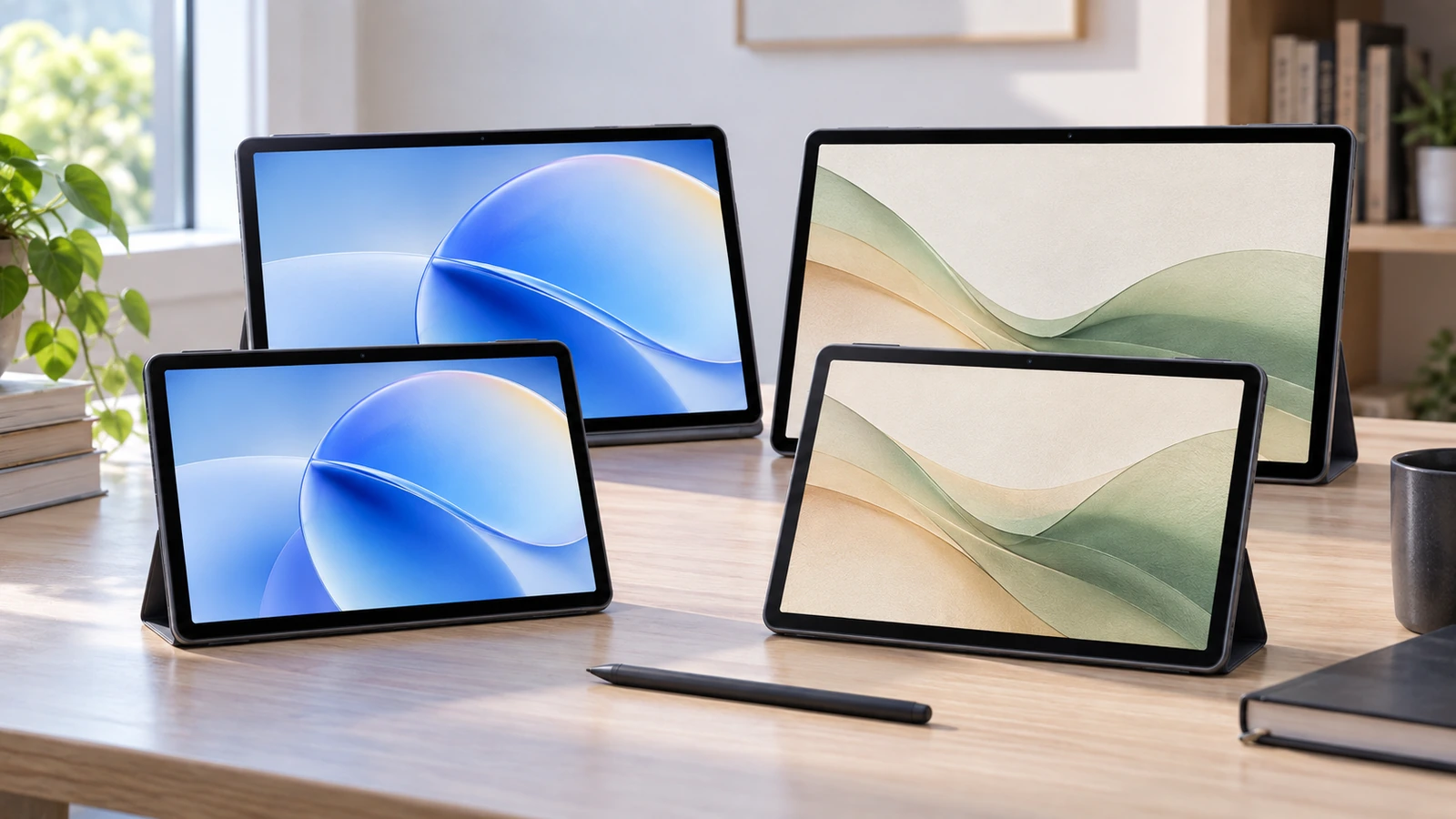

TCL has not launched one A1 tablet or even two. It has created a four-model matrix built around two separate buying decisions: do you want an 11-inch or 12.2-inch screen, and do you want a standard display or NXTPAPER?
That gives Europe four versions: TCL TAB A1, TAB A1 NXTPAPER, TAB A1 Plus and TAB A1 Plus NXTPAPER. The 11-inch models are slimmer and lighter; the 12.2-inch Plus models use a taller 3:2 display and a different Snapdragon platform. NXTPAPER then adds TCL’s lower-glare, paper-like display treatment and special viewing modes without turning the tablet into an E Ink device.
This matters because the A1 Plus NXTPAPER is not automatically the “best” choice. The normal A1 could be better for travel and streaming, the smaller NXTPAPER version could be the student sweet spot, and the standard A1 Plus gives you the big 3:2 workspace without paying a still-unknown NXTPAPER premium.
European pricing is not officially published yet. TCL says the series is coming to selected European markets, with local price, bundle and availability details to follow.
Table of contents
TCL TAB A1 Series at a Glance
| Model | Screen | Display | Processor | Battery | Europe price | Best initial fit |
|---|---|---|---|---|---|---|
| TCL TAB A1 | 11″, 2112×1320, 90Hz | Standard | MediaTek Helio G100 | 8,000mAh / 20W | TBA | Portable everyday tablet |
| TCL TAB A1 NXTPAPER | 11″, 2112×1320, 90Hz | NXTPAPER | MediaTek Helio G100 | 8,000mAh / 20W | TBA | Reading/study |
| TCL TAB A1 Plus | 12.2″, 2400×1600, 120Hz | Standard | Snapdragon 4 Gen 2 | 8,000mAh / 20W | TBA | Entertainment/productivity |
| TCL TAB A1 Plus NXTPAPER | 12.2″, 2400×1600, 120Hz | NXTPAPER | Snapdragon 4 Gen 2 | 10,000mAh / 33W | TBA | Large-screen reading/work |
TCL’s IFA 2026 Europe announcement confirms the four-model structure and selected-European-market rollout.
TCL TAB A1 Europe Price Watch
| Model | Europe price | Release date |
|---|---|---|
| TAB A1 | TBA | TBA by country |
| TAB A1 NXTPAPER | TBA | TBA by country |
| TAB A1 Plus | TBA | TBA by country |
| TAB A1 Plus NXTPAPER | TBA | TBA by country |
TCL has not named a complete Germany/France/Spain/Italy/UK-style country list or official euro MSRPs. Some retailer listings already exist, but FrediTech does not treat third-party placeholders as launch pricing.
Prices, accessories and bundles can differ by country and sales channel.
Decision One: 11-inch A1 or 12.2-inch A1 Plus?
The size difference is larger than the diagonal figures suggest.
The 11-inch A1 chassis measures about 251.3 × 163.2 × 6.2mm. The standard model weighs 430g, while A1 NXTPAPER is slightly lighter at 426g.
The Plus body grows to roughly 275.6 × 189.3 × 6.7mm. A1 Plus weighs 542g and A1 Plus NXTPAPER 556g.
That is about a 27% larger physical footprint for the Plus chassis, with roughly 26–31% more weight depending on which display version you compare.
Choose the 11-inch size if:
- you carry the tablet every day;
- handheld reading matters;
- you use smaller bags;
- aircraft/train tray space matters;
- couch use and casual streaming dominate.
Choose the 12.2-inch Plus if:
- split-screen work matters;
- you type on a keyboard;
- you read large PDFs or web pages;
- you want more space for drawing or notes;
- desk use matters more than low weight.
The 11-inch display uses a 16:10 shape, while the Plus moves to 3:2.
Why the 3:2 A1 Plus Screen Matters
A 3:2 display is taller than the wide 16:10 shape common on entertainment-first Android tablets. That gives more vertical room for documents, spreadsheets, websites and PDFs.
The 12.2-inch panel also rises from 2112×1320 to 2400×1600, with a pixel density of roughly 236ppi versus about 226ppi on the 11-inch panel.
For work, the shape is useful because two apps can sit side by side without each one feeling excessively narrow. It also reduces scrolling in documents.
The downside is video. Most films and streaming content are wider than 3:2, so black bars can be larger than on 16:10. Neither ratio is objectively better—the right one depends on whether your tablet behaves more like a portable TV or a document workspace.
TCL TAB A1: The Portable Value Option
The standard A1 uses an 11-inch 2.1K display with up to 90Hz refresh, MediaTek Helio G100, 6GB physical RAM and 128GB storage.
TCL also advertises up to 10GB of virtual RAM expansion. That is storage used as memory support and should not be presented as 16GB of physical RAM.
Other confirmed hardware includes:
- 8,000mAh battery;
- up to 20W charging;
- microSD expansion up to 2TB;
- 5MP front camera;
- 8MP autofocus rear camera;
- quad speakers;
- metal unibody;
- IP54 splash/dust protection;
- Android 16.
The official TCL TAB A1 page positions it around everyday entertainment and productivity.
At 430g, this is the easiest A1 to recommend to commuters and casual users—provided TCL’s eventual European price is suitably lower than the Plus models.
TCL TAB A1 NXTPAPER: Same Size, Different Viewing Experience
The smaller NXTPAPER model keeps the same Helio G100, 6GB/128GB, 8,000mAh battery and 20W charging as the standard 11-inch A1.
Its reason to exist is the display.
TCL’s A1 NXTPAPER page adds a matte, anti-reflective NXTPAPER treatment with hardware-level blue-light management and three display experiences:
- Standard Mode for normal bright, full-color use;
- Color Paper Mode for a softer color presentation;
- Ink Paper Mode for monochrome, reading-focused use.
It remains a conventional full-color Android display capable of video and 90Hz motion.
If European pricing shows a small premium over standard A1, this could be the most interesting student model because it combines portability, stylus support and reduced-glare positioning.
What Is TCL NXTPAPER?
NXTPAPER is TCL’s display system combining an LCD-based full-color screen with anti-glare/anti-reflection surface engineering, blue-light control and software viewing modes.
It is not E Ink.
A Kindle-style E Ink panel uses electrophoretic particles and behaves fundamentally differently. It refreshes much more slowly but can consume extremely little power when displaying static content.
NXTPAPER behaves like a normal tablet display:
- full color;
- Android animations;
- streaming video;
- 90Hz or 120Hz refresh;
- touch and stylus input.
TCL’s NXTPAPER technology page describes nano-etched matte layers, reflection reduction, blue-light management and paper-like viewing.
Those are manufacturer claims. Independent testing still needs to measure reflectance, contrast, color accuracy, sharpness and outdoor visibility on the A1 tablets themselves.
NXTPAPER Is Not Automatically Better
A matte treatment can reduce distracting reflections but may change perceived contrast, sharpness or color punch compared with a glossy panel.
That creates a real trade-off:
| Use case | Standard display | NXTPAPER |
|---|---|---|
| Movies | Potentially punchier | Lower-glare presentation |
| Reading | Good | Primary target use |
| Bright-room reflections | More conventional glossy behavior | Designed to reduce reflections |
| Drawing/writing | Stylus-compatible where supported | Paper-like positioning |
| Long study sessions | Good | Major target use |
| Price | Likely lower | Likely premium |
| Best fit | Entertainment/value | Reading/study/productivity |
Until side-by-side measurements exist, it would be wrong to say NXTPAPER is objectively superior.
It may be worth paying more if you read for hours, annotate PDFs, study under bright lighting or strongly dislike glossy reflections. The standard screen may be the better buy if price matters most and your main use is streaming.
TCL TAB A1 Plus: Bigger Screen and a Different Processor
The standard Plus is not just a stretched A1.
It moves from Helio G100 to Qualcomm Snapdragon 4 Gen 2, a 4nm value-tier platform. Qualcomm’s official Snapdragon 4 Gen 2 page lists Kryo CPU speeds up to 2.3GHz and an Adreno GPU.
The 11-inch A1’s MediaTek Helio G100 is a 6nm design with two Cortex-A76 cores up to 2.2GHz, six Cortex-A55 efficiency cores and Mali-G57 MC2 graphics.
TCL also explicitly describes LPDDR5 memory on the Plus.
That gives the Plus a hardware reason to exist beyond screen size, though it remains an everyday tablet rather than workstation-class silicon. Independent tests are still needed to quantify the real gap.
The standard Plus keeps 6GB RAM, 128GB storage, 8,000mAh and 20W charging.
TCL TAB A1 Plus NXTPAPER: The Most Complete Model
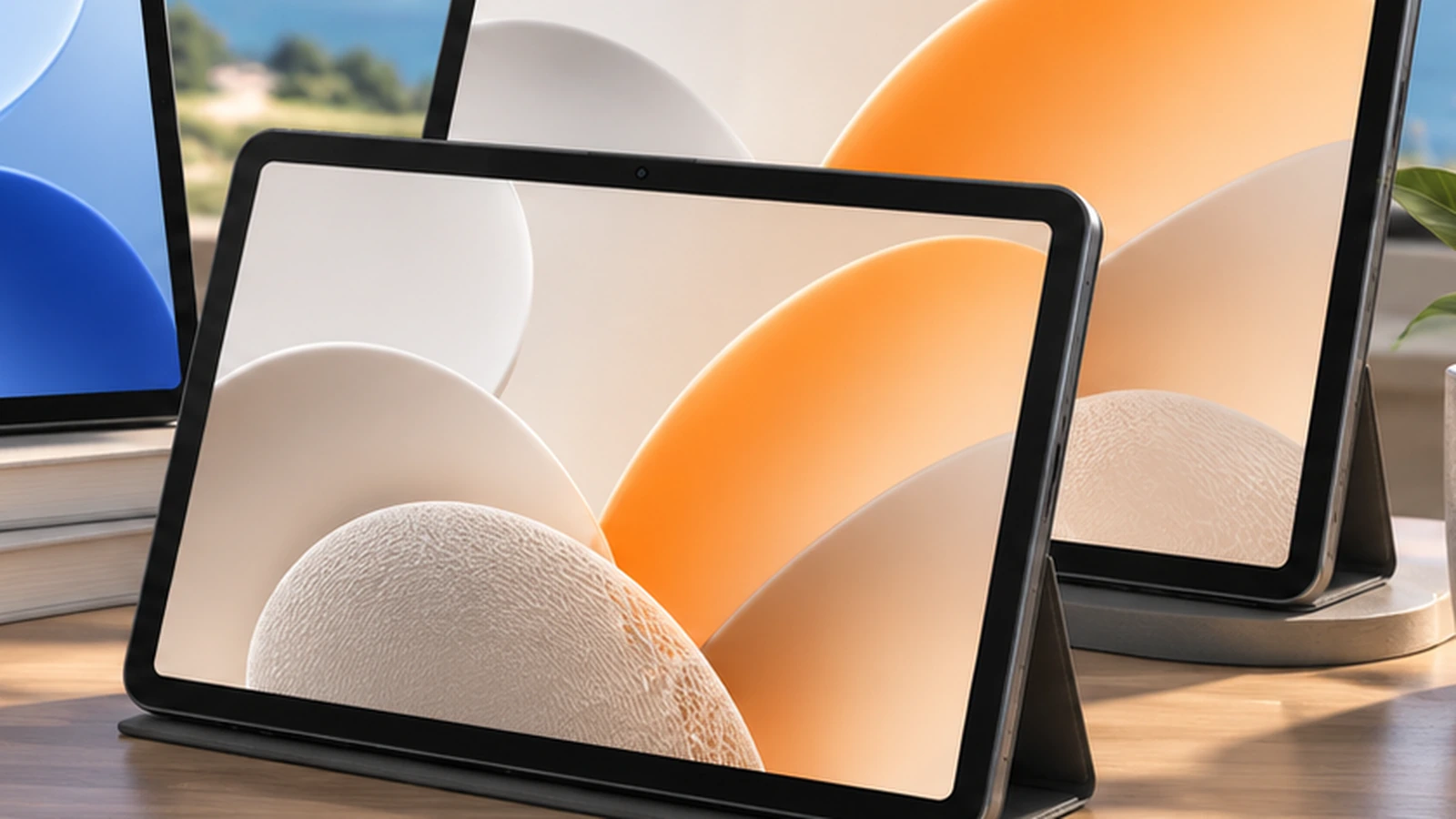
The TCL Tab A1 Plus NXTPAPER combines the larger 12.2-inch 3:2 display with NXTPAPER and several additional hardware upgrades.
Confirmed specifications include:
- 12.2-inch 2400×1600 NXTPAPER display;
- adaptive refresh up to 120Hz;
- Snapdragon 4 Gen 2;
- LPDDR5 memory;
- 6GB physical RAM;
- 256GB storage;
- microSD up to 2TB;
- 10,000mAh battery;
- 33W charging;
- 8MP front and 8MP rear cameras;
- quad speakers and two microphones;
- IP54;
- 556g weight;
- 6.7mm thickness.
Its official TCL product page also confirms a dedicated NXTPAPER Key, letting users switch the display modes quickly.
TCL has not confirmed that same physical key on the 11-inch A1 NXTPAPER, so FrediTech does not assume it is present there.
The Plus NXTPAPER is therefore the most capable model on paper, but it also needs the strongest price justification.
T-Pen 2 and Keyboard: Compatibility Is Not Inclusion
TCL’s European IFA material confirms T-Pen 2 support with 4,096 pressure levels and interchangeable soft/hard tips.
What TCL has not published in the Europe launch material are final numbers for tilt sensing, latency or a universal palm-rejection specification, so those should not be invented.
The Plus models also support an optional Smart Keyboard Case with magnetic attachment and multiple working angles.
The important warning is regional packaging:
- some European configurations may bundle Flip Case + T-Pen 2;
- some may sell the tablet alone;
- the Smart Keyboard Case is optional;
- the 11-inch NXTPAPER can also appear in Kid-Proof Case/passive-stylus bundles.
Do not assume the stylus or keyboard is included until the exact country SKU is known.
Android 16, AI and Productivity
All four Europe models run Android 16.
TCL’s launch materials list Google features such as Gemini and Circle to Search alongside TCL-developed functions including Writing Assist, Text Assist, Smart Translator, TCL Note, Magic Hub, split-screen and floating-window controls.
That distinction matters. Gemini is a Google service; TCL Note and Magic Hub are TCL features.
The larger Plus screen should make split-screen use more comfortable, but these are still Android tablets rather than universal laptop replacements.
For creative tablet workloads, FrediTech’s mobile editing apps guide explains why screen space helps—but CPU, storage and app support still determine how far tablet productivity can go.
Software Support: One Important Unknown
TCL’s U.S. standard A1 Plus page explicitly states Android 16, upgradeable to Android 17, with three years of security updates.
The Europe launch page does not publish one unified series-wide software-support promise covering all four tablets.
FrediTech therefore does not automatically apply the U.S. A1 Plus policy to every European A1 model.
This should be rechecked when local product-support pages go live.
Which TCL A1 Is Best for Students?
The answer depends heavily on price and accessory bundles.
A1 NXTPAPER looks like the early sweet spot for students who carry the tablet daily and spend hours reading or annotating.
A1 Plus may be better for students who type more, use split-screen or work with large PDFs.
A1 Plus NXTPAPER offers the best study-oriented hardware combination but may become poor value if TCL charges a large NXTPAPER premium and also sells the pen/keyboard separately.
The cheapest A1 remains attractive if the tablet is mainly for streaming, web browsing and casual coursework.
Competitor Context: Wait for the Europe Price Before Declaring a Winner
The eventual euro pricing will decide whether TCL competes against budget Android tablets or more expensive productivity devices.
Samsung’s Galaxy Tab S10 FE is a useful comparison point because Samsung includes the S Pen and offers a mature productivity ecosystem. Apple’s current base iPad remains the obvious ecosystem/performance reference. Lenovo is another important Android competitor once the exact TCL price band is known.
Do not compare only tablet MSRPs. For a student or productivity buyer, the honest total is:
tablet + stylus + keyboard
That can change the value ranking dramatically.
FrediTech Early Take
Best portability option: TCL TAB A1.
Most interesting student option: TAB A1 NXTPAPER, depending on final stylus bundle and price.
Best large-screen entertainment option: TAB A1 Plus.
Most versatile on paper: TAB A1 Plus NXTPAPER.
Biggest selling point: TCL separates size from display choice, letting buyers choose 11 vs 12.2 inches independently from standard vs NXTPAPER.
Biggest unknown: European pricing and country-level bundles.
Most important caution: NXTPAPER is not E Ink, and TCL’s paper-like/eye-comfort claims still need independent display testing.
What We Still Need to Test
- NXTPAPER glare and reflectance;
- outdoor readability;
- color accuracy and contrast;
- fine-text sharpness;
- stylus friction and latency;
- palm rejection;
- 90Hz/120Hz behavior;
- Helio G100 vs Snapdragon 4 Gen 2 performance;
- battery life;
- charging times;
- speaker quality;
- keyboard quality;
- sustained split-screen multitasking.
What We Still Don’t Know
- official euro prices;
- complete European country list;
- country-specific sale dates;
- accessory prices;
- exact bundles;
- charger inclusion by region;
- Europe warranty terms;
- full software-update policy for all four;
- any cellular/LTE/5G European SKUs.
Frequently Asked Questions
What is the TCL TAB A1 Plus NXTPAPER?
It is the 12.2-inch NXTPAPER version of TCL’s A1 family, with 2400×1600 resolution, up to 120Hz, Snapdragon 4 Gen 2, 6GB/256GB, 10,000mAh and 33W charging.
How much does TCL TAB A1 cost in Europe?
Official euro pricing has not been announced.
When will the A1 series go on sale in Europe?
TCL says selected European markets will receive the series, but country-specific dates are still TBA.
What is the difference between A1 and A1 Plus?
A1 is 11-inch/16:10 with Helio G100. A1 Plus is 12.2-inch/3:2 with Snapdragon 4 Gen 2 and up to 120Hz.
What is the difference between standard and NXTPAPER?
NXTPAPER adds matte/anti-reflective display treatment, blue-light management and paper-oriented viewing modes.
Is NXTPAPER the same as E Ink?
No. NXTPAPER remains a normal full-color, high-refresh Android display.
Is NXTPAPER worth it?
Potentially for reading, studying and glare-sensitive use, but the final Europe price premium and independent display testing will decide.
Which A1 tablet is best for reading?
A1 NXTPAPER is the more portable reading choice; A1 Plus NXTPAPER gives more page area.
Does TCL TAB A1 support a stylus?
TCL confirms T-Pen 2 compatibility in the A1 series, but regional bundles vary.
Is the T-Pen included?
Not universally. Some bundles include it; others may not.
Does A1 Plus include a keyboard?
The Smart Keyboard Case is an optional accessory in Europe launch materials.
What processor does A1 Plus use?
Qualcomm Snapdragon 4 Gen 2.
Does A1 Plus have a 120Hz screen?
Yes, both Plus models support adaptive refresh up to 120Hz.
Which TCL A1 should I buy?
Choose based on two decisions: 11 vs 12.2 inches, then standard vs NXTPAPER. Do not treat the lineup as a simple good/better/best ladder.