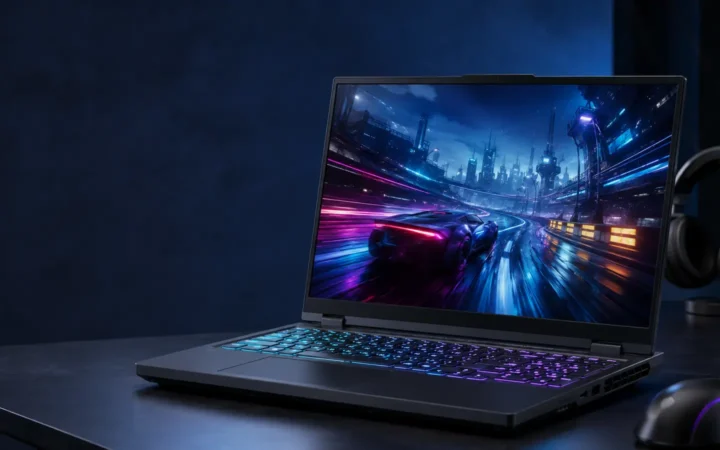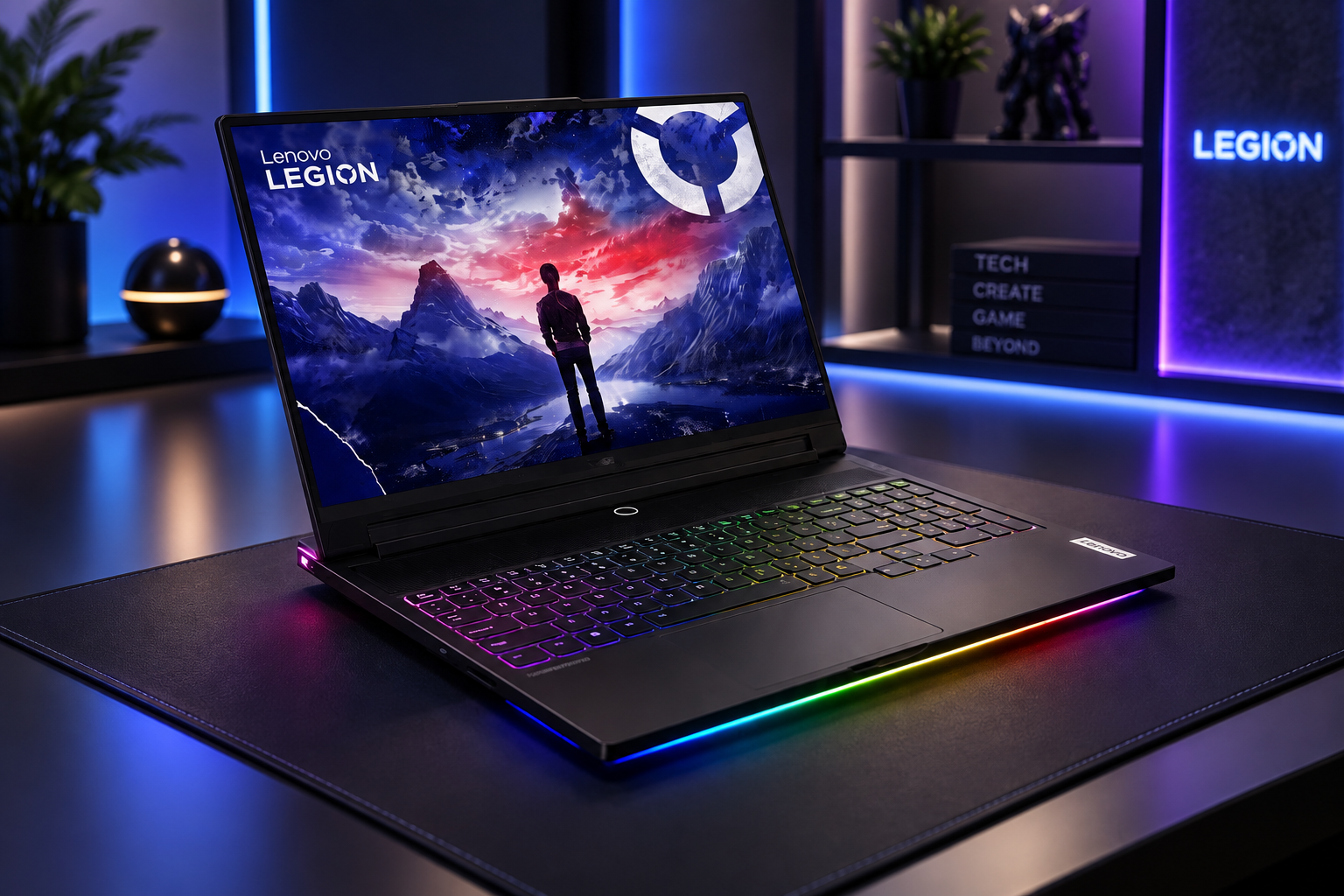

Lenovo Legion 9i Review 2026: Flagship Gaming Laptop should be judged by more than a processor name or launch-day benchmark. This review focuses on the things that shape daily ownership: sustained performance, display quality, keyboard and ports, battery life, thermals, repairability or upgrade limits, software support and the price of the configuration you can actually buy.
Quick Verdict
- Best for: buyers comparing this laptop on real workflow fit rather than headline specifications.
- Focus on: display, sustained performance, keyboard, ports, battery, thermals, memory/storage configuration and warranty.
- Watch for: similarly named generations can have very different processors, displays and upgrade options, so verify the exact model number before buying.

Table of contents
Lenovo Legion 9i Gen 10 specifications
The Legion 9 18IAX10 is Lenovo’s 18-inch, high-performance gaming laptop in its Gen 10 family. The table below reflects Lenovo’s July 2026 product-specification reference. Availability depends on country and exact part number; not every listed option appears in every market.
| Component | Official options and specifications | Practical significance |
|---|---|---|
| Processor | Intel Core Ultra 9 275HX or Core Ultra 9 290HX Plus; 24 cores (8 performance + 16 efficiency), 24 threads | High-end gaming, video encoding, compiling and multithreaded creation |
| Graphics | GeForce RTX 5080 Laptop GPU, 16GB GDDR7, or RTX 5090 Laptop GPU, 24GB GDDR7; both rated up to 175W | Check GPU tier and power limit rather than assuming all RTX 50-series laptops perform alike |
| AI hardware | Intel AI Boost NPU up to 13 TOPS; Lenovo LA3-P AI chip | The NPU handles supported local AI tasks; Lenovo’s chip supports automated performance tuning |
| Memory | Four DDR5 SO-DIMM slots; Lenovo-listed support up to 192GB | With four modules fitted, Lenovo lists up to DDR5-4000; faster DDR5-5200 requires compatible two-module setup and BIOS configuration |
| SSD storage | Four M.2 2280 slots: one PCIe 5.0 x4 + three PCIe 4.0 x4; Lenovo-listed maximum 8TB | Space for large game libraries, scratch disks and video projects |
| Display | 18-inch glossy IPS, 3840 × 2400 at 240Hz or 1920 × 1200 at up to 440Hz; 100% DCI-P3; 500–520 nits, depending on panel | Resolution-first and refresh-first modes; select SKUs also offer glasses-free 3D |
| Battery | 99.9Wh; Super Rapid Charge with compatible included adapter | Lenovo quotes up to four hours of local video playback; gaming is substantially shorter |
| Connectivity | Two Thunderbolt 5, one USB-C 10Gbps, three USB-A 10Gbps, HDMI 2.1, SD reader, 2.5GbE, headset jack | Supports multi-monitor desks, fast drives and wired gaming |
| Network | Intel Killer Wi-Fi 7 and Bluetooth 5.4 | Check local Wi-Fi 7 regulatory support and compatible router requirements |
| Weight | Approx. 3.5kg (2D panel); 3.75kg (3D panel), excluding adapter | Transportable desktop replacement rather than an everyday ultraportable |


Design and build quality
Forged carbon gives the Legion 9i an immediately recognizable lid pattern. Lenovo specifies an aluminum-and-forged-carbon top cover, an aluminum bottom, Eclipse Black finish, an illuminated Legion logo and a U-shaped RGB light strip. The patterned surface makes the machine visually distinctive without requiring a towering desktop-style enclosure. These materials are part of the hardware specification; claims about the precise recycled content vary by source and should not be assumed for every regional model.
This is still an 18-inch desktop replacement, measuring 403 × 296.9 × 23.9–27.95mm. Approximate weight is 3.5kg for the 2D configuration, rising to 3.75kg for the optional 3D model. Budget extra space for the charger, laptop sleeve and airflow when planning a travel setup. The large lid and wide chassis fit a permanent desk or occasional movement between rooms better than daily commuting.
The 16:10 screen-to-body ratio benefits from comparatively narrow bezels, and the near-full-width cooling layout is designed around high-power internal parts. Independent reviewers at Techaeris praised the forged-carbon appearance, while PCWorld highlighted its solid feel but emphasized its bulk. Those are reviewer impressions, not results of a FrediTech hands-on unit.

18-inch display: 4K detail or 440Hz speed
Two useful operating modes
The standard panel is an 18-inch, 3840 × 2400 IPS display with a 16:10 aspect ratio and up to 240Hz refresh rate at its native resolution. Lenovo also supports a high-refresh 1920 × 1200 mode at up to 440Hz when HSR is enabled in the BIOS. Its lower resolution means this mode is aimed at competitive games rather than fine-text work, photo editing or 4K gaming.
Lenovo rates the glossy panel at approximately 500–520 nits, 100% DCI-P3, 1200:1 contrast and factory X-Rite calibration, depending on display option. G-SYNC, Advanced Optimus, Dolby Vision and DisplayHDR 400 are listed. Gloss can introduce reflections in bright rooms, and IPS cannot deliver the pixel-level black levels of OLED. PCWorld’s RTX 5080 test particularly questioned the visual benefit of its 440Hz mode; gamers should decide whether extreme refresh matters more than the native-resolution image.
An optional glasses-free 3D panel
Select configurations offer an autostereoscopic 3D display—a different choice from the conventional 2D panel. In Lenovo’s specification sheet, the 3D-capable model retains the dual-mode concept and is heavier. Check the seller’s complete Lenovo part number: “Legion 9i Gen 10” alone does not guarantee 3D functionality. Third-party app compatibility, supported content and display behavior should be checked before paying extra for this feature.
Keyboard, audio and webcam
Lenovo fits a full-size, six-row keyboard with a numeric keypad, 1.6mm key travel, shallow keycap recess and individually configurable RGB lighting. The glass Precision TouchPad measures approximately 150 × 95mm. People spending hours gaming or editing can keep a mouse connected while retaining a comfortable typing surface for work.
Audio comes from a six-speaker system: four 2W woofers and two 2W tweeters, with Nahimic software and smart amplification. This is more elaborate than the dual-speaker setups found in many thin laptops. Speaker quality still changes with desk placement and fan speed; headphones remain useful for positional gaming audio, recording and private calls.
A 5MP webcam with an IR facial-recognition option, dual microphones and a physical control for the electronic shutter make the laptop capable of video meetings and streaming. The precise camera variant depends on configuration. If creating professional streams, an external microphone will offer greater control over room noise and placement.
Processor, GPU and AI tuning
Intel Core Ultra 9 275HX and 290HX Plus
The 275HX is a 24-core, 24-thread Core Ultra Series 2 processor with eight performance cores and 16 efficiency cores. Lenovo’s later specification revision also lists the Core Ultra 9 290HX Plus on certain SKUs. Both use an Intel AI Boost NPU rated up to 13 TOPS. These HX-series chips are aimed at high performance, not the battery-first operation of thinner ultraportables; the NPU does not make ordinary games automatically run faster.
RTX 5080 or RTX 5090 Laptop GPU
Lenovo lists an RTX 5080 Laptop GPU with 16GB GDDR7 or an RTX 5090 Laptop GPU with 24GB GDDR7, each configured at up to 175W total graphics power. Both include hardware-accelerated ray tracing and DLSS 4 support in compatible games. The 5090’s additional VRAM can matter for large textures, certain 3D scenes and GPU-memory-heavy AI workloads; its higher cost may be harder to justify when primarily playing esports at 1200p.
The proprietary LA3-P controller works with Lenovo AI Engine+ to adjust resource allocation and performance behavior according to supported workloads and selected software profiles. It should be viewed as a control feature, not evidence of a fixed frame-rate increase. Observed performance depends on power mode, cooling, game version and configuration.
Independent gaming and productivity benchmarks
FrediTech has not conducted first-hand laboratory tests of the machine. For reproducible context, the following figures are from PCWorld’s September 2025 Legion 9i test of a Core Ultra 9 275HX / RTX 5080 175W / 64GB RAM configuration. They should not be presented as scores from every RTX 5090 or 290HX Plus model.
| Published test (PCWorld RTX 5080 unit) | Reported result | Test context |
|---|---|---|
| Shadow of the Tomb Raider | 191 FPS average | 1080p, Highest, no DLSS or ray tracing |
| Cyberpunk 2077 | 148 FPS average | 1080p, Ultra, no DLSS or frame reconstruction |
| Cyberpunk 2077 Overdrive | 43 FPS average | Ray-traced Overdrive, no DLSS or frame reconstruction |
| PCMark overall | 8,417 | PCWorld’s system benchmark run |
| Cinebench 2024 multi-core | 1,511 | CPU rendering test; relatively lower than some comparable high-end laptops |
These numbers illustrate why test settings matter. A headline frame rate at 1080p without path tracing is not equivalent to native 3840 × 2400 gaming. DLSS Super Resolution and, where supported, Multi Frame Generation can change reported frame rates, latency and image quality. When comparing reviews, match GPU wattage, render resolution, ray tracing, DLSS mode and fan profile.
For a separate RTX 5090 perspective, Ultrabookreview’s detailed 18IAX10 review includes configuration-specific game charts, fan-noise measurements and temperature logs. Use its test tables rather than treating unverifiable figures copied from other hardware variants as universal Legion 9i results.
Thermal performance and fan noise
The Legion 9i is built around a substantial cooling assembly intended to sustain high GPU power. The design accommodates a vapor-chamber-based system and large airflow paths; available tuning profiles trade acoustics against sustained performance. Room temperature, surface placement and workload can materially change the outcome.
In Ultrabookreview’s RTX 5090 testing, Performance mode with the notebook flat on a desk generated approximately 45–46dBA and game-load temperatures around 80–85°C CPU and 70–74°C GPU. Raising the rear reduced those temperatures by several degrees in that reviewer’s setup. Its full-fan Custom configuration exceeded 52dBA, illustrating why maximum cooling is not automatically the most comfortable everyday profile.
For longer sessions, place the computer on a hard, unobstructed desk, leave clearance around exhausts and use a stand if it improves airflow. A cooling pad may help in some spaces but should be evaluated against noise and desk ergonomics, not accepted as a guaranteed performance upgrade.
Memory and storage upgradeability
The Legion 9i’s four SO-DIMM sockets and four M.2 2280 slots are unusually flexible for a laptop. Lenovo validates up to 192GB RAM and up to 8TB across four SSDs using its specified module and drive capacities. There is one PCIe 5.0 x4 M.2 slot and three PCIe 4.0 x4 slots. Lenovo normally ships one or two drives, so remaining free slots depend on the purchased configuration.
A crucial caveat: when more than two memory modules are installed, Lenovo lists memory speed of up to DDR5-4000. DDR5-5200 with memory overclocking requires a compatible two-module arrangement and BIOS configuration. Buyers planning all four sockets for a demanding editing or scientific workflow should consider the capacity-versus-speed trade-off before ordering.
- Gaming-focused build: Prioritize a suitable GPU, 32–64GB RAM if your games and streaming tools justify it, and enough SSD space for large modern game installations.
- Video/3D workflow: Check the renderer’s VRAM requirements and whether extra RAM or separate SSD scratch disks bring a measurable benefit.
- Before upgrading: Confirm your model’s service manual, local warranty conditions, compatible module list and the safe disassembly procedure. Back up data before moving SSDs.
Ports, wired networking and Wi-Fi 7
Physical connections cover most stationary gaming and creator setups. Lenovo’s PSREF lists two Thunderbolt 5 ports with DisplayPort 2.1, 95–100W USB Power Delivery, three USB-A 10Gbps ports (including one always-on), one separate USB-C 10Gbps port, HDMI 2.1, a full-size SD card reader, 3.5mm headset jack, 2.5GbE Ethernet and a dedicated DC-in connector.
Thunderbolt 5 supports 80Gbps bidirectional signaling and up to 120Gbps with bandwidth boost for supported video workloads. Lenovo lists external-display support, but the combinations available at 8K depend on display compression and connection constraints. USB-C charging is useful for lighter tasks while travelling; do not expect a 100W dock to replace the 400W proprietary adapter under maximum gaming load.
The Intel Killer Wi-Fi 7 BE1750x module and Bluetooth 5.4 offer modern wireless options. Wi-Fi 7 functionality requires compatible networking hardware and may be limited by regional regulations. When low latency or reliable uploads are essential, the built-in 2.5GbE port removes the need for a separate Ethernet dongle.
Battery life, charging and carrying the laptop
Lenovo rates the 99.9Wh battery for up to four hours of local 1080p video playback at 150 nits in its lab conditions. Its MobileMark 30 figures are approximately 2.5 hours for 2D models and 2 hours for 3D models. Games and intensive renders can cut runtime further. Neither a large battery nor integrated-graphics switching turns this into an all-day mobile workstation.
With Lenovo’s compatible charger and ideal conditions, Super Rapid Charge is rated for 0–30% in 10 minutes, 0–70% in 30 minutes and a full charge in approximately 80 minutes. Actual charge rates depend on battery temperature, power draw, adapter and battery health. The normal high-performance setup uses Lenovo’s dedicated power adapter rather than limited-power USB-C charging.
At 99.9Wh, the battery is under the common 100Wh limit used for many passenger-aircraft carry-on rules; it does not override airline, country or dangerous-goods requirements. Verify airline rules before flying, particularly if you carry spare batteries or unusually large accessories.
Gaming, streaming and creative workflows
Esports at lower resolution
Competitive players can use the 1920 × 1200 high-refresh mode and adjust in-game settings to prioritize consistent frame times. The 440Hz mode is available after enabling HSR in BIOS; whether it is noticeable depends on game engine, actual delivered FPS, latency and display preference. Even this GPU class may not sustain 440 FPS in every esports title or every scene.
AAA gaming and external monitors
The native 3840 × 2400 screen suits detailed single-player games and content-rich applications. For demanding path-traced titles, settings and DLSS choices have a major effect on smoothness. The pair of Thunderbolt 5 connectors, HDMI and 2.5GbE networking also make the Legion 9i a suitable centerpiece for a fixed, multi-monitor gaming desk.
Editing, rendering and technical work
The combination of many CPU cores, powerful NVIDIA GPU, high-capacity memory support and four SSD bays can support large video timelines, 3D projects, code builds and selected local AI tools. GPU VRAM still limits how large a model or scene fits directly on the graphics card, and software licenses and workloads dictate whether the 5080 or 5090 is appropriate. The factory-calibrated wide-gamut screen helps creators, but anyone making delivery-critical color decisions should profile the exact panel and check whether their preferred editor supports a suitable managed workflow.
Software, performance profiles and setup
Depending on region and configuration, Legion Space and other Lenovo utilities expose system information, lighting controls and workload profiles. Lenovo AI Engine+ uses the LA3-P hardware controller for supported tuning behavior. Gaming profile names and available toggles can change with firmware and software version; confirm the controls on your installed build rather than relying on old screenshots.
- Before your first game: Apply supported Lenovo BIOS/chipset updates and current NVIDIA drivers; create a restore point or recovery backup first.
- For battery-powered work: Choose a quieter profile, enable hybrid graphics where available, lower refresh rate and dim the display.
- For sustained gaming: Use the supplied high-wattage charger, clear the cooling vents and verify GPU mode, resolution and game settings.
- For storage-heavy work: Keep free SSD capacity, check firmware support and maintain a separate backup; RAID is not a substitute for backups.
Avoid removing unfamiliar Lenovo system services purely because they appear unused. First identify their role in device controls, battery behavior, graphics switching and firmware updates. Removing vendor software without checking dependencies can disable features buyers specifically paid for.
Price, configurations and alternatives
Prices in 2026 vary significantly by processor, RTX 5080/5090 GPU, memory capacity, display type, storage, region, tax and promotional stock. A September 2025 PCWorld review quoted a US starting figure of approximately $3,477 and an as-tested RTX 5080 specification around $3,695 at that time. These are dated review prices, not verified current 2026 offers. Compare actual part numbers at checkout and account for warranties and return policies.
Which other 18-inch laptops are worth comparing?
- MSI Titan 18 HX AI: Compare its available panel type, keyboard, GPU configuration, weight and expansion options against the exact Legion SKU.
- ASUS ROG Strix SCAR 18: Inspect the year and GPU wattage; similarly named generations can differ substantially.
- Alienware 18 Area-51: An alternative large-format desktop replacement where thermals, display preferences, service policies and regional pricing may drive the choice.
- Lenovo Legion Pro 7i: A smaller family alternative if an 18-inch display and four SSD bays are unnecessary. Read FrediTech’s Legion Pro 7i review for additional context.
For a much lighter, business-centered alternative rather than a direct gaming rival, compare the ThinkPad X1 Carbon Gen 13 or ThinkPad X1 2-in-1 Gen 9. Neither should be presented as a substitute for high-wattage RTX 5090 gaming.
Pros and cons
| Strengths | Trade-offs |
|---|---|
| RTX 5080/5090 options up to 175W; strong independently reported game results | High power consumption and short unplugged gaming time |
| Four RAM and four SSD slots for substantial expansion | Four-module RAM configuration runs at a lower Lenovo-listed memory speed |
| 18-inch native 3840 × 2400, 240Hz display; optional 440Hz mode | Glossy IPS does not offer OLED-like blacks; 440Hz mode drops resolution |
| Dual Thunderbolt 5, 2.5GbE, HDMI and SD card reader | 100W-class USB-C charging cannot replace high-wattage gaming adapter |
| Distinctive forged-carbon lid and full-size keyboard | 3.5–3.75kg before charger and accessories |
Before buying: six checks that matter
- Confirm the exact SKU: Check 275HX vs 290HX Plus, RTX 5080 vs 5090, and whether the listing includes 2D or 3D hardware.
- Compare GPU workloads: Match 16GB versus 24GB VRAM to your games and creation tools rather than assuming every task benefits equally.
- Check RAM layout: Two-module speed differs from a fully populated four-module configuration.
- Check the panel in person if possible: Glossy IPS, high-resolution 240Hz and 1200p 440Hz are distinct experiences.
- Plan your desk and bag: The large chassis and high-wattage adapter are significant mobility trade-offs.
- Compare delivered price: Include VAT/sales tax, shipping, warranty service, region-specific keyboard and seller return terms.
Final assessment
The Legion 9i Gen 10 is a specialized, large-format gaming and creator laptop. Its differentiators are the forged-carbon design, 18-inch dual-mode display, high-wattage RTX 5080/5090 GPU options and unusual four-slot memory and storage architecture. Independent testing supports its strong gaming capability, while the same reviews document shorter battery life, substantial weight and display trade-offs. Its appeal therefore depends on whether a transportable workstation with room to upgrade is more useful to you than a slimmer laptop or a stationary desktop.
Before choosing a configuration, use Lenovo’s exact-model specification listings and independent benchmark pages to verify what the retailer is actually selling. Readers exploring smaller models can also compare FrediTech’s Lenovo Legion 7i and Legion Pro 7i coverage.
Frequently asked questions
What processors and GPUs are available on the Legion 9i Gen 10?
Lenovo’s July 2026 reference lists Core Ultra 9 275HX and 290HX Plus processors. Its graphics options are the RTX 5080 Laptop GPU with 16GB GDDR7 and RTX 5090 Laptop GPU with 24GB GDDR7, both listed at up to 175W. Confirm your regional part number.
Is the Lenovo Legion 9i RAM upgradeable?
Yes. It provides four DDR5 SO-DIMM slots and Lenovo validates up to 192GB of memory. With more than two modules installed, the listed top speed is DDR5-4000; faster DDR5-5200 setups require compatible two-module memory and BIOS settings.
How many SSDs can the Legion 9i hold?
There are four M.2 2280 slots: one PCIe 5.0 x4 and three PCIe 4.0 x4. Lenovo lists up to four 2TB drives, totaling 8TB across supported configurations. Most factory orders leave some slots open.
Does the Legion 9i have a 4K 240Hz display and a 440Hz mode?
Yes. The 18-inch 3840 × 2400 display supports up to 240Hz at native resolution. Its high-speed mode reduces resolution to 1920 × 1200 for up to 440Hz, enabled using the applicable BIOS setting. Select configurations additionally offer a glasses-free 3D display.
Does Thunderbolt 5 provide 140W charging on this model?
No. Lenovo’s current PSREF specifies USB Power Delivery of 95–100W on its two Thunderbolt 5 ports. Use the appropriate high-wattage Lenovo AC adapter for maximum gaming performance.
What battery life should I expect?
Lenovo quotes approximately four hours of local video playback under its defined lab conditions; MobileMark 30 results are about 2.5 hours for 2D and two hours for 3D models. Demanding gaming usually lasts much less. Your settings and workload matter.
Is the Legion 9i useful for video editing and 3D rendering?
Its Core Ultra HX processor, RTX 5080 or 5090 GPU, factory-calibrated wide-gamut panel and extensive RAM/SSD expansion can serve demanding creative workflows. Verify the software’s VRAM, codec, color and storage requirements before selecting a SKU.
Is Wi-Fi 7 and wired Ethernet included?
Lenovo lists Intel Killer Wi-Fi 7 with Bluetooth 5.4 and an Intel Killer 2.5GbE RJ-45 port. Wireless operation depends on router compatibility and regional radio regulations.
How heavy is the Legion 9i Gen 10?
Lenovo lists approximately 3.5kg for the standard 2D panel and 3.75kg for the optional 3D configuration. Those weights exclude the power adapter and bag.
How much does the Legion 9i cost in 2026?
There is no single dependable worldwide 2026 price: retailer stock, regional taxes, processor, GPU and display options change the total. Review prices published in September 2025 began around $3,477 in the US, but treat those as historical context and check current offers for the exact model.
Official specifications and independent testing
- Lenovo PSREF: Legion 9 18IAX10 — manufacturer configuration, port, battery, display and upgrade specifications (July 2026 revision).
- PCWorld: Lenovo Legion 9i review — September 2025 independent RTX 5080 test, benchmarks and editorial observations.
- Techaeris: 18-inch Legion 9i Gen 10 review — December 2025 hands-on perspective on design and use.
- Ultrabookreview: Legion 9i 18IAX10 RTX 5090 review — configuration-specific gaming, temperature and fan-noise results.
Editorial and affiliate disclosure: This is a source-based editorial review, not a first-hand FrediTech benchmark. Dates, test conditions and hardware configurations are identified where relevant. Some retail links on FrediTech may earn a commission at no additional cost to readers.
Bottom Line
A laptop is a good buy when its exact configuration fits your workload, portability needs and budget. Compare the reviewed hardware with current alternatives and discounts, then prioritize the display, battery, ports and support you will use every day.