
Lenovo Yoga Slim 7x Review 2026: Snapdragon & Battery should be judged by more than a processor name or launch-day benchmark. This review focuses on the things that shape daily ownership: sustained performance, display quality, keyboard and ports, battery life, thermals, repairability or upgrade limits, software support and the price of the configuration you can actually buy.
Quick Verdict
- Best for: buyers comparing this laptop on real workflow fit rather than headline specifications.
- Focus on: display, sustained performance, keyboard, ports, battery, thermals, memory/storage configuration and warranty.
- Watch for: similarly named generations can have very different processors, displays and upgrade options, so verify the exact model number before buying.

The Lenovo Yoga Slim 7x arrived at exactly the right moment: Windows laptops needed a genuine leap in battery life, instant-on responsiveness, and quiet performance—without forcing buyers into chunky designs or low-quality screens. This machine aims to prove that the new Snapdragon era can deliver all three.
What makes the Yoga Slim 7x especially interesting is the combination of a high-resolution 14.5-inch OLED panel with a 70Wh battery and a modern Snapdragon platform designed around on-device AI. On paper, that recipe sounds like a contradiction: OLED laptops often look incredible but drain faster; “AI laptops” often sound like buzzwords. Yet Lenovo’s own specification sheets claim up to 16.4 hours of web browsing (at 150 nits) and up to 23.8 hours of local 1080p video playback (at 150 nits)psref.lenovo.com.
To make this review useful (and aligned with EEAT and Search quality expectations), this article is built on:
- Lenovo’s official PSREF specifications (which are the most precise source for configuration-level details like battery capacity, display certification, ports, RAM type, and wireless standards).
- Independent lab testing and long-term usage reports from reputable tech publications that disclose methodology and measured results (not just marketing claims)pcworld.com.
- Official platform documentation from Microsoft, Google, and Adobe for the evolving Windows-on-Arm software/feature landscape—critical context for anyone buying a Snapdragon Windows laptop in 2026microsoft.com.
Table of contents
Specs and what makes the Yoga Slim 7x different
The Yoga Slim 7x (machine platform often referenced as Yoga Slim 7 14Q8X9) is designed as a Copilot+ PC-class laptop built around Snapdragon silicon and an integrated NPU (Neural Processing Unit). Lenovo’s PSREF documentation lists configurations with Snapdragon X Elite X1E-78-100 (12 cores) or Snapdragon X Plus variants depending on market/config, and highlights up to 45 TOPS via the Hexagon NPU.
Here’s the hardware picture that matters most for real-world buyers:
The laptop pairs a 14.5-inch 3K (2944×1840) OLED touchscreen with a 90Hz refresh rate, HDR peak brightness up to 1,000 nits, and creator-friendly certifications/features including Dolby Vision, DisplayHDR True Black 600, and factory calibration (X-Rite), with Lenovo even citing an average ∆E < 1 claim (a colour accuracy metric).
Portability is a major selling point: 12.9mm thickness and starting at 1.28kg, with an aluminium chassis in “Cosmic Blue.”
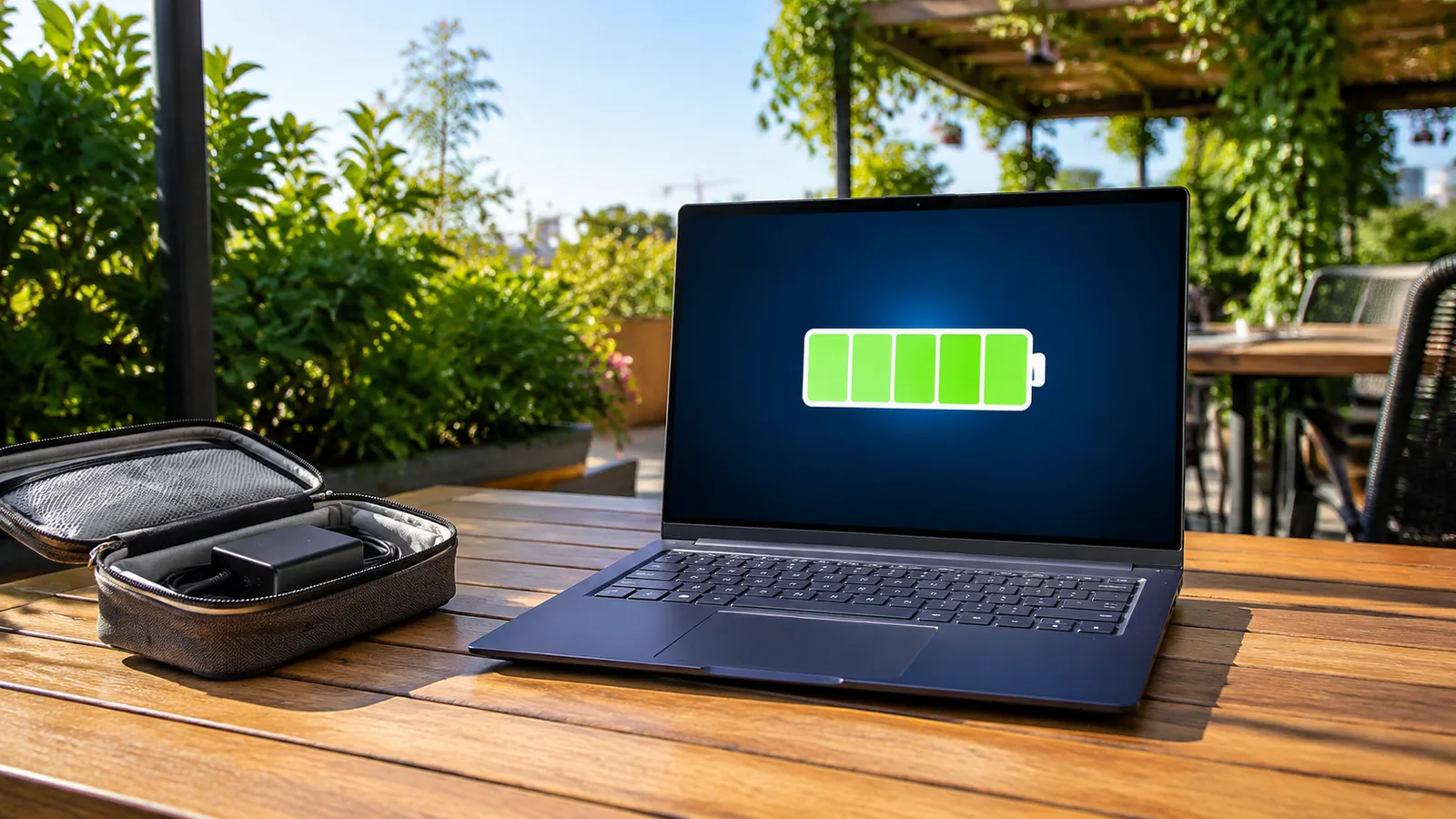
Battery and charging are central to the pitch: a 70Wh battery plus Lenovo’s Rapid Charge Express, claiming up to 3 hours of runtime from a 15-minute charge (with an important condition: effective in hibernate or full shutdown).
Connectivity is modern-but-minimal: Wi‑Fi 7 and Bluetooth 5.4, and three USB‑C (USB4 40Gbps) ports with USB PD 3.1 and DisplayPort 1.4—with no built-in Ethernet.
Security/biometrics are a little different from many ultrabooks: PSREF lists IR camera for Windows Hello but no fingerprint reader (which matters if you prefer fingerprint sign-in).
Finally, Lenovo indicates MIL-spec testing: MIL‑STD‑810H military test passed (21 test items)—useful as a durability signal, even though it doesn’t guarantee survival from every accident.
Why this set of specs is notable: OLED + high resolution + thin chassis traditionally pushes battery life down. The Yoga Slim 7x tries to counteract that with a highly efficient SoC (Snapdragon) and a large 70Wh battery, and independent testing backs up that it’s unusually strong for an OLED Windows laptop.
Design, display, and daily comfort

Physically, the Yoga Slim 7x is built like a modern “premium thin-and-light”: clean aluminium construction, low weight, and a display designed to be the headline feature. Lenovo’s mechanical specs put it at 325 × 225.15 × 12.9 mm and starting at 1.28 kg, which is genuinely travel-friendly for commuting, campus days, and frequent café work.
The OLED screen is the star
Lenovo’s PSREF calls out a display spec stack that is unusual at this weight:
- 14.5″ OLED, 3K 2944×1840, 16:10
- Touch (OGS), glossy with anti-fingerprint treatment
- Up to 1,000 nits HDR peak / 500 nits SDR typical
- 90Hz refresh
- 100% DCI‑P3 and 100% sRGB listed
- Dolby Vision + DisplayHDR True Black 600 + Eyesafe certification
In plain English: it’s built for high-contrast media, comfortable text work, and colour-rich creative tasks (photo work, design, content review) as long as your software workflow plays nicely with Windows on Arm.
Keyboard, touchpad, webcam, and speakers
Lenovo lists 1.5mm key travel and a dedicated Copilot key, plus a glass Precision TouchPad-style touchpad (80 × 135 mm).
Independent reviewers describe the typing experience positively, with one lab review highlighting that 1.5mm travel is good for a laptop this thin and noting it feels “snappy” for long sessions.
For calls, Lenovo’s spec sheet includes an FHD 1080p + IR camera with an E-shutter, plus a quad-mic array—exactly the kind of setup that fits the “hybrid work” reality of 2026.
Audio is also more serious than a bargain ultrabook: PSREF lists four speakers (2W×2 woofers + 2W×2 tweeters) with Dolby Atmos tuning, which typically translates into clearer dialogue and more volume headroom than two-speaker designs.
Ports: modern, fast, and restrictive
This is the first major “know before you buy” trade-off. The Yoga Slim 7x goes all-in on USB‑C:
- 3× USB‑C (USB4 40Gbps)
- USB PD 3.1 charging
- DisplayPort 1.4 output
That minimalism is repeatedly flagged in independent reviews, often paired with a second complaint: no 3.5mm headphone jack.
The practical implication is simple: if you use USB‑A flash drives, HDMI projectors, wired headphones, or SD cards, you should treat a USB‑C hub as part of the purchase, not a nice-to-have. Lenovo’s own PSREF indicates that some bundles may include a USB‑C hub, but configurations vary by region and model—so you should confirm what’s in your box.
Performance and AI features
The Yoga Slim 7x is best understood as a productivity-first ultrabook that’s optimised for:
- fast everyday responsiveness (web, Office, meetings, research)
- sustained unplugged work
- on-device AI features supported by the Copilot+ platform
Snapdragon X Elite performance in real benchmarks
Lenovo’s PSREF lists the X Elite configuration here as 12 cores, up to 3.4GHz (multi-core), 42MB cache, integrated Adreno graphics, and the Hexagon NPU rated “up to 45 TOPS.”
Independent benchmarking from PCWorld is especially useful because it includes both methodology and non-marketing numbers:
- Geekbench 6 multi-threaded: 14,013
- Cinebench R24 multi-threaded: 1,023
- 3DMark Time Spy: 1,902 (showing the iGPU isn’t meant to rival modern x86 systems with strong integrated graphics or any discrete GPU laptop)
PCWorld also notes an important benchmarking nuance: some common Windows benchmarks don’t run on Arm systems, so they used benchmarks with native Arm versions (Geekbench, Cinebench) to avoid emulation skew where possible.
In day-to-day use, the same testing describes the laptop as snappy even on battery, staying cool and quiet during normal productivity work—exactly what you want from a travel ultrabook.
What “Copilot+ PC” really means for this laptop
A lot of buyers see “AI PC” stickers and aren’t sure what’s real. Rather than guess, anchor it to Microsoft’s stated requirements.
Microsoft’s Windows 11 specifications page defines Copilot+ PC minimums as:
- NPU capable of 40+ TOPS
- 16GB RAM
- 256GB storage
Lenovo’s PSREF and Microsoft’s launch messaging both position Snapdragon X laptops (including Yoga Slim 7x variants) as meeting the Copilot+ class requirement, with Snapdragon X Series delivering 45 NPU TOPS.
On the feature side, Microsoft lists several Copilot+ experiences and related AI features, including Recall, Cocreator, Windows Studio Effects, Live Captions, and automatic super resolution (with some feature availability varying by silicon).
It’s also worth noting Microsoft’s guidance that some AI features require internet or account sign-in, and that availability can change over time.
Recall and privacy controls are part of the decision
Recall has been one of the most debated Copilot+ features. The key practical detail for buyers is that Microsoft documents Recall as an optional Windows feature, with instructions for removal and re-enabling, and options to manage snapshot storage, retention, and filteringsupport.microsoft.com.
If you’re buying the Yoga Slim 7x for battery life and the OLED—not for Recall—you can treat Recall as something you can disable rather than a feature you must accept.
Windows on Arm in 2026
A Snapdragon Windows laptop is never just about the hardware. The real make-or-break factor is software compatibility, and this area has improved substantially since the first wave of Copilot+ devices.
How Windows runs traditional x86 apps on Arm
Microsoft explains emulation on Arm as a system that just-in-time compiles blocks of x86 instructions into Arm64 instructions, and caches translated code to reduce overhead in future runslearn.microsoft.com.
This is why some older apps run “well enough” even without a native Arm version—but it’s also why certain heavy, specialised or instruction-set-dependent applications can fail, perform unpredictably, or drain battery faster when emulated.
Prism improvements have materially changed compatibility
Microsoft describes Prism as a core component of Windows on Arm compatibility, transparently converting x86 instructions to Arm64 code.
In a December 2025 update, Microsoft stated that Prism expanded support for additional x86 instruction set extensions—including AVX and AVX2—and that the update rolled out to Windows on Arm devices running Windows 11 version 24H2 or later (with updated CPU feature support enabled by default for 64-bit x86 apps)techcommunity.microsoft.com.
This matters because many creative tools and games historically depended on AVX-class instructions; supporting them under emulation can turn “won’t install” into “runs” for some software.
App support progress that specifically benefits Yoga Slim 7x owners
A major early pain point for Windows on Arm users was cloud-storage sync tooling. That gap has narrowed:
Google announced that Drive for desktop on Arm-compatible Windows PCs moved to general availability, compiled for ARM64, enabling syncing and storage access on Snapdragon-powered Windows PCs (Windows 11 required)workspaceupdates.googleblog.com.
Google’s official Drive for desktop release notes also show that the Windows ARM64 platform moved from beta to stable (March 2025), confirming this is not simply a marketing promise/knowledge.workspace.google.com.
For creative workflows, Adobe support is now far clearer than it was in 2024:
- Adobe states that Photoshop runs natively on Windows on ARM (64-bit) and has done so since May 2021helpx.adobe.com.
- Adobe’s March 2026 documentation states that Premiere Pro, After Effects, Audition, and Media Encoder offer native support for Windows on ARM starting with version 26.0, along with minimum requirements (including Windows 11 24H2) and explicit limitations such as plugin compatibility (ARM plugins supported; Intel-compiled plugins not)helpx.adobe.com.
This is crucial context: the Yoga Slim 7x is no longer “only for basic Office work” by default—but you should still validate the specific plugins and media formats you depend on.
Battery life and charging
Battery is the Yoga Slim 7x headline, and it’s one of the rare laptops where the marketing story and the testing story align—once you understand what each test actually measures.
What Lenovo claims
Lenovo’s PSREF lists:
- 70Wh battery
- Web browsing at 150 nits: up to 16.4 hours
- Local 1080p video playback at 150 nits: up to 23.8 hours
- Rapid Charge Express: “get 3 hours of runtime with a 15-minute charge” (effective in hibernation or after fully shutting down)
Those are maximum estimates under controlled conditions, and Lenovo explicitly notes battery life varies with configuration, usage, wireless, and screen brightness.
What independent tests found
PCWorld’s battery benchmark uses a repeatable methodology: looping local video playback with airplane mode enabled, screen set to 250 nits, until the laptop suspends. They call it a best-case scenario relative to day-to-day mixed workloads, and they also note OLED characteristics can affect power draw.
Under that test, the Yoga Slim 7x averaged 951 minutes—just under 16 hours—which PCWorld calls “truly incredible” for an OLED laptop.
Now compare that to a more human, month-long usage narrative: Thurrott reports the Yoga Slim averaged nearly 10.5 hours of real-world battery life over a full month, with a best day just under 13.5 hours, and also praises sleep/standby battery drain as very lowthurrott.com.
These numbers are not contradictory—they are two different lenses:
- video-loop benchmarks show peak-efficiency potential
- mixed work across weeks exposes the “battery in real life” story: apps, calls, background services, browser habits, brightness, and any emulated workloads
Real-world expectation for most readers
If your day looks like:
- research + writing in a browser (lots of tabs)
- Teams/Zoom-style video calls
- Office docs and PDFs
- occasional photo edits
…then the Yoga Slim 7x is one of the few OLED Windows laptops where “leave the charger at home” is believable. The most credible expectation range, based on the sources above, is roughly a full workday for many users, with heavy multitasking, higher brightness, or intensive emulated apps pulling you down toward the lower end.
Step-by-step: how to maximise battery without ruining the experience
These steps focus on practical battery gains while keeping the premium feel intact:
- Set a realistic brightness target: Lenovo’s quoted maximums are at 150 nits, while some lab tests use around 250 nits. If you run OLED at maximum brightness constantly, you will not get “headline” endurance. A good travel default is “comfortable indoors” brightness and only boosting for sunlight.
Treat emulation as a battery multiplier: If an app has a native Arm64 build, prefer it. Emulation is impressive, but it’s still extra work for the system. Microsoft’s own emulation explanation makes clear there is translation overhead, even if cached.
Install Arm-native versions of key apps where available: For example, Google Drive on ARM64 is now stable and supported—removing one of the classic “Windows on Arm deal-breakers.”
Use Rapid Charge Express correctly: Lenovo notes Rapid Charge Express is only effective in hibernate or full shutdown—so if you want the “15 minutes for a big boost” scenario before leaving the house, don’t just close the lid; power it down or hibernate.
Be deliberate about Recall and storage settings: If you enable Recall, be aware Microsoft provides storage and filtering controls and treats it as optional. Tailoring those settings helps you keep the benefits without unnecessary background capture or storage pressure.
Verdict and buying advice
The Yoga Slim 7x is best seen as a laptop for people who want three things at once:
- An OLED display you’ll actually enjoy using (not just tolerate)
- Battery life that competes with the best “all-day” laptops even with OLED
- A modern Windows experience that’s increasingly viable on Arm in 2026—especially as core apps (like Google Drive) and major creative tools (like Adobe’s suite) expand native support
Who this laptop is for
It’s an excellent fit for:
- students and researchers who live in a browser and documents
- remote/hybrid workers who do meetings and writing daily
- frequent travellers who prioritise unplugged productivity
- creators doing light-to-moderate work that fits Arm-native tooling or supported workflows (especially where the OLED panel adds real value)
Who should think twice
Be cautious if you:
- need legacy ports daily (USB-A, HDMI, or an audio jack) and don’t want dongles
- rely on niche Windows software with strict instruction-set requirements or specialised plugins that aren’t yet Arm-compatible
- want a Windows laptop primarily for gaming or GPU-heavy workloads (integrated graphics results show it’s not built for that)
Configuration advice that reduces regret
A few buying rules based on hard specs and how modern apps behave:
- Buy the RAM you’ll need for the life of the laptop. PSREF makes clear memory is soldered and not upgradable (16GB or 32GB configurations, LPDDR5X-8448).
- If you keep lots of media locally, favour the larger SSD. Lenovo lists 512GB/1TB PCIe 4.0 storage options.
- Budget for a quality USB‑C hub. With three USB‑C ports and no legacy connectivity, a hub is how this laptop becomes “desk-ready.” Some bundles may include one, but don’t assume.
FAQ
<!–Lenovo Yoga Slim 7x FAQs — Accordion + JSON-LD Tip: If your page already includes the FAQ, delete the block below.Is the Yoga Slim 7x a Copilot+ PC?
Yes—this laptop class aligns with Microsoft’s Copilot+ PC requirements when configured with the qualifying hardware. Microsoft defines Copilot+ PCs as requiring an NPU capable of 40+ TOPS, plus 16GB RAM and 256GB storage. Lenovo’s PSREF lists the Yoga Slim 7x platform as a Copilot+ PC category device with an integrated Hexagon NPU rated up to 45 TOPS, meeting the threshold Microsoft describes.
What does 40 TOPS mean and should you care?
TOPS (trillions of operations per second) is a simplified way of describing how much work an NPU can do for certain AI tasks. Microsoft’s practical view is that Copilot+ PCs are designed around an on-device NPU delivering 40+ TOPS for local AI experiences.
You should care if you want AI features like Windows Studio Effects, Live Captions translation, on-device image tools, and other Copilot+ experiences that are tied to the NPU.
How long does the Yoga Slim 7x battery last in real use?
Battery life depends heavily on brightness, workload, and whether apps are running natively or via emulation. Lenovo’s maximum estimates include up to 16.4 hours web browsing (150 nits) and 23.8 hours local video (150 nits).
Independent testing recorded just under 16 hours in a controlled local video playback benchmark at 250 nits, while a long-term real-world usage report averaged around 10.5 hours, with the best day near 13.5 hours.
Does the Yoga Slim 7x run normal Windows apps?
Many mainstream apps run well, but the key detail is whether they are native Arm64 versions or run under emulation. Microsoft explains that x86 apps can run via emulation that JIT-compiles x86 instructions into Arm64 and caches translations.
Compatibility has improved further thanks to Prism updates that expand supported instruction sets like AVX/AVX2 for more apps. Still, if you depend on specialized Windows tools, verify your specific apps and plugins before buying.
Does Google Drive work on Snapdragon Windows laptops now?
Yes. Google announced general availability of Drive for desktop on Arm-compatible Windows PCs, compiled for ARM64, enabling syncing and file access on Snapdragon-powered Windows 11 devices. Google’s official release notes also show the Windows ARM64 platform moved from beta to stable in March 2025.
Is the Yoga Slim 7x good for Adobe apps like Photoshop and Premiere?
Photoshop is in good shape: Adobe states Photoshop runs natively on Windows on ARM (64-bit).
For Premiere and related video tools, Adobe’s March 2026 documentation states that Premiere Pro, After Effects, Audition, and Media Encoder offer native Windows on ARM support starting with version 26.0, but it also lists feature gaps and plugin limitations (Intel-compiled plugins won’t work). So it’s excellent for core Adobe workflows, but you should double-check plugins, codecs, and specific formats.
Does the Yoga Slim 7x have a headphone jack or USB-A?
Port selection is one of the biggest compromises. Lenovo’s PSREF lists three USB-C (USB4) ports and does not list legacy ports like USB-A or built-in audio. Multiple independent reviews explicitly note no headphone jack and no USB-A port, meaning adapters or a hub become part of daily use.
Can you upgrade RAM or storage later?
RAM: Treat it as non-upgradable. PSREF specifies 16GB or 32GB soldered memory, with no slots.
Storage: Lenovo lists an M.2 SSD (2242) configuration range (512GB / 1TB). While SSD upgradeability can vary by model and warranty constraints, the practical advice is to choose enough storage up front for a low-stress ownership experience.
Is Recall always on and can you disable it?
Microsoft documents Recall as an optional Windows feature. You can remove it via “Turn Windows features on or off,” and re-enable it later. Microsoft also documents controls to limit storage, retention time, and filter apps/sites.
If you prefer not to use Recall, you can configure the laptop accordingly without losing the core benefits of the Yoga Slim 7x: OLED quality, portability, and battery life.
Bottom Line
A laptop is a good buy when its exact configuration fits your workload, portability needs and budget. Compare the reviewed hardware with current alternatives and discounts, then prioritize the display, battery, ports and support you will use every day.