
ThinkPad P1 Gen 8 Review 2026: Mobile Workstation Value should be judged by more than a processor name or launch-day benchmark. This review focuses on the things that shape daily ownership: sustained performance, display quality, keyboard and ports, battery life, thermals, repairability or upgrade limits, software support and the price of the configuration you can actually buy.
Quick Verdict
- Best for: buyers comparing this laptop on real workflow fit rather than headline specifications.
- Focus on: display, sustained performance, keyboard, ports, battery, thermals, memory/storage configuration and warranty.
- Watch for: similarly named generations can have very different processors, displays and upgrade options, so verify the exact model number before buying.

Lenovo’s ThinkPad P‑series has long been the go‑to choice for professionals who need the power of a desktop workstation in a laptop that can survive life on the road. With the ThinkPad P1 Gen 8, Lenovo combines next‑generation Intel Core Ultra processors, NVIDIA Blackwell professional graphics and a 16‑inch 3.2K OLED display in a chassis that weighs just over four pounds. This review examines how the latest P1 performs for remote creators, engineers, developers and anyone who wants desktop‑grade power without being chained to a desk.
Remote and hybrid work aren’t just buzzwords; they’re defining the way people work today. Research shows that around 32.6 million Americans – roughly 22 % of the workforce – work remotely as of 2025apollotechnical.com, and 52 % of remote‑capable employees follow hybrid schedules while 27 % work fully remote. Creative and technical professionals increasingly need mobile workstations that can handle AI‑assisted design, video editing and complex simulations but still slip into a backpack. In this review we’ll cover the P1 Gen 8’s specifications, performance and battery life; explain how its upgradability and connectivity make it suitable for remote work; compare display options; and provide step‑by‑step buying advice. We’ll also link to related ThinkPad reviews on FrediTech, including the ThinkPad X13 Gen 5 review and ThinkPad T14 Gen 5 review for readers considering smaller or more affordable business laptops.
Table of contents
Overview: Key Specifications and Highlights
Lenovo positions the P1 Gen 8 as a mobile workstation—not a conventional consumer laptop. Its hardware is designed for CAD, video editing, software development and AI workloads rather than gaming. Below is a snapshot of the core specifications drawn from Lenovo’s official data and hands‑on reviewsstoragereview.com:
Component | Details |
Processor options | Intel Core Ultra 5 235H, Ultra 7 255H/265H or Ultra 9 285H (Arrow Lake‑H, up to 16 cores, 5.4 GHz). The two top chips support Intel vPro and include a built‑in NPU delivering up to 13 TOPS for AI acceleration. |
Graphics | Integrated Intel Arc 140T GPU plus optional discrete NVIDIA RTX Pro 1000 or RTX Pro 2000 with 8 GB GDDR7 memory. |
Memory | Up to 64 GB LPDDR5X via the new LPCAMM2 (CAMM2) module, which is user‑replaceable and allows memory upgrades later. |
Storage | Dual M.2 slots support up to 8 TB of PCIe 5.0 storage with RAID 0/1 options. |
Display options | 16‑inch panels: WUXGA IPS (1920×1200, 500 nits), WQUXGA IPS (3840×2400, 800 nits) or 3.2K Tandem OLED (3200×2000, 40–120 Hz VRR, 600 nits peak). The OLED version reaches 1,500 nits HDR and 1,000,000:1 contrast. |
Connectivity | Wi‑Fi 7 (Intel BE201), Bluetooth 5.4 and optional NFC. |
Ports | Two Thunderbolt 5 ports, one Thunderbolt 4 port, one USB‑A 10 Gbps, HDMI 2.1, SD Express 7.0 card reader, 3.5 mm audio jack and a Kensington lock slot. |
Camera & security | 5 MP webcam with IR sensor and mechanical shutter; presence detection and Windows Hello support; fingerprint reader in power button; discrete TPM 2.0 and optional Opal 2.0 self‑encrypting SSD. |
Battery | 90 Wh battery supporting Rapid Charge (80 % in ~1 hour). |
Size & weight | Measures 13.95 × 9.49 × 0.39/0.62 in (354.3 × 241 × 9.9/15.8 mm) and starts at 4.06 lb (1.84 kg). |
Price range | Starts around $1,699 for the base Ultra 5 configuration; the Ultra 7 with 32 GB RAM and 1 TB SSD is roughly $2,349. High‑end builds with Ultra 9 CPUs, RTX Pro 2000 GPUs and OLED displays can exceed $3,500. |
What’s New in Gen 8?
The system’s high‑capacity 90 Wh battery and fast charging enable extended off‑grid use, and Lenovo collaborated with iFixit to improve repairability—the bottom panel can be removed for access to memory, storage and battery. These upgrades address complaints about soldered RAM and limited upgrades on earlier P‑series models, making Gen 8 a more sustainable investment for long‑term use.
Design and Build Quality
Lenovo’s design philosophy balances portability with the durability expected of a workstation. The chassis uses a mix of recycled aluminum and magnesium alloy, delivering a premium feel and minimal flex. Despite packing a high‑end CPU, GPU and a 90 Wh battery, the laptop weighs just over 4 lb, making it one of the lightest 16‑inch workstations available.
Classic ThinkPad Aesthetics with Modern Touches
Durability is certified via MIL‑STD‑810H tests, meaning the laptop withstands shock, vibration and temperature extremes. This resilience is crucial for engineers and creatives who travel frequently or work in unpredictable environments. A fingerprint reader in the power button, an IR camera and human‑presence detection add convenience and security. When you step away, the system automatically locks; it wakes when you return, minimizing the risk of accidental exposure during remote meetings.
Port Selection and Connectivity
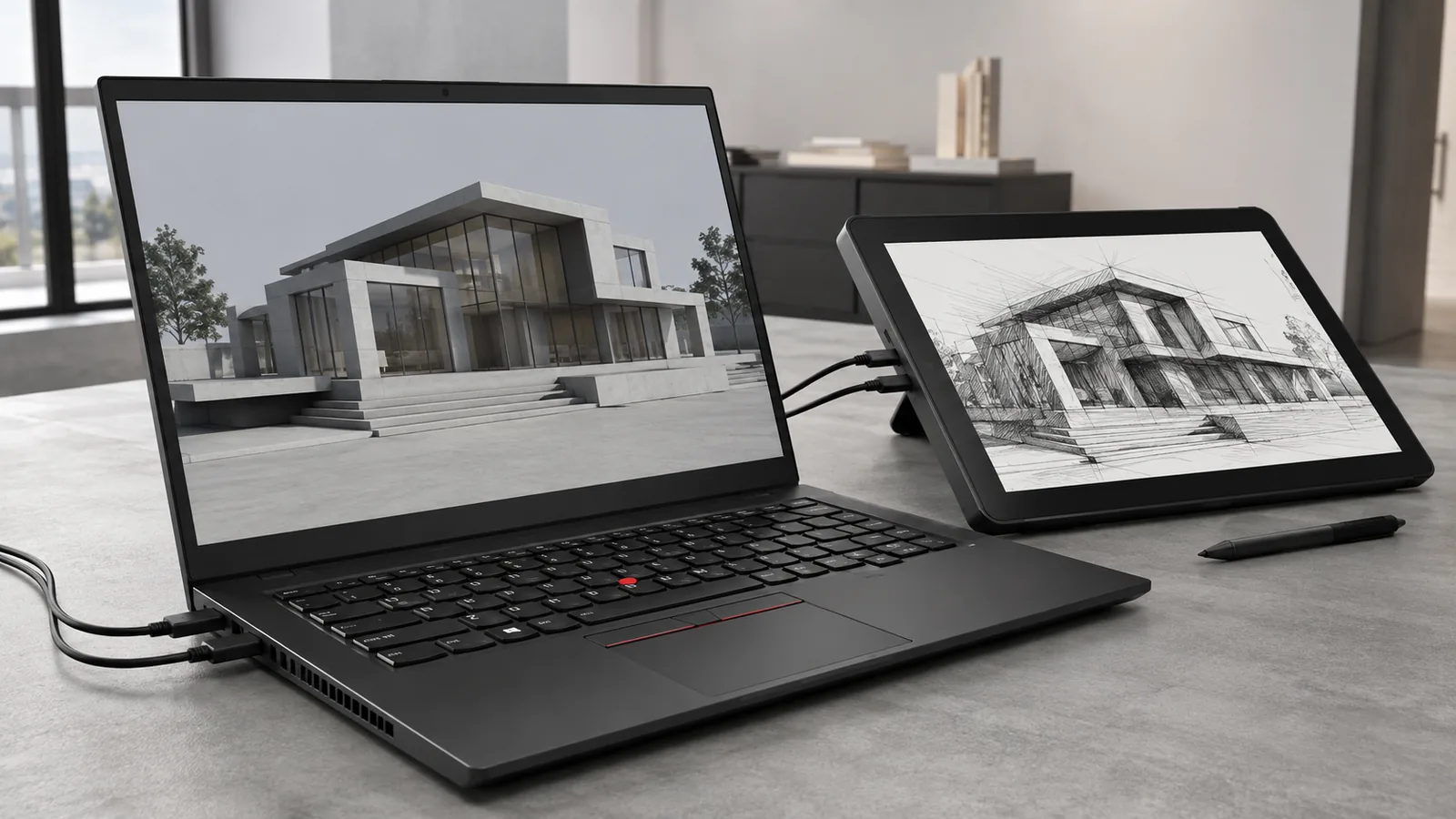
The P1 Gen 8 offers a generous array of I/O ports to support complex workflows without dongles. On the left side you’ll find two Thunderbolt 5 ports, a USB‑A 10 Gbps port, an HDMI 2.1 output and a headphone/mic jack, while the right side hosts a Thunderbolt 4 port, SD Express 7.0 card reader and Kensington Nano security slot. Thunderbolt 5 delivers up to 80 Gbps bandwidth and can drive multiple high‑resolution displays or external GPUs, making the P1 ready for 8K editing setups.
Wireless connectivity includes Wi‑Fi 7 and Bluetooth 5.4, which future‑proofs the laptop against upcoming routers and peripherals. Professionals who rely on cloud collaboration and real‑time communication will appreciate faster throughput and lower latency when using Wi‑Fi 7 networks.
Display Options: IPS vs 3.2K Tandem OLED
With three display choices, selecting the right panel is crucial. The WUXGA IPS panel (1920×1200) provides the best battery life and is ideal for coding, document editing or long writing sessions. The WQUXGA IPS panel (3840×2400) suits photographers and designers who need higher resolution and 800‑nit brightnessthurrott.com. The flagship 3.2K Tandem OLED panel offers variable refresh rates (40–120 Hz), deep blacks and a 1,500 nit HDR peak, making it perfect for video editors, colorists and anyone who values contrast. OLED also supports touch input, which can be helpful when navigating timelines or adjusting automation curves in creative software.
Performance for Creators and Engineers
CPU and GPU Capabilities
The P1 Gen 8’s Intel Core Ultra processors combine performance and efficiency cores with built‑in NPUs. The Ultra 7 255H and Ultra 7 265H processors deliver 14–16 cores and support Intel’s vPro features, enabling remote management for IT departments. For demanding 3D modeling, simulation or AI workloads, the Ultra 9 285H offers the highest clock speeds up to 5.4 GHz. These CPUs integrate an Intel Arc GPU for basic graphics tasks, but professional users should opt for the NVIDIA RTX Pro 2000. Built on Blackwell architecture with 8 GB of GDDR7 memory, this GPU accelerates rendering, CAD visualization and GPU‑accelerated AI tasks.
Memory and Storage Upgrades
Lenovo uses a LPCAMM2 (CAMM2) memory module rather than soldered LPDDR5X. This design allows users to replace or upgrade memory up to 64 GB, a rarity in ultraportable laptops. Creative pros working with large datasets, virtual machines or high‑resolution video will appreciate the ability to upgrade memory as workloads grow. Dual M.2 slots support up to 8 TB of PCIe 5.0 storage with RAID 0/1, giving engineers the choice of blistering speed or redundancy. Many competitors offer only a single drive slot, limiting storage capacity.
Thermal Performance and Cooling
Battery Life and Charging
Battery life determines how long you can work away from an outlet. The P1 Gen 8’s 90 Wh battery is generous for a 16‑inch workstation and supports Rapid Charge (80 % in about an hour). Battery tests reveal a range of results depending on configuration and workload:
- 7.69 hours on XDA’s Procyon productivity benchmark. Reviewer Joe Rice‑Jones called this “surprisingly good battery life for a mobile workstation,” noting that it’s not the 25‑hour endurance of less powerful laptops but respectable given the performancexda-developers.com.
Battery life also depends on display choice: the base IPS panel offers the longest runtime, whereas the 3.2K OLED trades some endurance for brightness and contrast. When selecting a configuration, consider how often you’ll be away from power and whether you need the OLED’s visual benefits. Fast charging means you can top up quickly during breaks—Lenovo’s 140 W GaN adapter brings the battery to 80 % in about 60 minutes, useful for remote workers bouncing between meetings.
Everyday Experience: Keyboard, Touchpad and Webcam
The ThinkPad line is renowned for its keyboards, and the P1 Gen 8 is no exception. The six‑row keyboard offers deep travel, strong tactile feedback and spill resistance. Writers, programmers and spreadsheet jockeys will feel right at home. Backlighting ensures visibility in dimly lit cafes or on airplanes. A Copilot key sits near the right Ctrl key, offering quick access to Microsoft’s AI assistant for tasks like summarizing emails or generating code snippets.
The UltraNav pointing system combines the red TrackPoint nub and a large glass haptic touchpad. Users who prefer minimal hand movement can precisely control the cursor with the TrackPoint, while the glass pad supports multi‑finger gestures and offers a satisfyingly firm click feedback thanks to its haptics. Some long‑time ThinkPad fans may miss the separate physical buttons, but the expanded surface area improves navigation and editing in creative applications. In The Metalverse review, the keyboard and touchpad were highlighted as “a joy to type on,” with comfortable key travel and smooth tracking.
Upgradability and Serviceability
One of the Gen 8’s standout features is its serviceability. Earlier ThinkPad P1 models used soldered memory, limiting upgrades. Lenovo now employs the LPCAMM2 (CAMM2) module that can be replaced or upgraded up to 64 GB. The bottom cover removes easily with standard screws, revealing access to both M.2 slots, the CAMM2 module and the 90 Wh battery. Users can swap drives, configure RAID arrays or replace the battery after years of use, extending the laptop’s lifespan and aligning with sustainability goals.
This repairability is rare among ultrathin workstations and offers peace of mind for IT departments. It also means creative professionals aren’t locked into a single RAM capacity; as software becomes more demanding, you can purchase a higher‑capacity CAMM2 module rather than buying a new laptop. The dedicated TPM 2.0 chip and support for self‑encrypting drives ensure data remains protected if you do change components.
Pricing and Configuration Advice
Step‑by‑Step Configuration Guide
- Define your workload. If your work involves CAD, video editing, 3D rendering or AI tasks, choose the RTX Pro 2000 GPU paired with at least an Ultra 7 265H or Ultra 9 285H CPU. Creative professionals will benefit from the extra CUDA cores and faster memory bandwidth.
- Select the display. For color‑critical work or entertainment, the 3.2K Tandem OLED panel provides unparalleled contrast and HDR brightness. For writing, coding or extended battery life, choose the WUXGA IPS panel, which can deliver over 12 hours of runtime. The WQUXGA IPS panel splits the difference, offering high resolution without the power draw of OLED.
- Decide on memory and storage. Start with 32 GB RAM if you multitask heavily or work with large files. Because the CAMM2 module is replaceable, you can upgrade to 64 GB later. For storage, at least 1 TB ensures enough space for project files and applications; use the second M.2 slot for backup or expansion.
- Consider battery needs. All models include the 90 Wh pack, but battery life varies with display and GPU. If you frequently travel or work away from outlets, pair the IPS screen with the integrated GPU to maximize endurance. For heavy GPU workloads, budget time to recharge between sessions. Rapid Charge refills to 80 % in about one hour.
- Check vPro requirements. If your organization uses Intel’s remote management technology, select a vPro‑enabled CPU such as the Ultra 7 265H or Ultra 9 285H. This enables remote diagnostics and firmware updates, reducing downtime for distributed teams.
Comparison with Alternatives
To help prospective buyers, here’s how the P1 Gen 8 stacks up against other mobile workstations:
Feature | Lenovo ThinkPad P1 Gen 8 | Dell Pro Max 16 | HP ZBook X G1i |
CPU options | Intel Core Ultra up to Ultra 9 285H with NPU | AMD Ryzen AI 9 HX PRO or Intel Core Ultra | Intel Panther Lake mobile workstation CPUs |
GPU options | NVIDIA RTX Pro 1000/2000 8 GB | NVIDIA RTX Pro 1000/2000 (some models include RTX 3500) | NVIDIA RTX 3500 or AMD Pro |
Weight | Starts at 4.06 lb | About 4.8 lb depending on config | Around 4.5 lb |
Battery life | Up to 12h 59m PCMark Modern Office; 7.69 h Procyon productivity | ~10 h PCMark battery | 6–7 h depending on workload |
Display options | IPS or Tandem OLED up to 3.2K | IPS up to 4K; no OLED | IPS or Mini‑LED up to 2.5K |
Upgradeability | Replaceable CAMM2 RAM, dual M.2 slots | RAM soldered on many models; one M.2 slot | RAM partially upgradeable; one M.2 slot |
Price | ~$1,699–$3,500 | ~$1,700–$3,200 | ~$2,000–$4,000 |
Who Should Buy the ThinkPad P1 Gen 8?
- Content creators and video editors who require reliable performance for Adobe Premiere, DaVinci Resolve or Blender. The RTX Pro 2000 GPU accelerates rendering, and the 3.2K OLED panel provides accurate colors.
- Engineers and architects working with CAD and simulation software such as AutoCAD, Revit or SOLIDWORKS. Dual M.2 slots allow large project files to be stored locally, and Thunderbolt 5 enables high‑speed connections to external monitors and storage arrays.
- AI developers and researchers exploring machine‑learning models. The built‑in NPU and CUDA‑capable GPU support on‑device inference, while the CAMM2 memory can be upgraded to 64 GB for training models.
- Remote professionals who split time between home, office and client sites. The 4‑pound weight and nearly 13 hour battery life make the P1 portable enough for travel, and features like presence detection and human‑presence locking enhance security when working in shared spaces.
If your primary need is a thin‑and‑light notebook for email and web browsing, a ThinkPad X13 Gen 5 or ThinkPad T14 Gen 5 may be more appropriate. These models retain excellent keyboards and business‑class features but at lower prices and with longer battery life. You can read our full reviews of the X13 Gen 5 and T14 Gen 5 to see how they compare.
Real‑World Workflows and Examples
Video Editing on the Road
Imagine you’re a documentary filmmaker traveling across countries. You need to ingest 4K footage, apply color grading and export final cuts while on trains and in coffee shops. The P1 Gen 8’s RTX Pro 2000 accelerates GPU‑accelerated effects in Premiere Pro, while the 3.2K OLED panel displays accurate colors and HDR details. Dual M.2 slots mean you can install a scratch drive to speed up edits. When you’re away from outlets, the 90 Wh battery gives you enough runtime to finish a timeline edit before your next stop. Rapid charging lets you top up during layovers.
CAD and 3D Modeling in the Field
Structural engineers often visit job sites to validate designs against reality. With the P1 Gen 8, you can load massive CAD files on‑site and make changes on the fly. The Intel Core Ultra CPU handles parametric modeling, while the RTX Pro 1000 or 2000 accelerates viewport rendering. The 16‑inch display provides ample screen real estate for tool palettes. Should you need to present designs to clients, Thunderbolt 5 easily connects to large monitors or projectors. If conditions get dusty or cold, the laptop’s MIL‑STD‑810H certification assures you that it can handle rough handling.
Music Production and Audio Editing
The Metalverse tested the P1 Gen 8 for music production workflows and found it . Producers can connect audio interfaces, MIDI controllers and external drives via Thunderbolt 5 or USB‑A without dongles. The 5 MP webcam and dual mics make it easier to collaborate on remote sessions, while Dolby Atmos speakers provide clear reference audio. Thanks to the low‑latency NPU, AI‑powered plugins (such as vocal noise reduction) run efficiently.
Software Development and AI Research
Developers and AI researchers will appreciate the ability to run virtual machines and containers thanks to the upgradable 64 GB RAM and fast SSDs. The integrated NPU offloads AI tasks such as code completion, speech‑to‑text and on‑device inference. Thunderbolt 5 ports support external GPUs or network adapters for testing high‑bandwidth systems. When coding for extended periods, the ergonomic keyboard and large haptic touchpad reduce fatigue.
Conclusion: Balancing Power, Portability and Price
The ThinkPad P1 Gen 8 stands out as one of the most capable mobile workstations available in 2026. It pairs Intel’s latest Core Ultra processors and NVIDIA’s RTX Pro Blackwell GPUs with an upgradeable memory design, dual M.2 slots, long battery life and a brilliant 3.2K Tandem OLED display. Reviews from StorageReview, The Metalverse and XDA confirm that it delivers excellent performance in CAD, video editing, AI workloads and music production, while still lasting around 13 hours in productivity tasks.
The laptop isn’t perfect. Thermals and fan noise are noticeable under heavy loads, and the price premium may be difficult to justify if your work doesn’t demand professional GPUs. Battery life drops to around 7–8 hours with the OLED panel and intensive use, though Rapid Charge helps mitigate downtime. Nonetheless, for creators, engineers and remote professionals who value power, portability and upgradeability in equal measure, the ThinkPad P1 Gen 8 remains a top‑tier choice.
FAQ: ThinkPad P1 Gen 8
What processors and graphics options does the ThinkPad P1 Gen 8 offer?
The ThinkPad P1 Gen 8 is available with Intel Core Ultra 5 235H, Core Ultra 7 255H/265H, or Core Ultra 9 285H processors. Graphics options include integrated Intel Arc 140T, or discrete NVIDIA RTX Pro 1000 or RTX Pro 2000 GPUs with 8GB of GDDR7 memory.
How long does the battery last in real use?
Battery life depends heavily on the display and GPU configuration. With the IPS display, some reviews report up to ~12 hours for typical productivity and about 12h 59m in PCMark Modern Office-style testing. A Tandem OLED display and heavier GPU use can reduce runtime to around 7–8 hours. Lenovo’s Rapid Charge can bring the 90Wh battery to about 80% in roughly an hour (conditions vary).
Is the RAM upgradeable?
Yes. Unlike many thin laptops with soldered memory, the P1 Gen 8 uses an LPCAMM2 (CAMM2) memory module, allowing you to replace or upgrade RAM (commonly up to 64GB, depending on SKU). Storage is also upgradeable via two M.2 slots supporting up to 8TB total and RAID configurations on supported models.
Is the ThinkPad P1 Gen 8 suitable for gaming?
The P1 Gen 8 is a professional mobile workstation, not a dedicated gaming laptop. However, the RTX Pro GPUs can run many modern games smoothly at 1080p (and sometimes 1440p) with settings reduced. Expect higher fan noise and more heat during long gaming sessions. If gaming is your priority, a consumer gaming laptop with GeForce RTX graphics usually delivers higher frame rates for the price.
Does the laptop support Wi-Fi 7?
Yes. The ThinkPad P1 Gen 8 includes Wi-Fi 7 and Bluetooth 5.4, supporting newer routers and modern peripherals.
How secure is the P1 for remote work?
The P1 Gen 8 includes enterprise-grade security features such as a 5MP webcam with IR for Windows Hello, a fingerprint reader, presence detection (auto-lock when you step away), a discrete TPM 2.0 chip, and optional self-encrypting drives on certain configurations. It also meets MIL-STD-810H durability testing standards.
When was the P1 Gen 8 released?
The ThinkPad P1 Gen 8 debuted in late 2025 and became more widely available in early 2026, bringing Intel Core Ultra processors and NVIDIA workstation-class graphics options.
Wiredu Fred is a technology journalist and founder of FrediTech, specializing in detailed reviews of consumer electronics, laptops and emerging technologies. With years of experience testing hardware and analyzing market trends, Fred helps readers make informed decisions about their tech investments.
Bottom Line
A laptop is a good buy when its exact configuration fits your workload, portability needs and budget. Compare the reviewed hardware with current alternatives and discounts, then prioritize the display, battery, ports and support you will use every day.