
The Insta360 Luna Pro really does record dedicated 4K 9:16 video at 2160 × 3840 at 30, 25 or 24fps. Insta360 says the mode uses a 6K oversampled source to create the final portrait file, giving social-first creators a higher-resolution master than the camera’s 3K60 portrait option. That matters most when your final destination is already TikTok, Instagram Reels or YouTube Shorts and you want to compose for 9:16 while filming instead of deciding the crop later.
The trade-off is motion. Luna Pro does not currently list 4K60 in 9:16 Video mode, so creators who need 60fps portrait capture must step down to 3K 1728 × 3072. The useful question is therefore not simply “is 4K better?” but whether your clip needs maximum detail, smoother motion or maximum post-production flexibility.
Insta360 Luna Pro 4K vertical video: Quick answer
Yes. Luna Pro records 2160 × 3840 9:16 video at 30/25/24fps. Insta360 markets the mode as using 6K oversampling for greater clarity and detail. For faster motion, the camera also records 1728 × 3072 3K portrait video at up to 60fps. Use 4K30 for talking heads, products, beauty, food, travel scenery and high-quality social masters; use 3K60 when walking, dance, sports, pets or other faster movement makes smoother motion more important than maximum resolution.
What resolution is Luna Pro 4K vertical video?
The official Luna Series specification table lists Luna Pro’s 4K portrait output as 2160 pixels wide by 3840 pixels high. That is the portrait counterpart to UHD 4K, presented in a 9:16 aspect ratio. Available frame rates are 30, 25 and 24fps.
| Resolution | Pixels | Aspect ratio | Frame rates | Best use |
|---|---|---|---|---|
| 4K | 2160 × 3840 | 9:16 | 30 / 25 / 24fps | Maximum portrait detail, talking heads, products, scenery |
| 3K | 1728 × 3072 | 9:16 | 60 / 50 / 48 / 30 / 25 / 24fps | Walking, dance, action and smoother motion |
| 2.7K | 1520 × 2688 | 9:16 | 60 / 50 / 48 / 30 / 25 / 24fps | Smaller files with 60fps flexibility |
| 1080p | 1080 × 1920 | 9:16 | 60 / 50 / 48 / 30 / 25 / 24fps | Fast workflow, lighter storage and simple delivery |
One current support-page detail is easy to miss: Insta360 separates aspect-ratio selection from its orientation shortcut. The specification table clearly lists a 4K 9:16 Video mode, while the aspect-ratio tutorial notes that the camera’s dedicated “Shoot in Portrait” orientation setting tops out at 3K and recommends a different orientation workflow for 4K portrait capture. In practice, check the shooting-specification menu for 4K 9:16 rather than assuming every portrait-orientation shortcut enables the same maximum resolution.
How the 6K oversampling works
Insta360’s launch material says Luna Pro creates its 4K30 vertical output using 6K high-resolution oversampling. Oversampling means the imaging pipeline starts with more source information than the final 2160 × 3840 file needs and downsamples that information into the finished 4K portrait frame.
The practical goal is a cleaner final image: Insta360 specifically promotes greater clarity and detail, while oversampling in general can help edge definition and reduce visible aliasing or moiré. Those are processing benefits, not a promise that the final file becomes 6K. The exported camera file is still 2160 × 3840.
It also does not mean Luna Pro records 6K60 portrait video, creates extra optical detail that the lens never resolved, or stores a 6K portrait master that you later export. “6K oversampling” describes the imaging pipeline used to produce the 4K file.
4K30 vs 3K60: which portrait mode should you use?
This is the most important Luna Pro vertical-video decision. 4K30 favors detail; 3K60 favors motion. Neither is automatically better.
| Use case | Recommended resolution | Frame rate | Why |
|---|---|---|---|
| Talking head | 4K 9:16 | 30fps | High detail with normal subject movement |
| Product video | 4K 9:16 | 30fps | Preserves texture and leaves crop room |
| TikTok | 4K30 or 3K60 | Depends on motion | 4K for detail; 60fps for movement-heavy clips |
| Instagram Reels | 4K30 | 30fps | Strong master for editing and platform compression |
| YouTube Shorts | 4K30 | 30fps | Native high-resolution 9:16 master |
| Travel scenery | 4K30 | 30fps | Detail matters more than extreme motion smoothness |
| Walking vlog | 3K60 or 4K30 | 60fps or 30fps | Choose smoother motion for faster walking |
| Dance / sports | 3K 9:16 | 60fps | Motion clarity matters more than maximum resolution |
| Night video | 3K PureVideo 9:16 | Up to 60fps | Current PureVideo portrait mode tops out at 3K |
For 4K portrait, 30fps is the straightforward social-media choice. Use 24fps when you deliberately want a more cinematic cadence, and 25fps when it fits a 50Hz/PAL-oriented production workflow. There is currently no normal 4K60 9:16 mode in Insta360’s official Luna Pro specification table.
Native vertical video vs cropping horizontal footage later
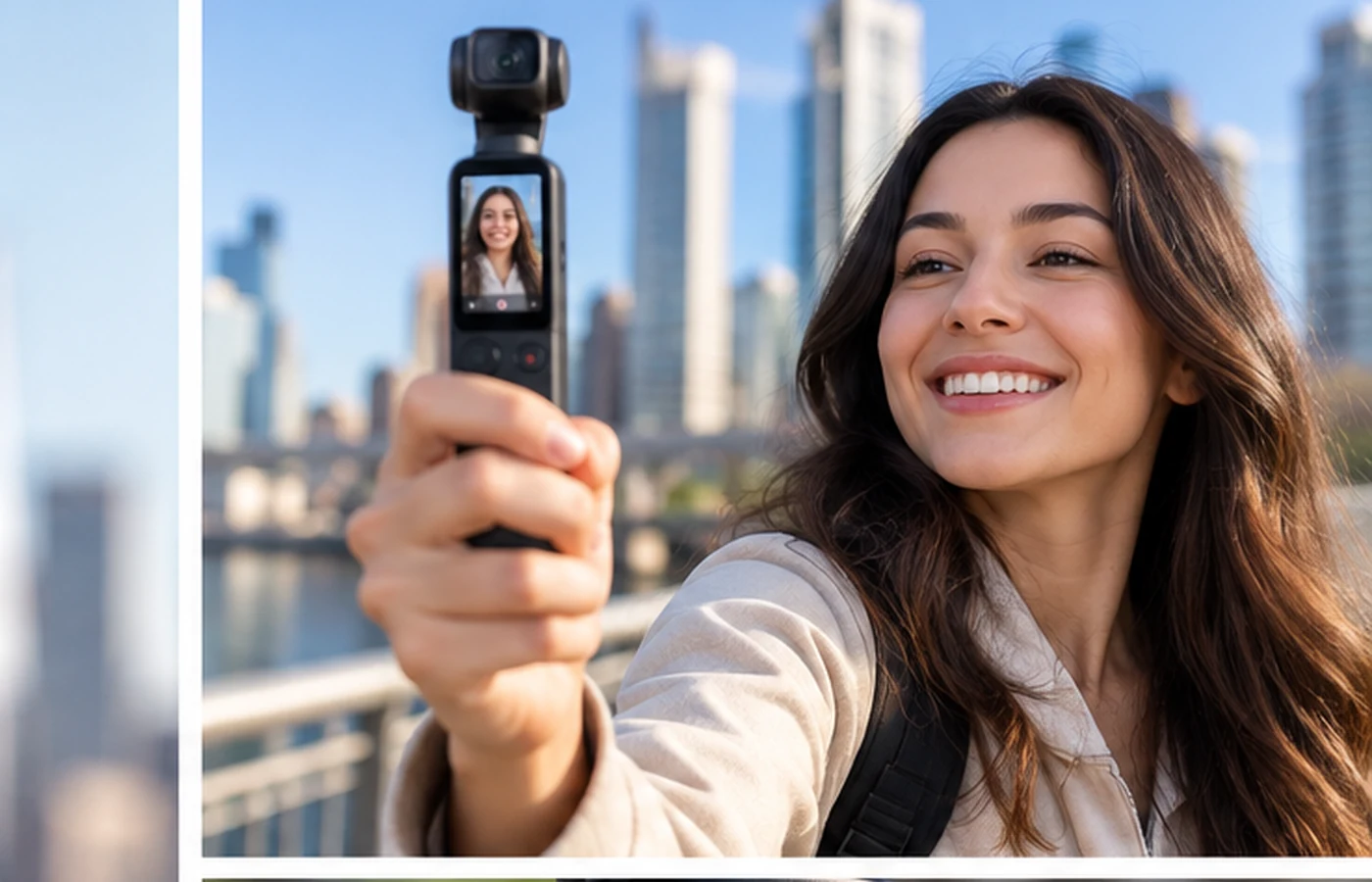
A dedicated 9:16 mode lets you compose the final portrait image while you are shooting. You can judge headroom, body position, background balance and tracking inside the narrow frame instead of imagining a crop that will happen later. The file is immediately aligned with vertical editing timelines, which can reduce post-production time.
Shooting horizontal first has a different advantage: flexibility. A landscape clip can serve YouTube, websites and traditional video, while an editor can later carve out a vertical version. That is useful when one recording must feed several platforms. The cost is more editing and a greater risk that important action sits outside the eventual portrait crop.
Why not just crop Luna Pro’s 8K footage?
Advanced creators have a legitimate alternative: shoot 8K landscape and extract a vertical composition later. An 8K 7680 × 4320 master gives substantial pixel room for reframing, and one source clip can potentially support both horizontal and portrait edits.
The disadvantages are workflow cost. 8K files are larger, editing is heavier, battery life falls sharply under demanding recording and heat rises. TechRadar measured roughly 90 minutes in demanding 8K use with the screen active, far below Insta360’s headline battery figure measured at 1080p24 with the screen and Wi-Fi off. Native 4K vertical is therefore the cleaner choice when you already know the deliverable will be 9:16.
Best Luna Pro settings for TikTok, Reels and YouTube Shorts
Social platforms transcode and compress uploaded video, so recording 4K does not guarantee that every viewer receives a full 4K stream. The value is the quality of the source file: you begin with more detail, more room for subtle cropping and a stronger archive master before the platform applies its own processing.
For TikTok, use 4K30 for talking-head, beauty, food, product and travel clips; use 3K60 for dance, fast walking and action. The same logic applies to Instagram Reels. For YouTube Shorts, a 2160 × 3840 file fits a native 9:16 editing timeline cleanly and is particularly useful when you finish on desktop in Premiere Pro, Final Cut Pro or DaVinci Resolve.
If you prefer mobile editing, FrediTech’s review of mobile editing apps and smartphone editing workflow guide cover tools such as CapCut and mobile-first editing approaches.
Tracking and stabilization in vertical mode
Vertical composition gives a moving subject less horizontal room to wander, so gimbal tracking becomes especially useful. Insta360’s Luna system supports Auto Tracking and Smart Framing, and TechRadar found Luna Pro tracking and three-axis stabilization to be standout strengths in normal use.
Published independent testing is not detailed enough to claim a separate “vertical autofocus system” or guaranteed tracking behavior for every portrait scenario. The sensible conclusion is that Luna Pro’s proven tracking and stabilization strengths carry obvious value into 9:16 shooting, but difficult occlusions, busy backgrounds and fast movement can still challenge any automated system.
Mechanical stabilization can smooth walking and panning, but it cannot fix a missed focus point, excessive shutter-speed blur or weak composition.
Why the detachable OLED helps solo creators
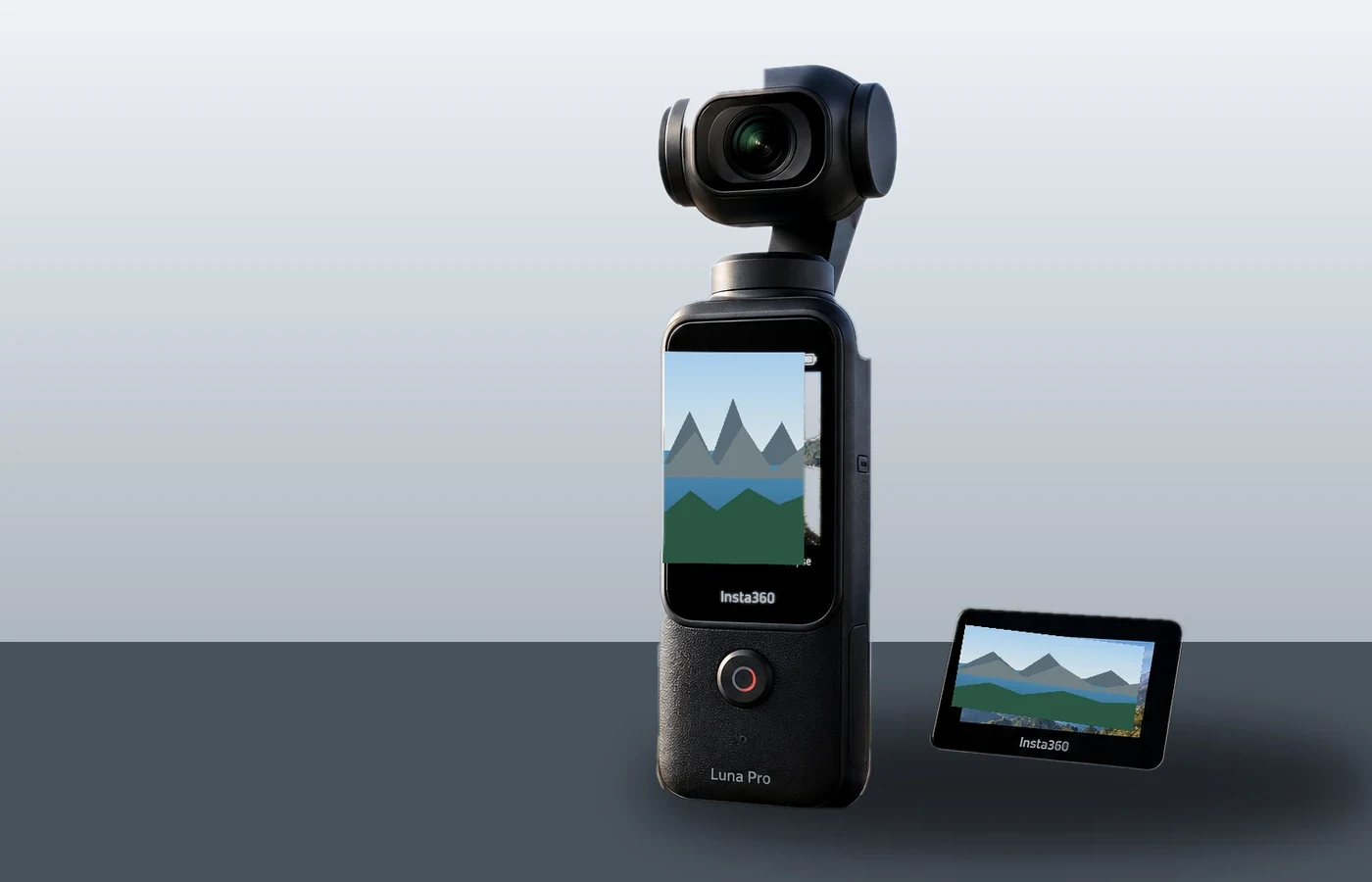
Luna Pro’s two-inch OLED screen detaches and works as a live monitor and remote controller. Insta360 rates HD image transmission up to 20m in an open, unobstructed environment and around 8m in more complex conditions. The remote can preview the image, change modes and exposure, and start or stop recording.
That is unusually useful for portrait content. A solo creator can place the camera several meters away for a full-body fashion Reel, cooking demonstration, workout clip or product presentation and still monitor the narrow 9:16 composition from the remote.
What happens in low light?
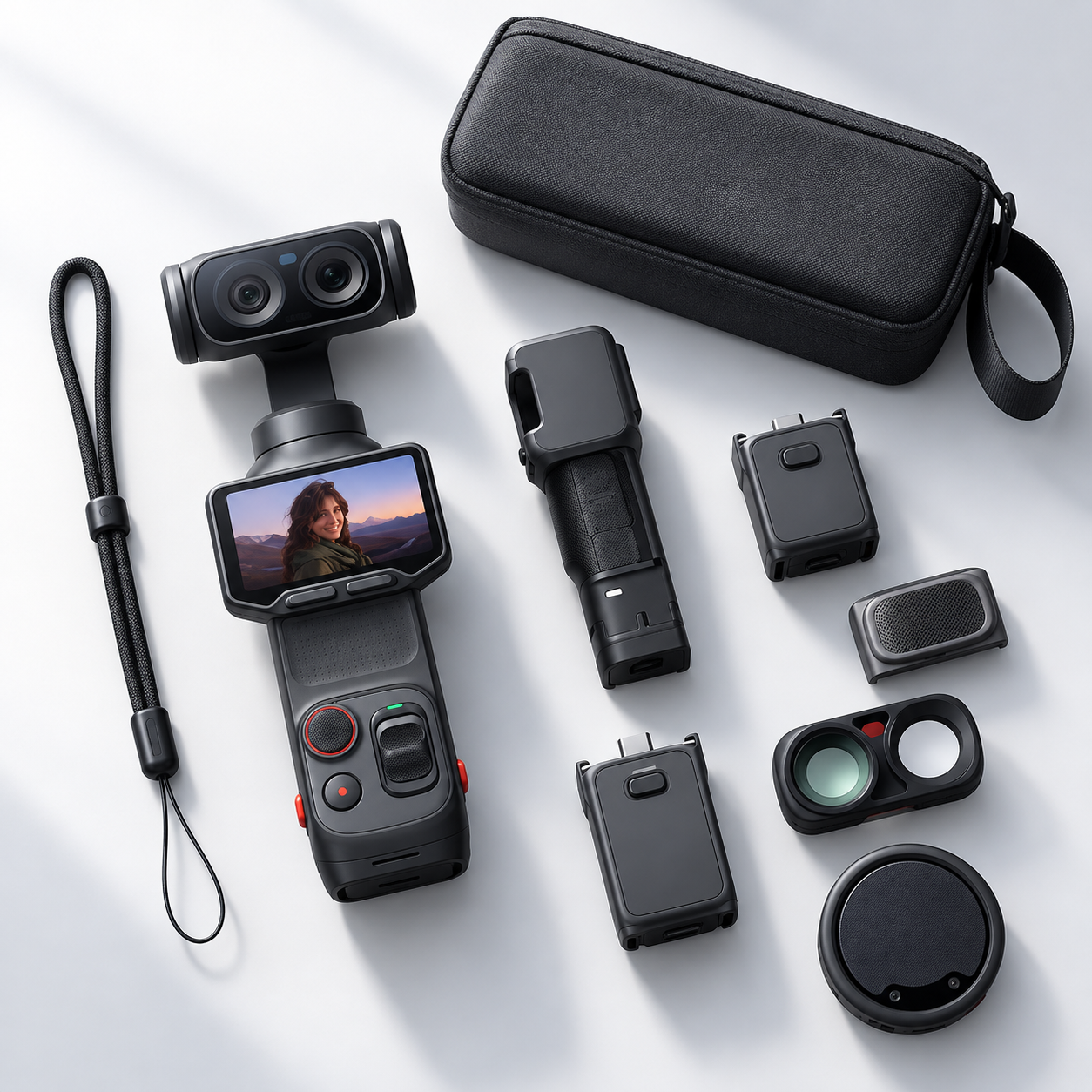
The hardware is favorable for a compact gimbal camera: a 1-inch sensor, Leica Summicron 20mm-equivalent lens and bright f/1.8 aperture. Luna Pro also offers PureVideo for low-light and nighttime shooting.
The important limitation is resolution. Insta360’s current specification table lists PureVideo portrait recording at 3K 1728 × 3072 up to 60fps, not 4K 9:16. That means normal 4K portrait mode is not automatically the best nighttime option. In very dark scenes, a lower-resolution mode designed specifically for noise reduction may produce a more useful result.
Leica Natural, Vivid and Chrome filters are available for supported standard-video settings. Insta360’s I-Log documentation says 10-bit I-Log can be enabled in Video modes and does not list 9:16 as an exclusion, which supports its use with portrait Video mode, although the company does not publish a separate vertical-only I-Log matrix. Dolby Vision is also supported by Luna Pro, but current support material is less explicit about every vertical-resolution combination, so creators should confirm the option on the camera after firmware updates.
Battery, storage and heat considerations
Luna Pro has 47GB of internal storage plus support for specified microSD cards up to 2TB. High-resolution portrait files consume more storage than 1080p, so internal storage is best treated as useful emergency capacity rather than the only storage plan for a long shoot.
Do not apply Insta360’s “up to 240 minutes” battery figure directly to 4K vertical recording. That official number comes from 1080p24 with the screen and Wi-Fi off at about 25°C. Resolution, screen use, tracking and wireless remote monitoring all change power demand. No standardized independent 4K-vertical battery result was found in the sources reviewed for this article.
Likewise, TechRadar’s long 8K thermal test should not be presented as a 4K portrait overheating test. High-resolution recording produces heat, but vertical-specific 4K30 thermal evidence remains limited.
Luna Pro vs Luna Ultra for vertical video
As of September 14, 2026, Luna Pro has the stronger official native portrait-resolution option. Insta360’s support table lists Luna Pro at 4K30 9:16, while Luna Ultra currently tops out at 3K60 in portrait mode. Insta360 has said related 4K vertical capability is planned for Luna Ultra through a future OTA update, so this advantage may be temporary.
Do not buy Luna Pro on the assumption that Ultra will never receive 4K portrait recording. Buy it because the feature exists on Pro today and because the single-lens camera is cheaper and lighter if telephoto is not important.
Luna Pro vs DJI Pocket 4 for portrait video
The vertical-video comparison is simple. Luna Pro reaches 2160 × 3840 at 30fps. DJI Osmo Pocket 4 records 1728 × 3072 at up to 60fps. Luna therefore wins maximum portrait resolution; DJI wins maximum portrait frame rate.
For beauty, products, talking heads and scenery, Luna’s 4K30 output is attractive. For dance, action and very active walk-and-talk footage, Pocket 4’s 3K60 can be the more useful specification. Neither advantage makes one camera universally better.
Who should actually use 4K vertical mode?
Luna Pro’s 4K portrait mode is most valuable for creators whose final output is definitely vertical: TikTok and Reels creators, YouTube Shorts channels, beauty and fashion accounts, product marketers, travel creators, social agencies and small businesses producing vertical ads.
It matters less if most of your work is landscape, you publish mainly at 1080p, you prioritize 60fps movement, or an editor routinely creates several aspect ratios from one master. In those workflows, 3K60 or an 8K horizontal master may be more efficient.
Is Luna Pro’s 4K vertical mode worth buying the camera for?
Potentially, yes—if vertical content is central to your workflow. The important benefit is not simply that “4K” sounds better. Luna Pro lets a social-first creator compose, track and record a high-resolution 9:16 image directly in camera, with an oversampled source and a detachable remote that makes solo framing easier.
The mode is less compelling for creators who need 60fps more than resolution or who already shoot 8K horizontal footage for multi-platform edits. The smartest Luna Pro workflow is therefore straightforward: use 4K30 when detail is the priority, 3K60 when motion is the priority, and 8K landscape when flexibility is the priority.
For broader context on capture and post-production, see FrediTech’s smartphone photography guide, Xiaomi 17 Ultra camera review, Pixel 8 Pro camera review and emerging mobile-photography guide.
Frequently Asked Questions
Does Insta360 Luna Pro shoot vertical 4K?
Yes. It records 2160 × 3840 9:16 video at 30, 25 or 24fps.
What resolution is Luna Pro vertical video?
The maximum current portrait resolution is 2160 × 3840 in normal Video mode. It also offers 3K, 2.7K and 1080p portrait modes.
Can Luna Pro shoot 4K60 vertically?
No. The current official specification table lists 4K 9:16 only at 30, 25 and 24fps.
What does 6K oversampling mean?
Insta360 says the camera starts with higher-resolution source information and downsamples it into the final 4K portrait file for greater clarity and detail. The exported file remains 2160 × 3840.
Can Luna Pro shoot 60fps vertically?
Yes, at 3K, 2.7K and 1080p portrait resolutions.
Which Luna Pro vertical mode is best for TikTok?
Use 4K30 for talking heads, products, beauty and scenery; use 3K60 for dance, action and faster movement.
Which mode is best for Instagram Reels?
4K30 is a strong high-quality master for most Reels. 3K60 is better when smoother motion matters more.
Which mode is best for YouTube Shorts?
4K30 is ideal when you want a high-resolution 9:16 master for desktop or mobile editing.
Does tracking work in vertical mode?
Insta360 supports subject tracking and portrait shooting, but detailed independent vertical-only tracking tests remain limited. Overall Luna Pro tracking tested strongly.
Does Luna Ultra shoot 4K vertical video?
Not in the current official specification table as of September 14, 2026. It currently tops out at 3K portrait video, with a future 4K update announced.
Is Luna Pro better than DJI Pocket 4 for vertical video?
Luna Pro offers higher maximum portrait resolution at 4K30; Pocket 4 offers higher portrait frame rate at 3K60. The better choice depends on whether detail or motion matters more.
Sources and Further Reading
- Insta360 Luna Series photo and video specifications
- Insta360 aspect-ratio and portrait-shooting guide
- Insta360 detachable touchscreen remote guide
- Insta360 I-Log documentation
- Insta360 Luna Pro launch announcement
- TechRadar Luna Pro review
- DJI Osmo Pocket 4 specifications
Fact-check date: September 14, 2026. Firmware can change portrait resolutions, color-mode compatibility and competitor capabilities, so recheck the official specification tables before major updates.