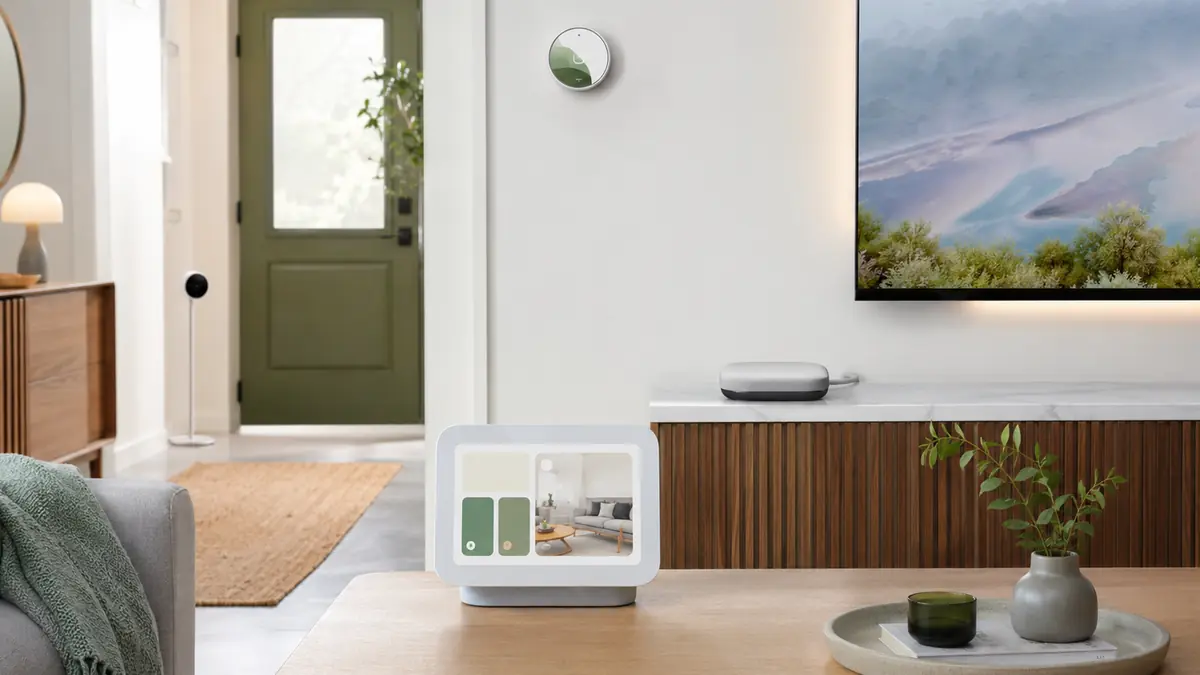

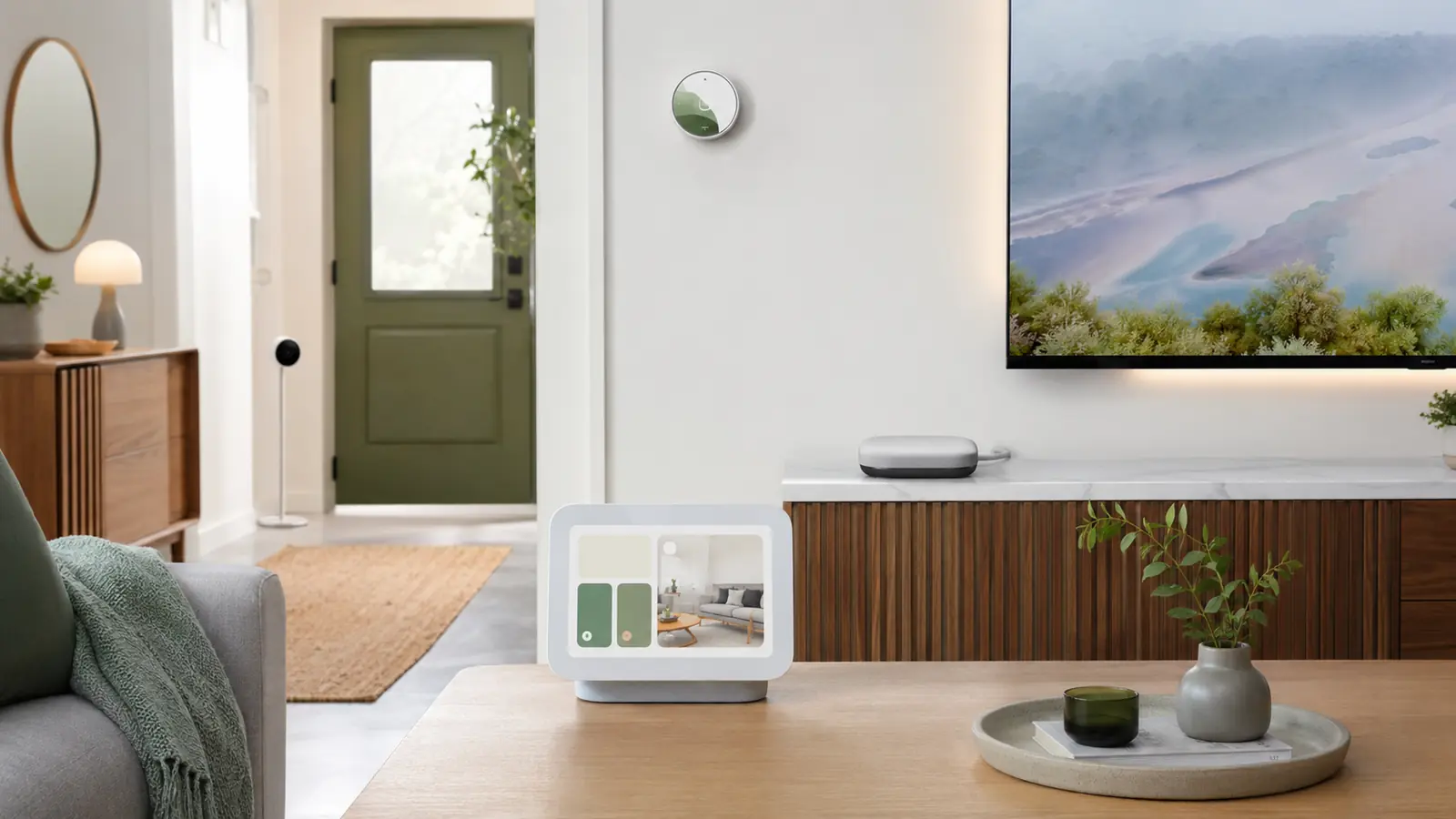
Google Home in 2026 spans Nest displays, cameras, doorbells, thermostats, Wi-Fi products, Google TV Streamer and a growing group of Matter accessories. The best Google Home devices 2026 are the ones that share a clear household interface and keep advanced subscriptions, Thread requirements and model generations understandable.
Google TV Streamer can combine television and hub duties; a Nest Hub adds a glanceable display; the third-generation wired Nest Cam and Doorbell move current video products to 2K. That does not mean every room needs a screen or every compatible device must carry the Nest name.
For the simplest first project, use the Smart Lighting Guide 2026 to choose Hue, Tapo, Nanoleaf, WiZ or another compatible lighting family. Keep physical wall control, then add voice and routines as a convenience layer.
Affiliate disclosure: FrediTech may earn a commission when you buy through links on this page, at no extra cost to you. Recommendations remain based on suitability, features and value.
Table of contents
What Are the Best Google Home Devices in 2026?
Google TV Streamer is the strongest hub-plus-streaming foundation; Nest Hub (2nd gen) is the best compact shared display; Nest Cam Indoor and Nest Doorbell wired (3rd gen) are the current 2K camera choices; Nest Learning Thermostat (4th gen) is the premium climate pick. Matter lights and plugs add lower-cost flexibility.
- Best control foundation: Google TV Streamer or an already-supported Nest hub.
- Best compact display: Nest Hub (2nd gen).
- Best current Nest camera pair: wired 3rd-generation Nest Cam and Doorbell.
Best Google Home Devices Compared
Google Home features and service names can change. Confirm current plan terms and model support in your country.
| Device | Best for | Hub/display role | Key strength | Main trade-off |
|---|---|---|---|---|
| Google TV Streamer | TV room hub foundation | Google Home/Matter hub + streaming | Ethernet and television interface | No always-visible standalone display |
| Nest Hub (2nd gen) | Kitchen or bedside glanceable control | Display and supported hub roles | Compact touch/voice interface | Older hardware than newest cameras |
| Nest Hub Max | Larger display and video calls | Display/hub with camera | Room-scale shared screen | Camera privacy and larger footprint |
| Nest Cam Indoor wired (3rd gen) | Current indoor video | Google Home camera | 2K video and unified app | Cloud plan affects history value |
| Nest Doorbell wired (3rd gen) | Front-door coverage | Google Home doorbell | 2K class wired entry video | Wiring and plan considerations |
| Nest Learning Thermostat (4th gen) | Premium climate automation | Matter-certified thermostat | Room sensing and design | HVAC fit and premium price |
Google TV Streamer — Best Google Home Foundation
Google TV Streamer — Best Hub and Streaming Foundation
Best for: Google Home households that need a Matter hub, television interface and Ethernet in one product.
Google TV Streamer combines media playback with Google Home controls and a hub role. Ethernet is useful for a stationary controller, and the television can surface cameras or device panels without adding another countertop display.
- Role: Google Home/Matter hub plus streaming device
- Network: Wi-Fi and Ethernet
- Smart home: Google Home control; verify current Thread specification
- Main drawback: Controls disappear when the television is off unless phones or speakers are available
Pros
- Two useful roles in one purchase
- Stable wired-network option
- Good fit for a central TV room
Cons
- Not a Zigbee or Z-Wave hub
- No dedicated always-on glanceable screen
FrediTech verdict: The best foundation when the household already wants a Google TV streamer. Do not replace a satisfactory streamer solely for a hub role you already have in Nest hardware.
Nest Hub (2nd Gen) — Best Compact Google Display
Nest Hub (2nd gen) — Best Compact Smart Display
Best for: Kitchens, bedrooms and desks that need timers, media, routines and camera views without a built-in camera.
Nest Hub offers a compact touch and voice interface, and Google lists it among Thread border-router hardware. Its camera-free design can suit more private rooms while still showing compatible doorbells and cameras.
- Interface: Touch display and Google Assistant
- Thread: Border-router support per Google documentation
- Camera: No built-in camera
- Main drawback: Display and processor are not the newest Google hardware
Pros
- Compact shared control point
- No integrated camera
- Useful smart-home and bedside features
Cons
- Not a large media display
- Some future AI experiences may prioritize newer hardware
FrediTech verdict: A practical display when privacy and size matter. Buy Nest Hub Max only when video calls, a larger screen and its camera are genuinely useful.
Nest Hub Max — Best Large Google Display
Nest Hub Max remains the larger Google smart display for video calls, media, camera views and household control. Its built-in camera creates useful communication and monitoring features, but also requires thoughtful placement, household consent and account settings. Choose it for a shared kitchen or family room, not a private bedroom.
A large display is not necessary for Matter. If you already own Google TV Streamer or a supported Nest device, inventory hub roles in the best smart home hubs guide first.
Nest Cam Indoor (3rd Gen) — Best Google Indoor Camera
Nest Cam Indoor (wired, 3rd gen) — Best Google Home Indoor Camera
Best for: Google Home users who want current 2K indoor video and a straightforward app experience.
The current wired indoor camera integrates with Google Home and raises the line to 2K video. Wired power suits continuous availability better than battery hardware, while Google Home Premium tiers determine longer history and advanced service value.
- Video: 2K class per Google Store
- Power: Wired
- App: Google Home
- Main drawback: Cloud-centric history and service cost
Pros
- Current Nest video hardware
- No battery maintenance
- Strong display and notification integration
Cons
- Limited local-recorder ownership
- Subscription affects total value
FrediTech verdict: Choose it for a unified Google experience. Choose Reolink, eufy or another local-storage system if recorder ownership matters more. Compare in the camera guide.
Nest Doorbell Wired (3rd Gen) — Best Google Doorbell
Nest Doorbell (wired, 3rd gen) — Best Google Home Video Doorbell
Best for: Homes with compatible doorbell wiring that want current 2K Nest entry coverage.
The third-generation wired Nest Doorbell offers current Google camera intelligence and 2K-class video without routine battery charging. A wired design can improve event readiness, but transformer, chime and installation compatibility must be checked.
- Video: 2K class per Google Store
- Power: Wired doorbell supply
- Ecosystem: Google Home and Nest displays
- Main drawback: Installation and cloud-plan dependence
Pros
- Current high-resolution Nest doorbell
- No charging cycle
- Strong Google display notifications
Cons
- Not suitable for every transformer/chime
- Useful history can add recurring cost
FrediTech verdict: The best Nest fit when wiring is compatible. The battery model remains useful for difficult rentals, with the usual wake-up and charging trade-offs.
Nest Learning Thermostat (4th Gen) — Best Premium Climate Device
Nest Learning Thermostat (4th gen) — Best Premium Google Thermostat
Best for: Google Home households that want a current Matter-certified learning thermostat and room sensing.
The fourth-generation Nest Learning Thermostat brings the premium circular design, current Google Home integration and Matter certification. Its included or compatible temperature sensing can address rooms that differ from the hallway thermostat.
- Matter: Certified per Google product information
- Control: Google Home app, thermostat and voice
- Sensor: Nest Temperature Sensor integration
- Main drawback: Premium cost and HVAC compatibility requirements
Pros
- Current flagship design
- Room-aware climate potential
- Matter ecosystem integration
Cons
- Not compatible with every HVAC system
- Savings depend on home, schedule and climate
FrediTech verdict: Use Google’s compatibility resources before buying. ecobee can be a better multi-ecosystem alternative when its room sensors and air-quality features fit the household.
Best Google Home Lights and Plugs
Google Home works with current Matter lighting from Nanoleaf, Tapo, WiZ and other certified brands, while Philips Hue and Lutron provide mature bridge-based systems. For a few bulbs, Matter over Wi-Fi is simple. For a planned Thread mesh, Nanoleaf or other Thread lighting needs a compatible border router. For permanent circuits, a smart wall switch often gives the best family experience.
Tapo P110M is a strong Matter smart plug with energy monitoring, but the detailed graph may remain in Tapo. Use the best smart plugs 2026 guide for ratings and automations.
Matter and Thread in Google Home
Google publishes a current list of supported Matter device types and hub hardware. A Matter-over-Wi-Fi accessory needs a compatible Google Home hub/controller. Matter-over-Thread additionally needs a Thread border router such as listed Nest or Google hardware. Bluetooth helps commission the accessory but is not its normal control network.
Use multi-admin to share supported Matter devices with Alexa, Apple Home or SmartThings when different household members prefer different apps. The Matter guide explains the sharing flow and why rooms and routines do not synchronize automatically.
Useful Google Home Automations
- Arrival lighting: switch on an entry scene only after dark.
- Open-window climate pause: use a contact sensor and a time delay before changing the thermostat.
- Doorbell display: show the entry camera on selected hubs, not every private-room screen.
- Bedtime: lower lights, report an open door and reduce thermostat demand without unlocking anything.
- Media scene: dim appropriate lights when the television starts, retaining a safe path light.
- Energy reminder: notify when a monitored plug shows a suitable appliance cycle has ended.
Automations should fail safely. Keep wall controls, avoid unattended high-risk loads and give every routine a clear name and owner.
Google Home Privacy and Support
Review household members, camera history, voice data, activity controls, third-party connections and recovery accounts. Google publishes a minimum security-support framework for Nest devices, but the exact date depends on when a model was first sold. Record that date when purchasing and include it in a yearly lifecycle review.
The end of Belkin Wemo cloud support in January 2026 showed why cloud dependency matters even when the controlling app is Google Home. Follow the smart home privacy guide and keep a replacement plan for unsupported integrations.
Which Google Home Devices Should You Buy?
Choose Google TV Streamer for a TV-centered hub, Nest Hub 2nd gen for a compact camera-free display, Nest Cam and Doorbell 3rd gen for current Google video, and Nest Learning Thermostat 4th gen for premium climate control after a compatibility check. Add Matter lighting and plugs from the product family that offers the best native features.
Avoid buying every Nest device merely for visual consistency. Compatibility, support life, storage model and manual fallback matter more than matching shapes.
Google Home Devices FAQ
What is the best Google Home hub?
Google TV Streamer is the strongest hub-plus-streaming foundation. Nest Hub 2nd gen is better when a compact shared display is the main need. Existing supported Nest hardware may already cover the hub role.
Does Google Home support Matter?
Yes, for supported device types and with compatible Google hub hardware. Thread accessories additionally need a listed Thread border router.
Is Nest Hub 2nd gen still worth buying?
Yes when a compact camera-free display, timers, camera views and Thread-border-router role fit the room. Buyers seeking newer processing or a larger video-call display should compare alternatives.
Do Nest cameras require a subscription?
Live viewing and limited features work without a plan, but meaningful longer history and advanced services can require Google Home Premium. Check current regional terms before buying.
Can Google Home control Apple Home or Alexa devices?
Supported Matter accessories can often be shared with Google Home using multi-admin. Platform-exclusive devices and advanced features may not be available.
Will Google Home work without internet?
Some local Matter controls and device automations can continue, but voice processing, remote access, cloud camera history and third-party services may stop.
Which Nest Doorbell is best?
The wired 3rd-generation model is the best current Nest choice when wiring is compatible. The battery model is easier to install but requires charging and uses motion wake-up behavior.
Is Nest Learning Thermostat compatible with every HVAC system?
No. Use the official compatibility checker and inspect wiring before purchase; some systems need professional installation or a different thermostat.
How long are Nest devices supported?
Google publishes minimum security-support commitments tied to the model’s first-sale date. Check the current support page for the exact device and record the date.
Continue Your Smart Home Plan
Use these related FrediTech guides to check compatibility before you buy:
- Smart Lighting Guide 2026
- Matter Smart Home Guide 2026
- Best Smart Home Hubs 2026
- Best Smart Security Cameras 2026
- Smart Home Privacy and Cybersecurity Guide 2026
- Best Smart Home Deals 2026
Sources and Editorial Method
This guide is based on current standards documentation, manufacturer specifications, support policies and ecosystem compatibility information checked for the 2026 edition. FrediTech has not claimed hands-on testing where none was supplied. Prices and availability can change by retailer and region.