
A bedroom can contain the newest lights, speakers and motorized curtains yet still fail at its most important job. If the room keeps you scrolling, makes simple controls difficult to find or wakes you with a burst of harsh light, the technology is working against the person who sleeps there.
These smart bedroom ideas for 2026 take the opposite approach. The goal is a calm room that becomes darker and quieter at night, helps you move safely when necessary, and opens the day gradually—without making sleep dependent on Wi-Fi, subscriptions or a phone beside your pillow.
Research checked: August 27, 2026. This article offers general home-planning guidance, not medical advice or treatment for insomnia, sleep apnea or another condition. Persistent sleep problems deserve advice from an appropriate healthcare professional.
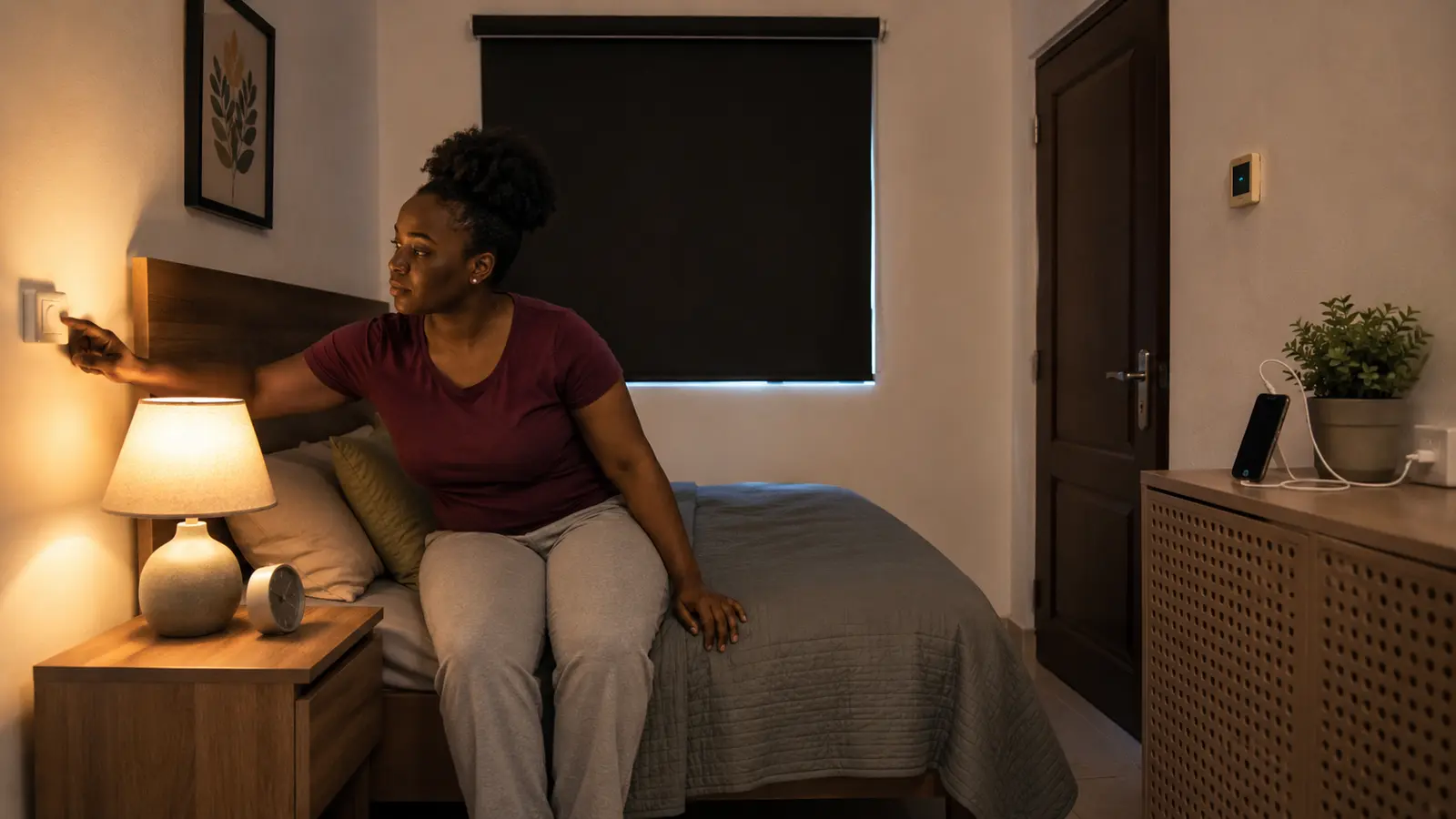
Table of contents
What makes a bedroom genuinely smart?
A smart bedroom protects the basics first: a comfortable sleep surface, darkness, quiet, suitable temperature, clear walking paths and reachable manual controls. Automation should then remove predictable friction with one bedtime scene, one wake-up scene and a gentle night-light path. Start with lighting and physical comfort before buying screens, speakers or complex sensors.
Design the room around sleep, not a gadget showroom
The CDC sleep guidance says adults aged 18–60 generally need at least seven hours of sleep, with needs varying by age. A bedroom cannot guarantee that outcome, but it can stop creating avoidable obstacles. Walk through the room at bedtime, during the night and on waking. Note every repeated action: closing curtains, switching off several lamps, changing the fan, locating glasses, charging a phone or crossing a dark floor.
Turn that list into three columns: environmental problem, simplest non-connected fix and possible automation. Streetlight may first need a lined curtain, not a smart bulb. Heat may require shade, airflow or bedding changes before an app-controlled air conditioner. A light that is difficult to reach may need a better switch location or bedside button. The simplest reliable answer should win.
| Repeated problem | Fix the foundation | Add automation only if useful |
|---|---|---|
| Room stays bright at night | Block exterior light and remove glowing indicators | Schedule shades or a low, warm bedtime scene |
| Getting up is unsafe | Clear the floor and place reachable footwear | Use a dim motion-triggered path light |
| Morning feels abrupt | Keep a consistent wake time and admit daylight | Raise light gradually and open compatible shades |
| Too many bedside devices | Remove screens and duplicate chargers | Use one physical scene button |
Five lighting ideas that support night and morning
1Control exterior light before changing bulbs
Close gaps around curtains and use an opaque lining where streetlights, signs or early sunlight enter the room. A well-fitted roller blind can work in a shallow window; full curtains may also soften sound and the visual feel of the space. Check whether the fabric traps heat or blocks necessary ventilation in your climate. Manual curtains are often the best value; motorization helps when windows are high, wide, difficult to reach or part of a routine used every day.
2Build three layers of light
Separate general lighting, focused reading light and a very low night path. Each layer solves a different task, so one ceiling bulb does not have to be both bright enough for cleaning and soft enough for winding down. Choose lamps that shield the bare bulb from the eyes. Place reading light where it reaches the page without lighting the whole room or disturbing another sleeper, and keep switches reachable from the normal position in bed.
3Create a warm, dim bedtime scene
The CDC advises avoiding artificial light close to bedtime. A scheduled scene can reduce brightness and switch off unnecessary lamps, but it should follow the household’s real schedule rather than forcing one. Use the lowest comfortable light for preparing for bed, avoid bright decorative color effects, and include a physical control. If a dimmable bulb flickers, hums or behaves poorly with an existing wall dimmer, stop using that combination and check compatibility.
4Use a gradual wake-up light
Morning light can be provided by daylight, a scheduled lamp or a purpose-built wake light. Begin at low brightness and increase it over a practical period rather than snapping the entire room on. The routine should never prevent someone turning the light off immediately. Shift workers and people with specific sleep or light sensitivities may need a different schedule; automation is not a substitute for individualized clinical guidance.
5Add a low night-light path
A warm, low-level light near the floor can make the route to the door or bathroom visible without flooding the room. The National Institute on Aging recommends night lighting and clear routes as part of reducing fall hazards. Aim the sensor away from movement in bed, set a short timeout and keep clutter, loose rugs and charging cables out of the path. Safety comes from the clear route first; the sensor is a supplement.
Five upgrades for comfort, quiet and less distraction
6Control heat with the smallest effective method
Start with shade, ventilation, breathable bedding and a fan before cooling the entire room more aggressively. Place a fan where airflow is useful but loose fabric cannot enter the blades. If you use air conditioning, maintain filters and drainage, close unnecessary openings while it runs and select a moderate setting that remains comfortable. A smart controller is valuable only when it operates the equipment safely and does not bypass manufacturer requirements.
7Measure conditions to learn—not to chase a perfect number
A simple temperature and humidity display can reveal why some nights feel different, especially across seasons. Position it away from direct sun, the air-conditioner outlet, an open window or the sleeper’s breath. Look for patterns over several days rather than reacting to every reading. Consumer sensors vary, and a bedroom monitor does not diagnose an air-quality or health problem. For a broader room strategy, use the FrediTech guide to improving indoor air quality at home.
8Treat noise at the source
Repair rattling fan covers, loose window fittings and buzzing chargers before adding sound-masking devices. Curtains, door seals and soft furnishings may reduce some reflections and small gaps. A steady fan or white-noise machine can mask inconsistent sound, but keep the volume modest and place speakers away from the head. Set a timer when all-night playback is unnecessary, and avoid earbuds during sleep if they create discomfort, pressure or cable risks.
9Move the phone away from the pillow
Create a charging point on a stable surface beyond easy scrolling distance but close enough for genuine emergency access. Use a separate alarm clock when that makes the boundary easier. Keep charging equipment uncovered, ventilated and undamaged; do not charge a phone under bedding. Turn on scheduled focus or do-not-disturb settings, then allow calls from the people who must be able to reach you. The aim is fewer unnecessary prompts, not disconnection from important responsibilities.
10Make bedside essentials predictable
Use a shallow tray or drawer for glasses, medication, water and a small flashlight, according to household needs. Avoid an overcrowded table where a hot drink can spill onto electronics. If medication timing or storage is important, follow professional and product instructions rather than relying only on a voice assistant reminder. A tactile arrangement matters when someone wakes without glasses: the light control, water and telephone should not require searching among cables.
Ten automation ideas that stay simple and dependable
11Put a physical scene button beside the bed
A button can switch off general lights, leave the path light available and set the fan or approved controller to a preferred state. One press is easier than opening several apps while tired. Give each side of a shared bed an accessible control and use a familiar long-press or double-press only if everyone can remember it. Label functions in the app, not with glowing bedside screens.
12Build one goodnight routine
Start with three actions or fewer: turn off selected lights, set the bedroom light low and confirm an entry is secured if an appropriate sensor already exists. Do not let a routine automatically lock an interior door, disable safety equipment or cut power to devices that need to remain on. Run it manually for a week before adding a schedule. The FrediTech automation guide for beginners explains triggers, conditions and fallbacks.
13Create a separate wake-up routine
Increase one light gradually, open a compatible shade if privacy allows and start optional audio at a low level. Weekday and weekend schedules may differ, but avoid creating a complex calendar that becomes unreliable. Keep a conventional alarm for important travel, exams or work shifts until the automation has proved dependable. Power or internet failure should not make you miss a critical appointment.
14Use occupancy carefully
A motion or presence sensor can turn off forgotten lights after the room has been empty, but bedrooms are difficult because a sleeping person moves very little. Never use a short vacancy timeout to control essential cooling, medical equipment or anything whose unexpected shutdown creates risk. Start with notifications or non-essential lamps, test day and night, and provide a clear override for guests.
15Motorize curtains only for a repeated need
Measure the curtain weight, track type, travel distance, nearby sockets and manual-release method. Battery retrofit motors reduce wiring but add charging maintenance; hardwired products require suitable installation. Confirm what happens during a power failure and whether the curtain can still move by hand. Schedule opening only when privacy, heat and sunrise timing make sense—an automatic curtain should not expose the room unexpectedly.
16Choose smart plugs by load and safety
Use certified plugs compatible with local voltage, frequency, socket and the connected appliance. Never use a general smart plug to control an electric blanket, heater, air conditioner or other high-load equipment unless both manufacturers explicitly permit the arrangement and the ratings are adequate. Do not hide plugs where heat builds up. For an ordinary bedside lamp, a smart bulb may preserve manual switching more cleanly than an adapter.
17Limit microphones and cameras in private space
Ask whether voice control solves a problem that a button cannot. If a speaker is useful, review microphone mute controls, voice-history settings, guest access and account permissions. Indoor cameras generally do not belong in adult sleeping areas; use contact, leak or environmental sensors when those provide the needed signal without recording people. Discuss every sensor with everyone who uses the room.
18Buy for compatibility and support
Check whether a product works with the household’s existing platform, supports local control where useful and has a stated update policy. Matter can improve cross-platform compatibility for supported device categories, but the logo does not guarantee every feature appears in every app. NIST notes that unsupported connected devices can become a security concern, so long-term updates and an ordinary manual mode are part of the purchase—not optional extras.
19Secure every connected bedroom device
Change default credentials, use unique passwords, enable multi-factor authentication when available and install updates. The FTC connected-device guidance also recommends using device security features and current firmware. Remove old household members from shared homes, review third-party links and retire a device when critical support ends.
20Keep a manual fallback and a monthly reset
Every essential light, shade and comfort device should remain understandable when the phone is flat or the network is down. Once a month, test the bedside button, wake alarm and night path; remove dead automations; charge batteries; and check that time schedules still match the household. Simple routines age better than a chain of clever conditions nobody remembers six months later.
Three smart-bedroom upgrade plans
| Plan | Start with | Add after testing | Skip for now |
|---|---|---|---|
| Low-cost calm | Clear floor, lined curtains, warm bedside lamp, cable control and separate alarm | Night-light sensor and simple temperature display | Voice assistant and motorized shades |
| Balanced smart room | Everything above plus dimmable lighting, two physical buttons and basic routines | Compatible shade motor or fan control | Extra sensors without a defined action |
| Accessibility-focused setup | Reachable controls, clear path, stable furniture and professional safety assessment where needed | Voice control as a second method and dependable alerts | App-only controls or automatic changes without consent |
Compare the full cost: hub, batteries, compatible lamps, installation, replacement parts and possible subscriptions. In rented homes, prefer reversible controls, freestanding lamps and curtain solutions approved by the property owner. Keep removed switches, fittings and instructions together for move-out.
Set up a smart bedroom in eight steps
- Record one normal week. Note light, heat, noise, charging and wake-up problems without purchasing anything.
- Clear safety hazards. Open the walking path, stabilize furniture, inspect cables and keep chargers off bedding.
- Control darkness and comfort. Improve curtains, airflow, bedding and noise at the source.
- Layer the lighting. Set separate general, reading and low path lights with reachable manual controls.
- Move distracting screens. Create a safe charging point and configure focus settings and emergency contacts.
- Add one bedtime scene. Use a physical button and no more than three dependable actions.
- Add one morning scene. Test gradual light and a backup alarm before trusting the schedule.
- Review after 30 days. Keep only automations that reduce friction and remain understandable to every user.
Frequently asked questions
What should I buy first for a smart bedroom?
Begin with the problem that repeats most often. For many rooms that is controllable lighting: one warm bedside lamp, a reachable switch or button and effective curtains. Improve the physical sleep environment before adding a hub, speaker or collection of sensors.
Are smart bulbs good for bedrooms?
They can be useful when they dim smoothly, produce comfortable warm light and still have a practical manual control. Confirm fitting, voltage, enclosed-fixture restrictions and wall-dimmer compatibility. A smart bulb that becomes unreachable whenever someone uses the wall switch is a poor shared-room experience.
Should I put a voice assistant in the bedroom?
Only when hands-free control materially improves access or convenience and everyone understands the privacy settings. A physical bedside button can perform common scenes without a microphone, account or spoken command, and it should remain available even when voice control is installed.
Can automation improve sleep?
Automation can support consistent environmental cues by lowering lights, reducing interruptions and making morning light gradual. It cannot diagnose or treat a sleep disorder, and badly timed alerts or unreliable routines may create more disruption. Use it to support sound habits, not to promise a medical result.
How do I make a small bedroom smarter without clutter?
Use multi-purpose, wall-adjacent or under-bed storage that does not block ventilation or exits. Choose one button, one charging point and one or two lighting layers. Consolidate compatible devices in one platform and remove unused accessories rather than displaying every control on the bedside table.
Research sources and methodology
This guide combines official sleep-environment, home-safety, energy and cybersecurity guidance with a problem-first review of common bedroom controls. Product categories were assessed for manual fallback, privacy, interoperability, regional electrical compatibility and maintenance burden. It is not a hands-on product ranking.